

Telegram Warns iPhone Users on Older iOS: What It Means and What to Do
Telegram is alerting iPhone users on older iOS to update. What Pavel Durov said, the latest iOS versions and how to update.


Telegram is sending a security alert to iPhone users who haven’t updated iOS. CEO Pavel Durov posted on X on November 27 that “iPhone users are being hacked on a massive scale,” and that opening a website can be enough to get hacked.
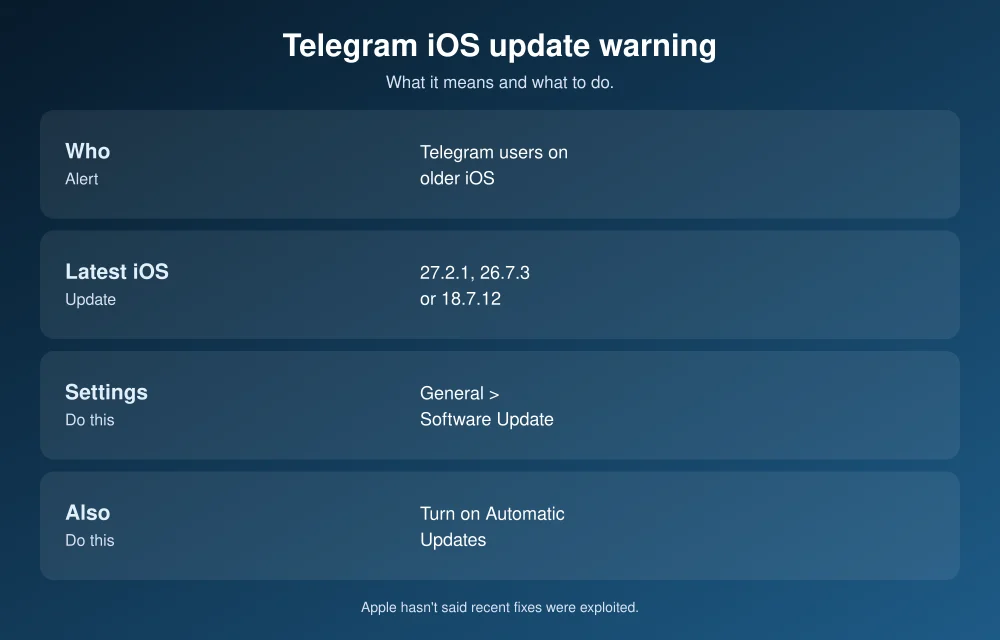
Quick answer: If Telegram shows you an iOS update warning, update your iPhone in Settings > General > Software Update. The latest versions are iOS 27.2.1, iOS 26.7.3 and iOS 18.7.12, depending on your iPhone, 9to5Mac reports. Durov didn’t say which flaws are being exploited, and Apple hasn’t said any of its recent fixes were used in attacks. The alert is a reminder, not a sign that your phone is hacked.
What Telegram Is Warning About
- Who gets it: Telegram users on older iOS versions, Durov said.
- The claim: outdated iPhones are at risk, and “just opening a website can be enough to get you hacked.”
- What’s missing: Durov didn’t name the vulnerabilities or say how many people were affected.
Apple fixed more than 30 WebKit flaws in iOS 27.2 in late October, 9to5Mac reports. WebKit is the engine behind Safari and every iPhone browser, and some of those flaws could let malicious web content run code. Apple didn’t say any of them were actively exploited.
Why iPhone Updates Matter More This Year
Apple has issued iOS security updates on 13 dates in 2026 so far, and its advisories list fixes for 707 iPhone vulnerabilities, more than double the 334 in all of 2025, 9to5Mac counts from Apple’s security releases page. Apple said in June that it was speeding up security fixes as AI tools make it easier to find flaws.
What to Do Now
- Go to Settings > General > Software Update and install the latest update.
- Turn on Automatic Updates on the same screen, including Security Responses & System Files.
- Update Telegram and your other apps from the App Store.
- Restart your iPhone after updating.
- If your iPhone can’t update past an old version, avoid opening links from people you don’t know.
Telegram’s alert is an in-app message. Be careful with any text or email that claims to be from Telegram and asks you to tap a link or enter a code. Telegram’s official site is telegram.org.
Read more about the iOS 27.2.1 security fixes, the pCloud Pass breach and how to spot scam texts.
FAQs
Is the Telegram iOS update warning real?
Yes. Telegram CEO Pavel Durov said the company is sending it to users on older iOS versions.
Does the warning mean my iPhone is hacked?
No. It’s a reminder to update. Telegram hasn’t said it detected an attack on your device.
What is the latest iOS version?
iOS 27.2.1, iOS 26.7.3 or iOS 18.7.12, depending on your iPhone, 9to5Mac reports.
How do I update my iPhone?
Go to Settings > General > Software Update and tap Update Now.
Featured image: Telegram.
Disclosure: TheTechHacker has no paid relationship with Telegram or Apple.
More in News
What Does “Low Disk Space” Mean on iPhone? (And How to Clear It)
You try to take a photo, and the camera refuses. You try to update iOS, and it says there’s not enough space. Somewhere in between, you see a warning about storage and start wondering: what does low disk space mean on iPhone, and how serious is it? Don’t worry, it is one of the most…
iOS 27.2.1 Is Out: What the Bluetooth and iMessage Security Fixes Mean for Your iPhone
Apple pushed iOS 27.2.1 out on November 9, only two weeks after iOS 27.2, and if you glanced at the update screen you probably saw the usual one-liner about “bug fixes and security updates” and moved on. I’d actually tap Download on this one, because when you open Apple’s security notes, most of what got…
How to Turn On Advanced Data Protection for iCloud on iPhone, iPad and Mac
By default, a lot of what you store in iCloud is encrypted in a way that Apple can unlock, including your iPhone backups, photos and notes. That’s convenient if you forget your password, because Apple can help you get back in. But it also means that data could be handed over in response to a…
The week in tech, minus the noise.
New reviews, fixes and the stories that matter — once a week, straight to your inbox.
We only use your email to send the newsletter. Unsubscribe any time. See our privacy policy.
Comments