

NordVPN vs ExpressVPN in 2026: Which Is Better for US Users?
I compared NordVPN and ExpressVPN for US users using only what the companies publish themselves: prices, renewals, device limits and refunds. I also flag what you still need to check before you pay.


Photo by FlyD on Unsplash
NordVPN and ExpressVPN are the two VPNs US readers ask me about most. Both are big, both run promos almost nonstop, and both price the first term low. But the first term isn’t the number to watch. What you pay after it ends, and what you get for that money, is.
Not sure you need a VPN at all? Start with my guide on whether a VPN is worth it for US users. If you’ve already decided, keep reading.
Quick answer: Going by official information, ExpressVPN is easier to budget for right now. Its US prices, 28-month terms and yearly renewal prices are all clearly listed. NordVPN’s Basic plan also covers up to 10 devices and has a 30-day money-back guarantee, but its own pages showed conflicting US prices when I checked, so confirm the current numbers on NordVPN’s pricing page before you buy. Choose on renewal cost and device count, then use the 30-day window to test streaming and speed on your own devices.
NordVPN vs ExpressVPN at a glance
Every cell below comes from the companies’ own websites. Where you see “Not confirmed,” I couldn’t verify it on an official page, which isn’t the same as the feature being missing.
| Feature | NordVPN | ExpressVPN |
|---|---|---|
| Plan tiers | Basic, then higher tiers (names vary across its pages) | Basic, Advanced, Pro |
| Longest term | 2-year plans (NordVPN calls these its best value) | 24 months + 4 free (28 months total) |
| US prices I could confirm | No (official pages conflict) | Yes |
| US renewal prices I could confirm | No | Yes |
| Devices on entry plan | Up to 10 (Basic) | 10 (Basic) |
| Devices on top plan | Not confirmed | 14 (Pro) |
| Protocol | Not confirmed | Lightway (its own) |
| Post-quantum protection | Not confirmed | Yes, listed on pricing page |
| Server countries | Not confirmed | 113, on all tiers |
| Dedicated IP | Not confirmed | Optional add-on |
| Setup or activation fees | None, per NordVPN | Not confirmed |
| Money-back guarantee | 30 days | 30 days (new users) |
| No-logs audits | Not confirmed | Not confirmed |
| Streaming support | Not confirmed | Not confirmed |
| App platforms and routers | Not confirmed | Not confirmed |
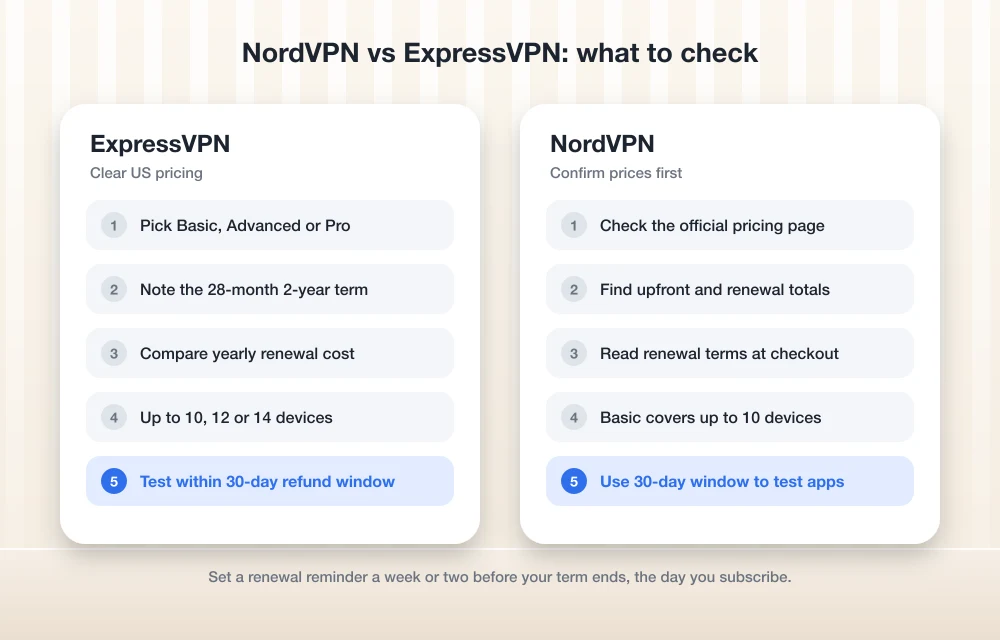
Pricing and renewals: where the real difference shows up
VPN pricing is built around a cheap first term. That’s fine, as long as you know what comes after. The renewal price is what you’ll keep paying if you stay, so give it more weight than the monthly figure in the banner, which only lasts until the first term runs out.
ExpressVPN’s US prices
ExpressVPN switched to three tiers (Basic, Advanced and Pro) around September 2025. You can pay for 1 month, 12 months with 3 extra months free, or 24 months with 4 extra months free. Same 30-day money-back guarantee on all three.
One catch: the 2-year plans actually run 28 months, so the totals below cover that whole stretch.
Basic
$83.72 for the first 28 months, then $99.95 a year
- Up to 10 devices at once
- Servers in 113 countries
Advanced
$117.32 for the first 28 months, then $119.95 a year
- Up to 12 devices at once
- Servers in 113 countries
Pro
$201.32 for the first 28 months, then $199.95 a year
- Up to 14 devices at once
- Servers in 113 countries
I checked these prices on ExpressVPN’s official pricing page. They change often, so recheck before you buy.
The promo banners skip the renewal math, so let’s do it. Basic renews at $99.95 a year, roughly $8.33 a month. Advanced comes to about $10 a month, Pro to about $16.66. Every tier ends up well above its intro rate. Not ideal, but at least it’s written down.
NordVPN’s US prices
This is where it gets messy. When I checked, NordVPN’s own pages disagreed with each other, showing different 2-year prices for the same entry plan. Even the tier names changed from page to page (some say Basic, Plus and Ultra, others Basic, Complete and Ultra).
So I won’t publish numbers I can’t verify. What NordVPN’s official blog does say is that there are no setup or activation fees, and that it sees the 2-year plans as its best value.
How auto-renew and price changes work
With auto-renew, the subscription bills you again when the term ends unless you turn it off. Most VPNs do this.
ExpressVPN’s terms of service say plans auto-renew when your payment method supports it. They also say a price change only kicks in at your next renewal, never partway through a term you’ve already paid for. That’s a protection worth having. And while ExpressVPN is rolling out local-currency pricing in some countries, US customers still get charged in US dollars.
I couldn’t find NordVPN’s renewal terms on an official page for this article. Read them at checkout.
Simultaneous device limits per plan
This is how many phones, laptops and tablets you can have connected on one account at the same time.
ExpressVPN keeps it simple: 10 on Basic, 12 on Advanced, 14 on Pro. NordVPN’s plan page says Basic covers up to 10 devices. Its higher tiers? I couldn’t confirm.
Ten is plenty for most US households. But if you’ve got a big family and a house full of connected gear, ExpressVPN Pro has the highest limit I could actually verify.
Protocols and security features
The protocol is the set of rules a VPN uses to build the encrypted tunnel from your device to its server. It shapes your speed, and how well the connection holds up when your phone hops from Wi-Fi to mobile data.
ExpressVPN runs its own protocol, Lightway. Its pricing page also lists “post-quantum protection,” which is encryption built to hold up against far more powerful computers down the line. What I couldn’t confirm from official pages is whether Lightway is open source, or when it was last audited.
There’s also a dedicated IP add-on: one IP address that’s yours alone, handy on sites that block shared VPN addresses. It’s extra. And I didn’t find the add-on price on any page I checked.
For NordVPN, I couldn’t confirm current protocol details or any post-quantum features from its official pages. If either matters to you, check its site before buying.
No-logs audits
A no-logs policy is the VPN promising it doesn’t record what you do online. An audit is an outside firm checking whether that’s true, and it’s one of the few ways you can verify a claim you’d otherwise just have to take on trust.
I couldn’t confirm auditor names or dates for either company in time for this article. So on each audit page, look for three things: who ran it, when, and what it covered (the whole service, or just part of it). An audit from years ago tells you a lot less than a recent one.
Streaming support
Plenty of people buy a VPN mostly for streaming. I couldn’t confirm what either company currently says officially about Netflix or anything else.
So treat the 30-day money-back window as your trial. Sign up, try the services you actually use on the devices you actually watch on, and ask for a refund inside 30 days if it doesn’t work.
Apps and platforms
I couldn’t confirm the current app list, router support or app versions for either VPN from official pages. Before you pay, go through each company’s download or setup page and check it against every device you plan to use. Smart TVs, game consoles and routers are the ones to watch, since support varies a lot there.
30-day refund policies
Both have a 30-day money-back guarantee. ExpressVPN says its version applies to new users and covers all three term lengths. NordVPN’s Basic plan page lists 30 days as well.
The fine print is the part I couldn’t pin down: whether any payment methods are excluded, and the exact steps for requesting a refund. I’d find the refund page in each help center before buying, so you’ve got the process in hand if you need it.
ExpressVPN and NordVPN: strengths and gaps
I didn’t test either VPN hands-on for this comparison, so these lists come only from what each company publishes. Want a closer look at ExpressVPN on its own? See my ExpressVPN review for 2026.
ExpressVPN
What I liked
- US prices and renewal prices are clearly listed for every tier
- Price changes only apply from your next renewal
- Up to 14 devices on Pro, plus 113 server countries on every tier
- Post-quantum protection is listed on the pricing page
What could be better
- Renewal costs are much higher than the intro rate
- Dedicated IP costs extra
- Couldn’t confirm audit details from official pages
NordVPN
What I liked
- NordVPN says there are no setup or activation fees
- Basic covers up to 10 devices
- 30-day money-back guarantee
What could be better
- Its own pages showed conflicting US prices when I checked
- Tier names aren’t consistent across its site
- Couldn’t confirm higher-tier device limits or renewal prices
A VPN is only one piece of your security
A VPN hides your traffic from your internet provider and from other people on the same public Wi-Fi. It won’t stop malware or a bad download. If you’re going over your whole setup, my guide on whether you still need antivirus on Windows 11 and Mac covers the other half.
Which VPN to choose: price clarity vs unverified deals
If you want to know exactly what you’ll pay today and at renewal, ExpressVPN is the safer pick right now, since its US pricing is clear and consistent on its official page. Basic does the job for most people. I’d only move up to Advanced or Pro if you need the extra devices.
NordVPN might still be the better deal for some buyers. I just can’t say that without consistent official US prices. Check its pricing page on the day you buy, and compare the renewal price, not only the intro rate.
Whichever one you pick, use the 30-day guarantee to test it on your own devices and streaming apps. And set that renewal reminder the same day you subscribe, so you end up paying for a service that works for you, not one you forgot was billing you.
Frequently Asked Questions
Is NordVPN or ExpressVPN cheaper for US users?
I couldn’t confirm NordVPN’s current US prices, because its own pages showed conflicting numbers. ExpressVPN’s Basic plan is $2.99 a month on its 2-year plan, which actually runs 28 months ($83.72 upfront), then renews at $99.95 a year. Check both official pricing pages on the day you buy, and compare renewal prices, not just intro rates.
How many devices can I use with NordVPN and ExpressVPN?
NordVPN’s Basic plan covers up to 10 devices. ExpressVPN gives you 10 on Basic, 12 on Advanced and 14 on Pro. I couldn’t confirm the limits on NordVPN’s higher tiers.
Do NordVPN and ExpressVPN offer refunds?
Yes, both have a 30-day money-back guarantee. ExpressVPN says its guarantee is for new users and covers all its term lengths. Check each company’s help center for payment-method exclusions and the exact refund steps before you buy.
Will my VPN price go up when it renews?
Usually, yes. ExpressVPN’s renewal prices are much higher than its intro rates, and its terms say plans auto-renew when your payment method supports it. A price change only applies from your next renewal, not during a term you’ve already paid for.
Do NordVPN and ExpressVPN work with Netflix?
I couldn’t confirm either company’s current official position on Netflix or other streaming services. Your safest bet is to test your streaming apps during the 30-day money-back period and ask for a refund if they don’t work.
Featured image: FlyD on Unsplash.
Disclosure: TheTechHacker has no paid relationship with the companies in this article.
You might also like

How to stop Email tracking activity- Detailed guide
The use of email tracking is increased in recent years. Companies and spammers want to know when you are exactly opening the email. Many people, corporates, marketers and even spammers using a tracking code inside the email which intimates when the receiver opens it. It is a quite annoying technique used by senders and not…

Is a VPN Worth It in 2026? Best VPNs for US Users
A VPN hides your traffic from your ISP and public Wi-Fi and changes your apparent location, but it won’t make you anonymous or stop scams. Here’s when it’s worth paying for in the US, what to check before you buy, and which providers to compare.

How to Use VPN in Chrome
Most people use VPNs to play games and stream movies. However, you should also use a Virtual Private Network (VPN) when browsing. You need VPNs to keep your data safe from hackers and other government agencies, and having one will also ensure that nothing tampers with your bandwidth and connection speed. They will also help…
The week in tech, minus the noise.
New reviews, fixes and the stories that matter — once a week, straight to your inbox.
We only use your email to send the newsletter. Unsubscribe any time. See our privacy policy.
Comments