

Surfshark vs NordVPN (2026): Pricing, Devices, Refunds and Streaming Compared
Surfshark and NordVPN compared using only what each company officially says about plans, trials, refunds, device limits, apps, protocols and streaming. Where I couldn’t confirm something, I tell you.

Photo by Privecstasy on Unsplash
Surfshark and NordVPN are the two names you’ll see most in VPN comparisons. Both push long plans with big discounts. Both homepages promise a lot. So strip out the marketing: what does each company actually commit to in writing? If you haven’t decided whether you need a VPN at all, start with my guide on whether a VPN is worth it for US users.
Quick answer: Pick Surfshark if you want to cover lots of devices on one account. All three of its plans allow unlimited devices at once, and the 7-day free trial costs $0 upfront. Pick NordVPN if you care more about a clearly documented protocol list, a Linux app that comes in both graphical and command-line versions, and extras like Meshnet, and you can live with a 10-device cap. Both give you a 30-day money-back guarantee. Neither names specific streaming services on the official pages I checked.
Surfshark vs NordVPN at a glance
Everything in this table comes from the two companies’ own websites and support pages. None of it comes from my own speed or streaming tests, and anything I couldn’t verify there says “Not confirmed.” I only mark a winner where the official facts clearly favour one side. Ties and unconfirmed rows don’t get one.
| Feature | Surfshark | NordVPN |
|---|---|---|
| Plans | Starter, One, One+ | Basic, Plus, Complete, Prime |
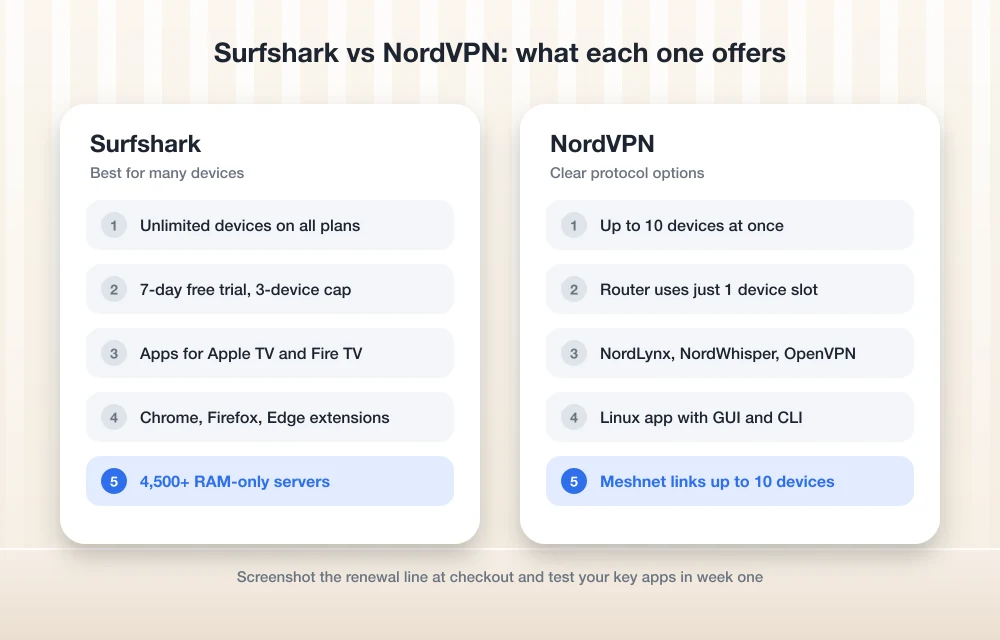
| Devices at the same time | Unlimited on all plans (antivirus excluded) | Up to 10 |
| Free trial | 7 days, $0 upfront, 3 devices during trial | 7 days, offered on certain 1- and 2-year plans including Prime |
| Money-back guarantee | 30 days | 30 days |
| Renewal prices | Not confirmed | Not confirmed |
| Protocols listed officially | Not confirmed in my research | NordLynx, NordWhisper, OpenVPN TCP and UDP, plus HTTP proxy and SOCKS5 |
| Main apps | Windows, macOS, Linux, Android, iOS | Windows, macOS, iOS, Android, Linux (graphical and command-line) |
| TV, router and browser | Apple TV, Fire TV, Android TV, routers; extensions for Chrome, Firefox and Edge | Router setup (uses 1 slot); Meshnet runs on Android TV |
| Server network (company claim) | 4,500+ RAM-only servers in 100 countries | Not confirmed |
| Streaming statement | No specific services named | SmartPlay; no specific services named |
| Independent audits | Not confirmed | Not confirmed |
| Notable extras | Antivirus (Android, Windows, macOS) | Meshnet (links up to 10 of your devices) |
Plan tiers, billing terms and renewal pricing
Both split their plans into tiers. The base tier is just the VPN, and the higher ones bolt on extra tools. Surfshark sells Starter, One and One+. NordVPN has four: Basic, Plus, Complete and Prime.
Surfshark’s Starter and One plans come in 24-month, 12-month and month-to-month terms. NordVPN sells all four tiers on monthly, 1-year and 2-year terms. Same pattern on both sides. Commit for longer and the monthly rate drops, and month-to-month is always the priciest way to pay.
I’m not quoting exact dollar figures. VPN prices move a lot (sometimes weekly during sales), and the numbers I found came from each company’s blog, not the live pricing page. A stale price is worse than no price. So check surfshark.com/pricing and nordvpn.com/pricing right before you buy.
Renewal prices: the cost that shows up a year or two later
The headline discount usually covers the first term only. What you pay when the plan renews is a different number, and I couldn’t confirm either company’s renewal prices from official sources. I also couldn’t confirm whether auto-renewal charges the full list price. Not ideal, since that’s the bill you’ll be living with.
Free trials and refunds
Surfshark gives you a 7-day free trial at $0.00 upfront. The catch? You’re limited to 3 devices during the trial. The unlimited device rule only kicks in once it ends.
NordVPN mentions a 7-day free trial too, but only as an option on certain 1- and 2-year plans, Prime included. Its page also lists a few other plan names next to Prime that I couldn’t confirm are sold in the US, so I’ve left them out. In practice, expect the trial to be tied to a longer, higher-tier plan.
Both advertise a 30-day money-back guarantee, and the headline terms match. The fine print is where I got stuck: which payment methods qualify, the exact refund steps, and how long the money takes to come back.
Devices and simultaneous connections
This is the biggest difference between the two. For a lot of households, it settles the whole question.
Surfshark says Starter, One and One+ all allow unlimited simultaneous connections. One exception: antivirus doesn’t follow the unlimited rule. The details are on Surfshark’s official support page on simultaneous devices.
NordVPN caps you at 10 simultaneous connections, and there’s a condition attached. If several of your devices connect to the same server, each one has to use a different protocol. Fiddly. The upside is that running NordVPN on your router takes 1 device slot and covers everything on that network. Both points are in NordVPN’s support article about device limits.
Ten is plenty for most individuals and couples. But a bigger household with phones, tablets, laptops and a couple of TVs fits Surfshark’s unlimited policy far more easily. NordVPN’s router setup helps at home, though it does nothing for your phone once it leaves your network.
Apps and supported platforms
Surfshark lists apps for Windows, macOS, Linux, Android and iOS, plus Apple TV, Fire TV and Android TV. It supports routers too, and there are browser extensions for Chrome, Firefox and Edge. The antivirus only runs on Android, Windows and macOS. (Not sure you need antivirus on a modern machine at all? See do you still need antivirus on Windows 11 and Mac.)
NordVPN has apps for Windows, macOS, iOS, Android and Linux. On Linux you get a graphical app and a command-line client, so you can pick whichever suits how you work, and if you spend most of your day in a terminal that’s a genuine plus. Meshnet, which links up to 10 of your own devices to each other, runs on Windows, macOS, Linux, iOS, Android and Android TV.
I couldn’t confirm current app version numbers or exact menu paths for either service, so you won’t find step-by-step setup screens here. These apps update often. Menus move.
Protocols and server networks
A protocol is the rulebook the VPN app follows to build the encrypted tunnel between your device and the server. Some are tuned for speed, some for compatibility, and some are better at getting through restrictive networks.
NordVPN’s support page lists NordLynx, NordWhisper, OpenVPN TCP and OpenVPN UDP. It also lists HTTP proxy and SOCKS5, but those are proxy options, not full VPN connections, so don’t mix them up. For most people the app’s default is fine, and I’d leave it alone unless you have a specific reason to switch.
Surfshark is a different story. I couldn’t confirm its protocol list from an official page during research, so I won’t name any. Open the app’s connection settings and you’ll see what’s available on your device.
On servers, Surfshark says it runs 4,500+ RAM-only servers in 100 countries. RAM-only servers run from memory instead of hard drives, so data isn’t supposed to survive a restart. Surfshark also claims it launched the world’s first 100 Gbps servers, in Amsterdam. That’s the company’s claim. I haven’t verified it. And I couldn’t confirm NordVPN’s current server count from an official source.
No-logs policies and audits
Surfshark calls its policy a “strict no-logs policy” and advertises unlimited bandwidth. Put simply, the company says it keeps no record of what you do online while you’re connected.
What I couldn’t confirm is who audited either company’s no-logs claims, when, or what those audits covered. I also didn’t confirm the exact wording of NordVPN’s logging policy for this piece. Both publish privacy information on their sites. So if audits matter to you (they should), read the official audit summaries and check the dates, because an audit from several years ago tells you a lot less than a recent one.
Streaming support: what each company actually says
Plenty of people buy a VPN mainly for streaming, so I went looking for concrete commitments. Not much there. Neither company names specific services like Netflix on the official pages I checked.
Surfshark’s streaming page talks about streaming securely, avoiding ISP throttling (your internet provider deliberately slowing certain traffic) and reaching “your home content while abroad” with no data caps. It also covers router setup for consoles and smart TVs.
NordVPN promotes a feature called SmartPlay and says it “works with the big streaming services around the world.” Which ones? It doesn’t say. That’s a broad statement, not a list.
If streaming is the main reason you’re buying, lean on the money-back guarantee. Test the services you actually use in the first few days, and if they don’t work, ask for a refund inside the 30-day window.
Surfshark or NordVPN: who each one fits
On paper, neither is a bad pick. They just suit different people.
1. Surfshark
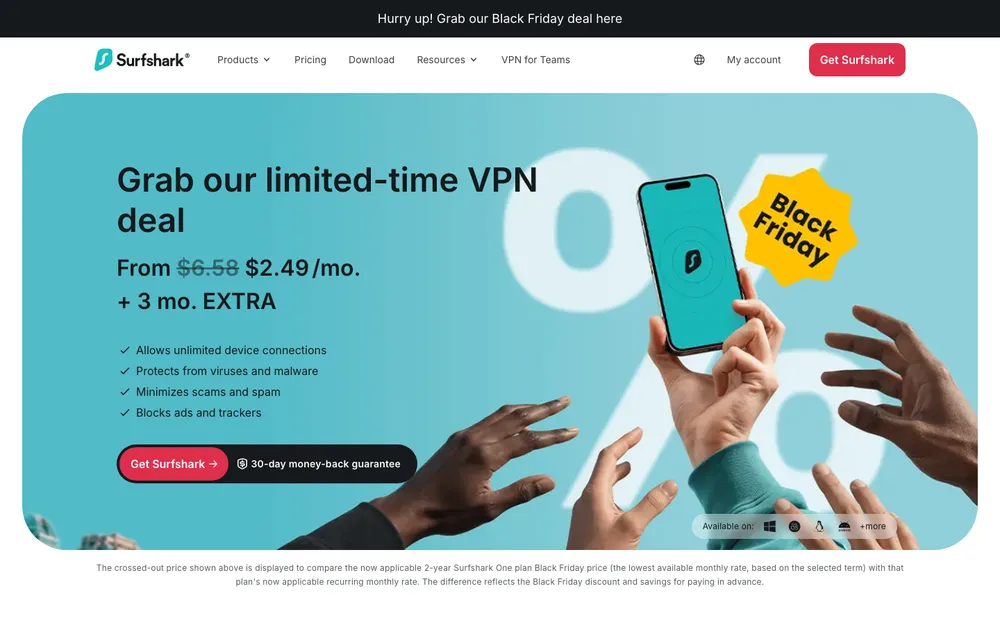
Surfshark makes the most sense if you have a lot of devices to cover, or you want to try the service before paying anything. The device policy is its biggest advantage. Platform coverage is broad too, with Apple TV, Fire TV and browser extensions all in the mix.
Strengths
- Unlimited devices at once on all three plans
- 7-day free trial, $0 upfront
- Apps for Apple TV, Fire TV and Android TV, and browser extensions for Chrome, Firefox and Edge
- The company says every one of its servers is RAM-only
Limitations
- The free trial caps you at 3 devices until it’s over
- Antivirus doesn’t get the unlimited device rule, and it only runs on Android, Windows and macOS
- Couldn’t confirm its protocol list or audit details from official sources
2. NordVPN
NordVPN makes more sense if you want to know exactly which connection options you’ve got, if you’re on Linux and want a command-line client, or if Meshnet for linking your own devices sounds useful. The trade-off is the 10-device cap. For one person, that’s rarely a problem.
Strengths
- A clear official protocol list, including its own NordLynx and NordWhisper
- Linux app comes in graphical and command-line versions
- Router setup takes just 1 device slot for the whole network
- Meshnet links up to 10 of your own devices
Limitations
- Tops out at 10 devices at once
- Devices on the same server each need a different protocol
- The free trial is tied to specific longer-term plans
- Couldn’t confirm server count or audit details for this piece
Frequently Asked Questions
Is Surfshark cheaper than NordVPN?
It depends on the plan and term you pick, and prices change often. Both charge less per month on longer plans than on month-to-month billing. Check surfshark.com/pricing and nordvpn.com/pricing on the day you buy, and look for the renewal price, which I couldn’t confirm for either service.
How many devices can I use with Surfshark and NordVPN?
Surfshark allows unlimited devices at once on its Starter, One and One+ plans, though antivirus is the exception. NordVPN allows up to 10 at once. A router setup counts as just 1 device and still protects everything on that network.
Do Surfshark and NordVPN offer a free trial or money-back guarantee?
Both advertise a 30-day money-back guarantee. Surfshark also has a 7-day free trial with $0 upfront, limited to 3 devices until it ends, while NordVPN says its 7-day trial is an option on certain 1- and 2-year plans, Prime included. I couldn’t confirm the exact refund steps, and app store purchases may follow Apple’s or Google’s rules instead.
Do Surfshark and NordVPN work with Netflix?
Neither names specific streaming services on the official pages I checked. Surfshark talks about reaching your home content while abroad, and NordVPN says its SmartPlay feature works with the big streaming services. So test your own apps early, and use the 30-day guarantee if they don’t work.
Have Surfshark and NordVPN been independently audited?
I couldn’t confirm the auditor, date or scope of either company’s no-logs audits for this article. Check each company’s official audit or privacy pages, and pay attention to how recent any audit is.
Device count vs documented protocols: the deciding factor
Surfshark wins on device count and a trial that costs nothing. NordVPN wins on clearly documented connection options and extras like Meshnet. Refunds? A tie, 30 days each.
The two details that matter most before you pay, renewal prices and recent audit information, are exactly the two I couldn’t confirm for either service. Annoying, but you can work around it. Treat the checkout page as the final word: read the renewal line, note the refund deadline, and test the apps you depend on in the first week. Do that and either one is a reasonable choice.
Featured image: Privecstasy on Unsplash.
Disclosure: TheTechHacker has no paid relationship with the companies in this article.
You might also like

NordVPN vs ExpressVPN in 2026: Which Is Better for US Users?
I compared NordVPN and ExpressVPN for US users using only what the companies publish themselves: prices, renewals, device limits and refunds. I also flag what you still need to check before you pay.

Is a VPN Worth It in 2026? Best VPNs for US Users
A VPN hides your traffic from your ISP and public Wi-Fi and changes your apparent location, but it won’t make you anonymous or stop scams. Here’s when it’s worth paying for in the US, what to check before you buy, and which providers to compare.

How to Activate VPN in Opera
Virtual Private Network (VPN) isn’t only meant for streaming movies on Netflix or playing games with the unlimited data and security they provide. You also need privacy when you surf the internet. Opera browser is one of the most popular and widely used browsers, and it provides you with an in-built VPN service to ensure…
The week in tech, minus the noise.
New reviews, fixes and the stories that matter — once a week, straight to your inbox.
We only use your email to send the newsletter. Unsubscribe any time. See our privacy policy.
Comments