

Best VPN Routers for Home and Small Office in 2026
The best VPN routers for home and small office use in 2026, from the GL.iNet Flint 3 and ASUS VPN Fusion models to travel routers, with WireGuard explained and setup steps for each brand.

Photo by Compare Fibre on Unsplash
Disclosure: This article contains affiliate links. If you buy through them, TheTechHacker may earn a small commission at no extra cost to you.
Yes, you can run a VPN on your router instead of installing an app on every device. Got smart TVs, consoles and streaming sticks that will never run a VPN app? Then a router-level VPN client is usually the cleanest way to cover all of them at once.
The catch is hardware and firmware. Plenty of routers can’t do it. And among the ones that can, support is all over the place: some only run a VPN server, some lean on older protocols, and some only offer WireGuard on certain models.
Quick answer: For a home or small office, I’d go with the GL.iNet Flint 3. It has tri-band Wi-Fi 7, five 2.5G ports, dual WAN with failover and support for 30+ VPN services. If you’d rather stay with ASUS, any model on its VPN Fusion list can run several VPN connections at once and route only the devices you choose. For travel, get the GL.iNet Slate 7, or the smaller Beryl AX if lower rated VPN speeds don’t bother you. TP-Link works on select models, and I’d skip Netgear for this job until it confirms a router-level VPN client.
What a VPN router actually does
Most people know a VPN as an app. You install it on a phone or laptop, and that one device sends its traffic through an encrypted tunnel to the VPN provider’s server. One device, one app.
A VPN router takes that job off the devices and does it itself. TP-Link says its VPN client sends whichever devices you pick through a third-party VPN server, so you don’t need VPN software on each of them. ASUS puts it the same way: a WireGuard client on the router covers devices that can’t run VPN apps at all.
But you still need a VPN subscription. That part’s easy to miss. The router is just the client that signs in to your provider, nothing more. If you haven’t picked a service yet, my guide on whether a VPN is worth it for US users covers that.
VPN client vs VPN server
People mix these two up all the time. A VPN client on your router pushes your home traffic out through a VPN provider. A VPN server does the reverse: it lets you connect back into your home network from somewhere else, like a hotel room.
Both are useful. They’re just not the same feature. If you want privacy on home devices or a different location for streaming, you need a client, and since a lot of spec sheets simply say “VPN support” without saying which one, it’s worth checking before you buy.
Why WireGuard support matters
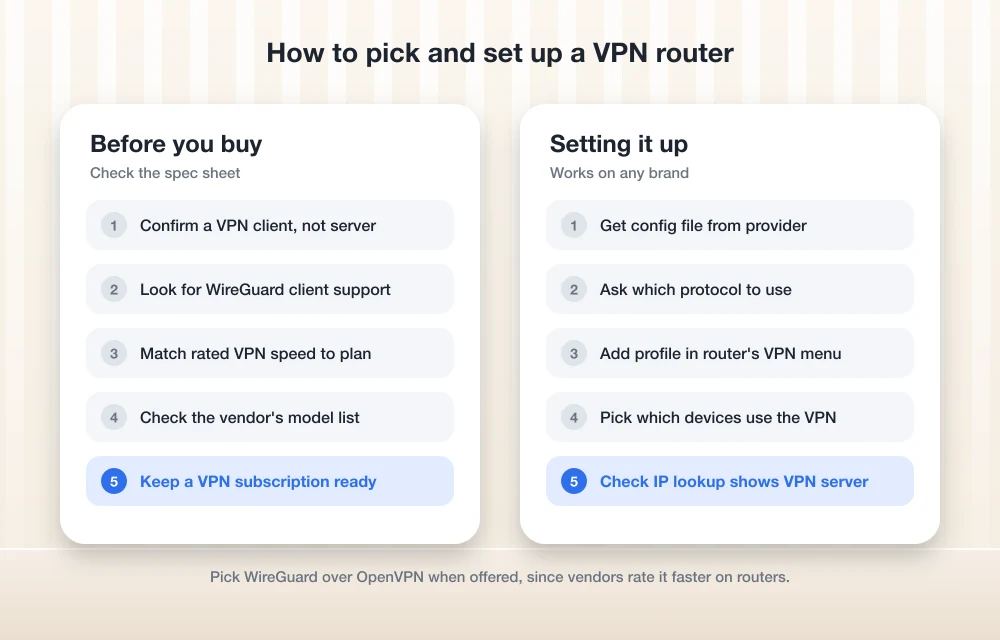
WireGuard is a newer VPN protocol, meaning the set of rules a VPN uses to build its tunnel. The older standard is OpenVPN.
On a router, it comes down to speed. Router processors are small, and encryption is heavy work for them. ASUS’s own FAQ says WireGuard “somehow performs better than well-known OpenVPN.” That’s a vendor talking, not a test result, but GL.iNet’s published ratings point the same way: the Beryl AX is rated at up to 300 Mbps on WireGuard and up to 150 Mbps on OpenVPN. Half the speed.
So my rule is simple. If a router can’t run a WireGuard client, I wouldn’t buy it as a VPN router in 2026.
Selection criteria: documented VPN client and WireGuard
Every router here has a VPN client, WireGuard support and a setup path its maker actually documents. I gave extra weight to things a small office uses day to day: multiple Ethernet ports, a backup internet connection, and per-device control over which traffic goes through the VPN. All speeds below are vendor ratings, not my numbers.
The best VPN routers for home and small office
1. GL.iNet Flint 3 (GL-BE9300)
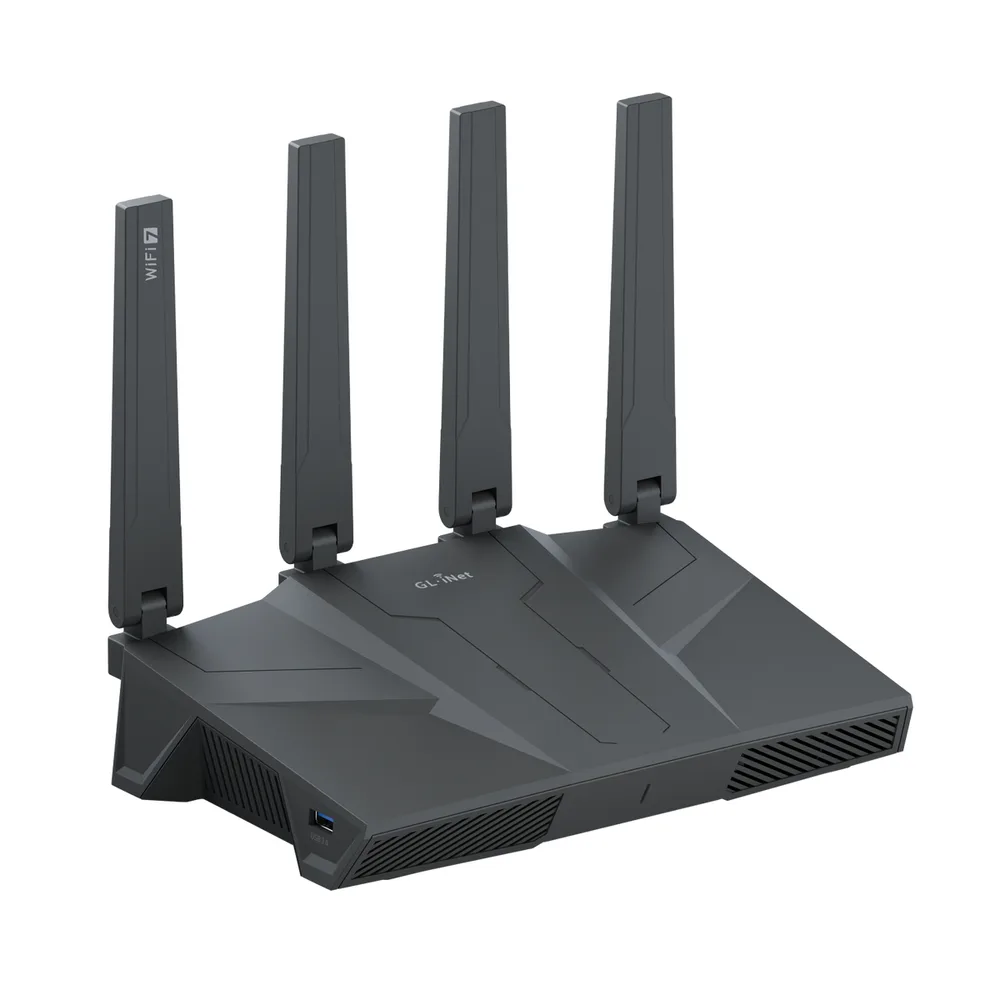
The Flint 3 is GL.iNet’s home and small-office router, and on paper it’s the strongest all-rounder here. Tri-band Wi-Fi 7, rated at 688 Mbps on 2.4 GHz, 2882 Mbps on 5 GHz and 5765 Mbps on 6 GHz, which adds up to 9300 Mbps combined.
For an office, though, the wired side is the bigger deal. You get five 2.5G Ethernet ports, dual WAN and multi-WAN failover. With failover, if your main internet line drops, the router jumps to a second connection on its own. For a small business that’s the gap between a short blip and an afternoon offline.
It also supports MLO (Multi-Link Operation, a Wi-Fi 7 feature that lets compatible devices use more than one band at once). AdGuard Home is there for network-wide ad blocking, and Bark parental controls come built in. GL.iNet says it works with 30+ VPN services and covers up to 2,000 sq ft and 124+ devices, though those coverage figures are its own claims.
One gap. I couldn’t confirm GL.iNet’s rated WireGuard and OpenVPN speeds for the Flint 3, so you won’t see a number for it.
| GL.iNet Flint 3 specs (per GL.iNet) | |
|---|---|
| Wi-Fi | Tri-band Wi-Fi 7 (BE9300) |
| Band speeds | 688 Mbps (2.4 GHz), 2882 Mbps (5 GHz), 5765 Mbps (6 GHz) |
| Ethernet | Five 2.5G ports |
| Memory and storage | 1GB DDR4, 8GB eMMC |
| Antennas | Four foldable |
| MLO | Yes |
| Dual WAN and multi-WAN failover | Yes |
| Coverage (vendor claim) | Up to 2,000 sq ft, 124+ devices |
| VPN | 30+ VPN services |
| Rated VPN speed | Not confirmed |
Strengths
- Five 2.5G ports plus dual WAN and failover, well suited to a small office
- Tri-band Wi-Fi 7 with MLO
- AdGuard Home and Bark parental controls included
Limitations
- Rated VPN speeds weren’t on the official page I could check
- Overkill if only one or two devices need the VPN
2. ASUS routers with VPN Fusion
There’s no single ASUS model here, and that’s deliberate. Its VPN feature, VPN Fusion, ships on a whole range of routers, and ASUS keeps an official list of the supported ones. I couldn’t confirm which current models are on it, so check that list before you buy instead of trusting a model name.
On paper, VPN Fusion is the most flexible option from a mainstream brand. ASUS describes it as a built-in way to manage VPN settings for multiple devices from the router, and it can run more than one VPN connection at once. So your console can use one tunnel for gaming, the TV another for streaming, and everything else skips the VPN entirely.
ASUS lists OpenVPN, IPsec, PPTP and WireGuard as supported protocols for VPN providers, with setup guides for NordVPN and CyberGhost. You can also run a WireGuard server on the router. There’s a documented on-demand WireGuard option for phones too, but it only works on iOS.
Two things to check. ASUS says VPN Fusion may not be available in some regions. And at least one VPN provider’s help page says older RT-AC models and some RT-AX models don’t support WireGuard (that’s the provider talking, not ASUS), so confirm your model through ASUS’s WireGuard in VPN Fusion FAQ, which links to the supported model list.
Strengths
- Runs several VPN connections at the same time
- You choose exactly which devices use each VPN profile
- Configurable from the web interface or the ASUS Router app
- Also works as a WireGuard server for remote access to your home network
Limitations
- WireGuard support depends on the model, so check the list
- VPN Fusion may not be offered in every region
3. GL.iNet Slate 7 (GL-BE3600)
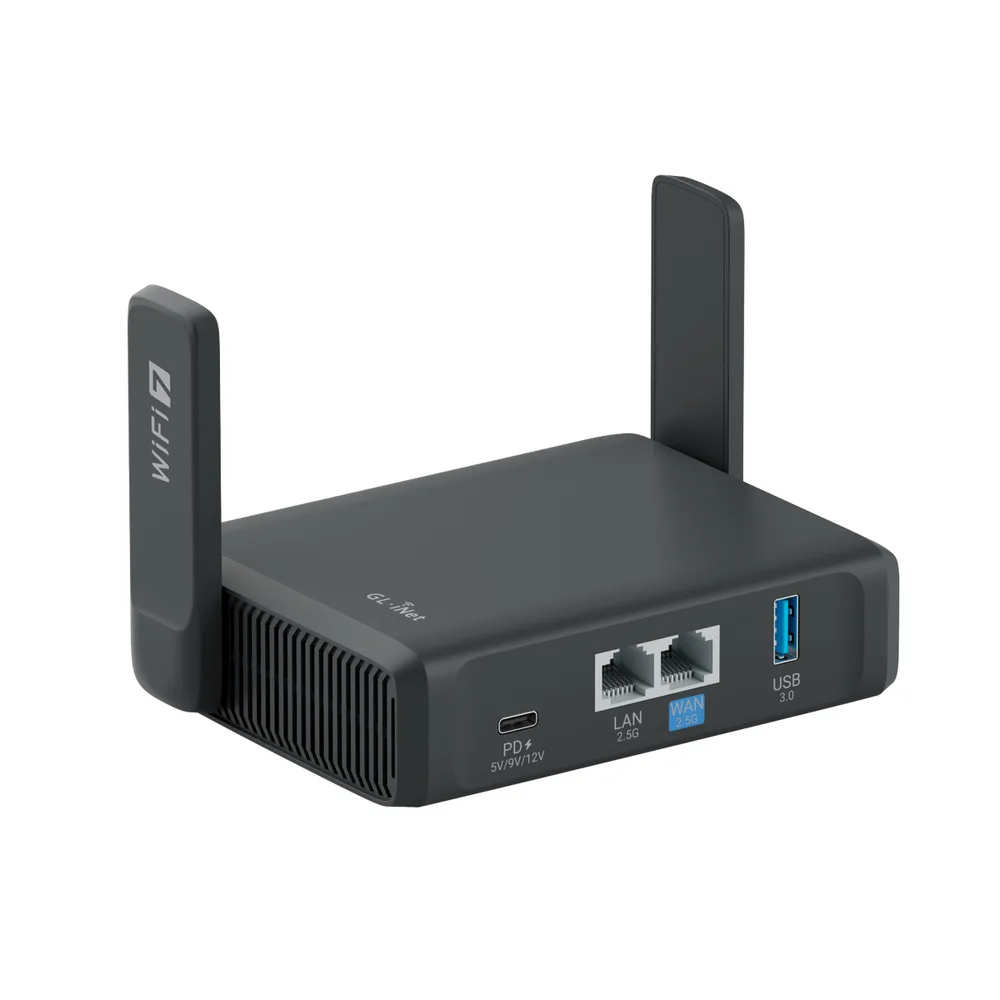
If you travel for work, a travel router earns its place in the bag. You connect it to the hotel Wi-Fi once. Then your devices join the router and go through the VPN, no separate apps needed.
GL.iNet calls the Slate 7 its first dual-band Wi-Fi 7 travel router, and yes, it has a touchscreen. It ships with OpenVPN and WireGuard and supports 30+ VPN services. GL.iNet rates it at up to 490 Mbps on WireGuard and up to 385 Mbps on OpenVPN with DCO (Data Channel Offload, a faster way of running OpenVPN). Those are the highest rated VPN speeds I could confirm for anything on this list.
I couldn’t find the processor, memory or port speeds confirmed on the official GL.iNet page, so they’re left out.
Strengths
- Highest vendor-rated VPN speeds on this list
- Wi-Fi 7 in a bag-sized unit
- OpenVPN and WireGuard, plus 30+ VPN services
Limitations
- Hardware details like ports weren’t confirmed on the official page
- Dual-band only, so it won’t replace a home router like the Flint 3
4. GL.iNet Beryl AX (GL-MT3000)
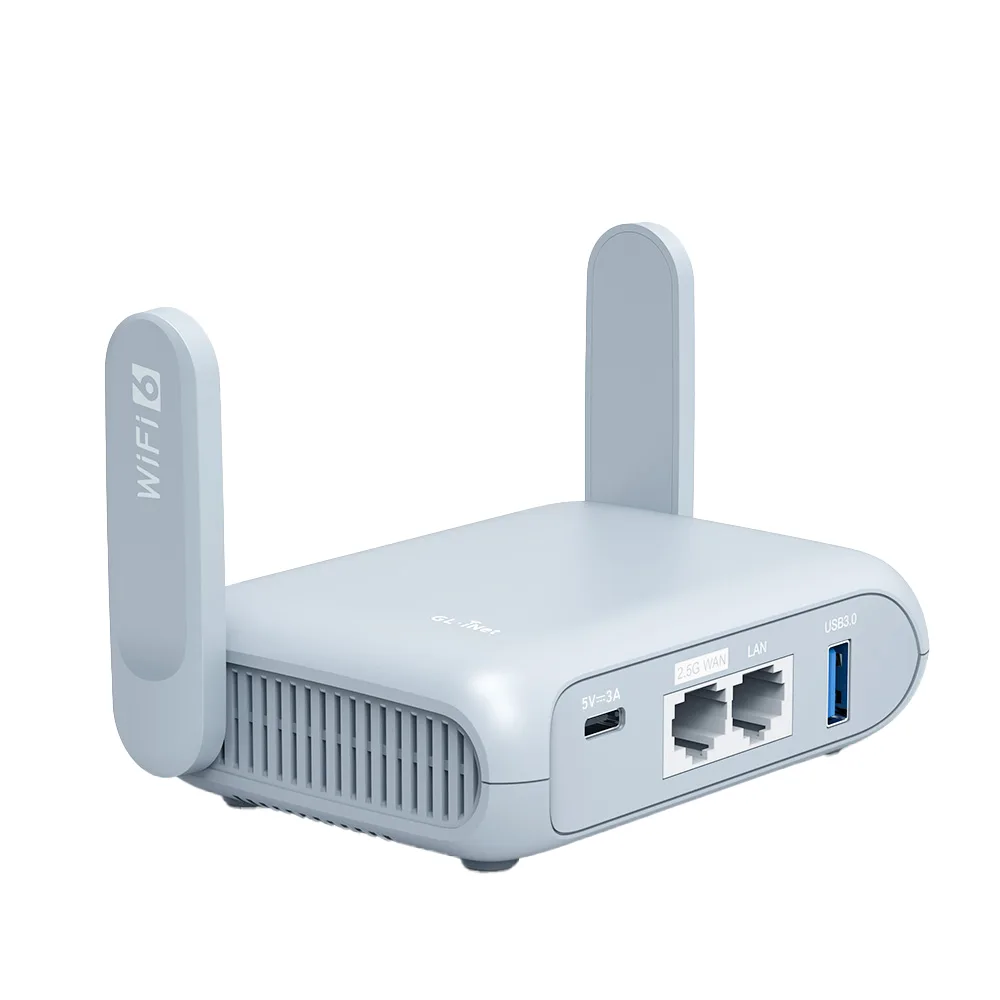
The Beryl AX is the smaller, previous-generation pick. It’s an AX3000 Wi-Fi 6 pocket travel router rated at 574 Mbps on 2.4 GHz and 2402 Mbps on 5 GHz, it measures 120 x 83 x 34 mm (roughly 4.7 x 3.3 x 1.3 inches), and it has retractable antennas. It’s the upgraded version of the original Beryl (GL-MT1300).
GL.iNet rates it at up to 300 Mbps on WireGuard and up to 150 Mbps on OpenVPN. For one person on the road, that’s probably plenty. It does trail the Slate 7 by a clear margin, though. You also get encrypted DNS, so your devices’ website lookups don’t go out in the open.
5. TP-Link routers with VPN Client

TP-Link’s VPN Client feature supports OpenVPN, PPTP, L2TP/IPSec and WireGuard. But WireGuard is limited to select models, and not every TP-Link router has VPN Client in the first place. I couldn’t confirm which Archer models currently include WireGuard, so check TP-Link’s supported list against your exact model.
TP-Link’s travel routers can work as a VPN client or a VPN server, with OpenVPN, PPTP, L2TP/IPSec and WireGuard on the server side. PPTP and L2TP are the old ones. Given the choice, use WireGuard or OpenVPN.
On a Deco mesh system, VPN setup lives in the Deco app instead. Still deciding between a single router and a mesh kit? My mesh Wi-Fi vs router guide covers when each makes sense.
What about Netgear?
Netgear is one of the biggest router brands in the US, so it should have been an easy include. It wasn’t. I couldn’t confirm a router-level VPN client anywhere on Netgear’s official pages.
Here’s what Netgear does confirm: NETGEAR Armor, its security service powered by Bitdefender, includes a VPN with Automatic, WireGuard, OpenVPN UDP and OpenVPN TCP options. What I couldn’t pin down is whether that VPN runs on the router or as an app on each device, or what the subscription costs. Not ideal.
Community posts and one VPN provider’s help page say stock Netgear firmware only offers an OpenVPN server, with no client for third-party VPN services. That’s reported, not official. So until Netgear documents a VPN client, it stays off the list.
VPN router comparison
Every figure in this table comes from the makers’ spec sheets and support pages. Where a vendor doesn’t publish a value, you’ll see “Not confirmed”.
| Feature | GL.iNet Flint 3 | ASUS (VPN Fusion) | GL.iNet Slate 7 | GL.iNet Beryl AX | TP-Link (VPN Client) |
|---|---|---|---|---|---|
| Type | Home and small office | Home (varies by model) | Travel | Travel | Home and travel models |
| Wi-Fi | Tri-band Wi-Fi 7 | Varies by model | Dual-band Wi-Fi 7 | Wi-Fi 6 (AX3000) | Varies by model |
| VPN support (per vendor) | 30+ VPN services | OpenVPN, IPsec, PPTP, WireGuard | OpenVPN, WireGuard, 30+ services | WireGuard, OpenVPN | OpenVPN, PPTP, L2TP/IPSec, WireGuard (select models) |
| Rated WireGuard speed | Not confirmed | Not confirmed | Up to 490 Mbps | Up to 300 Mbps | Not confirmed |
| Rated OpenVPN speed | Not confirmed | Not confirmed | Up to 385 Mbps (DCO) | Up to 150 Mbps | Not confirmed |
| Multiple VPN tunnels at once | Not confirmed | Yes | Not confirmed | Not confirmed | Not confirmed |
| Dual WAN failover | Yes | Not confirmed | Not confirmed | Not confirmed | Not confirmed |
| Best for | Small offices, busy homes | Per-device VPN control | Frequent travelers | Light, compact travel | Existing TP-Link users |
How to set up a VPN on your router
Whatever the brand, you start in the same place: grab your login details or config file from your VPN provider, and find out which protocol they recommend. ASUS tells you to check the protocol with your provider first, and TP-Link says to have your credentials or config file ready before you begin.
ASUS (VPN Fusion)
Open the router settings
In a browser, go to www.asusrouter.com or your router’s LAN IP and sign in.
Add a VPN profile
Go to VPN > VPN Fusion > Add profile and fill in the configuration with your provider’s details.
Choose which devices use it
Turn on Apply to all devices if you want it as the default, or click the Device icon, assign your devices, then click the profile to switch it on.
Save
Click Apply all settings.
On a phone, it’s Settings > VPN Fusion > Add profile in the ASUS Router app.
GL.iNet (firmware 4.x)
Open the Admin Panel
Sign in to the router’s web Admin Panel.
Add your WireGuard config
Go to VPN > WireGuard Client and add the configuration your provider gave you.
Or use a built-in provider
If your provider shows up under VPN > WireGuard Client, pick it and type in your login.
Check the connection
Open the VPN Dashboard and make sure the tunnel is up.
The built-in list has AzireVPN, Hide.me, IPVanish, Mullvad, Surfshark and Windscribe. X-VPN is the odd one out and sits under VPN > VPN Client Profile. GL.iNet’s WireGuard Client guide has the full details.
TP-Link
Sign in
Go to tplinkwifi.net and log in to your router.
Open VPN Client
Go to Advanced > VPN Client. Not there? Then your model doesn’t have the feature.
Turn it on
Flip on the VPN Client toggle, click Save, then add the credentials or config file from your provider.
Using a Deco mesh system? Do all of this in the Deco app.
Which VPN router to buy for your setup
For most homes and small offices, I’d buy the GL.iNet Flint 3. You’ll actually use the 2.5G ports and the failover, and it works with 30+ VPN services out of the box. Just remember GL.iNet’s rated VPN speed for it wasn’t confirmed.
Want different VPNs for different devices? An ASUS router from the VPN Fusion list is the most flexible route. For travel, the Slate 7 has the best rated VPN speeds here, and the Beryl AX is the smaller unit if your needs are lighter. TP-Link is fine as long as your exact model lists WireGuard. Netgear can wait until it documents a proper VPN client.
Whatever you buy, check the official model page for a WireGuard client first. That one line is what separates a real VPN router from a router with “VPN” printed on the box.
VPN routers worth a look on Amazon
Already settled on a model? Check the current price on Amazon, and make sure the listing matches the exact model number.
- GL.iNet Flint 3 (GL-BE9300) Wi-Fi 7 router
- GL.iNet Slate 7 (GL-BE3600) Wi-Fi 7 travel router
- GL.iNet Beryl AX (GL-MT3000) travel router
- ASUS RT-BE82U Wi-Fi 7 router (VPN Fusion)
As an Amazon Associate, thetechhacker earns from qualifying purchases.
Frequently Asked Questions
Do I still need a VPN subscription if I buy a VPN router?
Yes, in most cases. The router is a VPN client that logs in to a third-party VPN provider, so you’ll need an account plus the login details or config file from that provider. The one exception is running a VPN server on the router, which only lets you connect back into your own home network.
Does a VPN router slow down my internet?
For traffic going through the VPN, yes, it can. The router’s processing power and the protocol you pick set the limit. Vendors publish ratings as a guide: GL.iNet rates the Beryl AX at up to 300 Mbps on WireGuard and 150 Mbps on OpenVPN, so a faster internet plan gets capped at those levels for VPN traffic.
Is WireGuard better than OpenVPN on a router?
Vendor figures say it’s faster on router hardware. ASUS says WireGuard performs better than OpenVPN, and GL.iNet rates its routers higher on WireGuard than on OpenVPN. Keep in mind these are manufacturer claims, not independent tests.
Can I choose which devices use the VPN?
On a lot of routers, yes. ASUS VPN Fusion lets you assign specific devices to a VPN profile and can run several VPN connections at once. TP-Link’s VPN Client also sends only the devices you pick through the VPN.
Do Netgear routers support a VPN client?
Unclear. Netgear confirms that NETGEAR Armor includes a VPN with WireGuard and OpenVPN options, but it’s not confirmed whether that runs on the router or on each device. Reports suggest stock Netgear firmware only offers an OpenVPN server, so check your model’s manual.
Featured image: Compare Fibre on Unsplash.
You might also like

Best VPN Routers for Home and Commercial Use
We already discussed VPN and its uses in our previous article. I hope everyone is using a good VPN service to protect their privacy. Usually, you can use VPN on any device by adding a VPN configuration manually. Every VPN provider offering a dedicated client for every platform. If you are using multiple devices in…
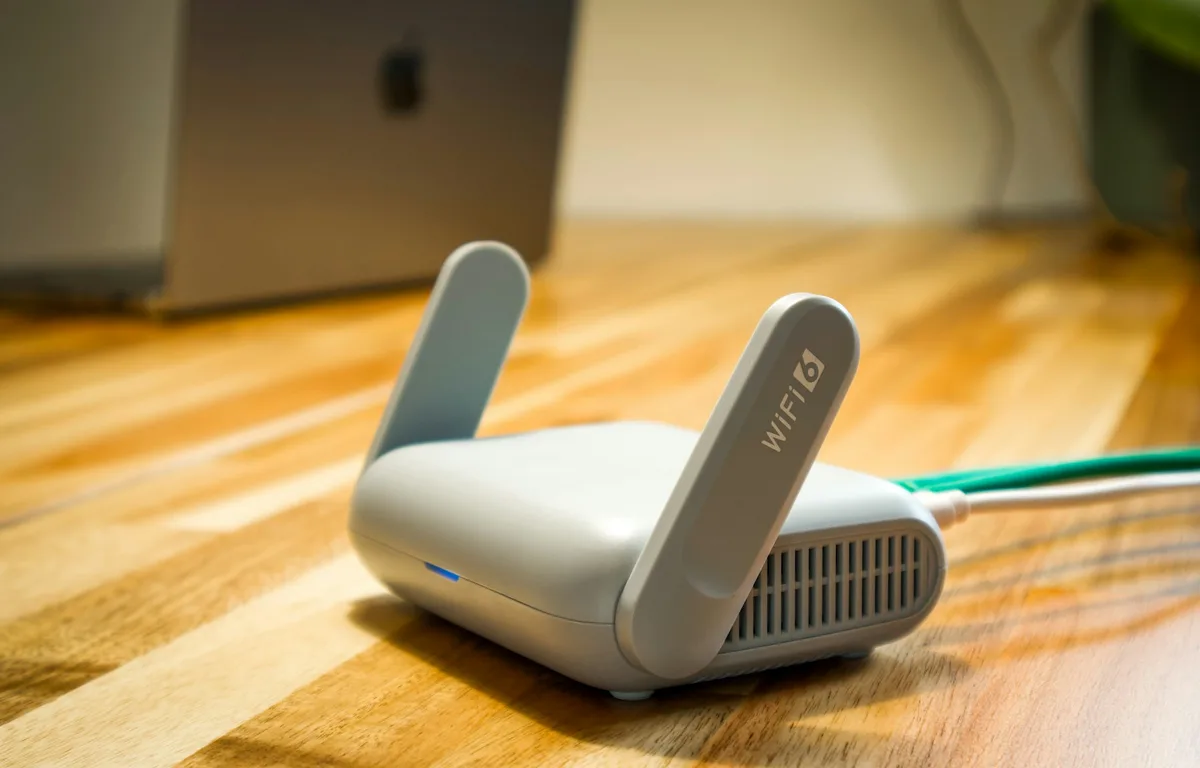
Mesh Wi-Fi vs a Regular Router: Which Should You Buy? (2026)
Not sure if you need a mesh system or if one good router will do? Here’s when each one makes sense, what Wi-Fi 6E and Wi-Fi 7 change, and how to set things up so your ISP’s box doesn’t get in the way.

Best Streaming VPN in the US for 2026: What to Look For and 5 Options
How I’d choose a VPN for streaming in the US, what the marketing claims mean, and where ExpressVPN, NordVPN, Surfshark, Proton VPN and CyberGhost fit.
The week in tech, minus the noise.
New reviews, fixes and the stories that matter — once a week, straight to your inbox.
We only use your email to send the newsletter. Unsubscribe any time. See our privacy policy.
Comments