

Best Streaming VPN in the US for 2026: What to Look For and 5 Options
How I’d choose a VPN for streaming in the US, what the marketing claims mean, and where ExpressVPN, NordVPN, Surfshark, Proton VPN and CyberGhost fit.


Photo by Glenn Carstens-Peters on Unsplash
Nobody buys a VPN to feel like a spy. You want your shows to play on hotel Wi-Fi, a bit of privacy at home, and an app that actually installs on the TV. That’s about it. And weirdly, that’s exactly where VPN ads go the most over the top.
So this guide sticks to the basics: what to look for, what each company lists as its price, and what to try yourself during the refund window. No scores. No charts. Just the stuff a normal living-room setup cares about.
Still not sure you need one at all? Start with my guide on whether a VPN is worth it for US users, then come back here for the streaming side of things.
Quick answer: For most US viewers, the best streaming VPN has a native app for your TV or streaming stick, servers near you, and a money-back window long enough to test it on your own shows. Of the five here, Surfshark has the lowest confirmed starting price ($2.49/mo on its 2-year Starter plan), NordVPN says its prices start from $2.99/mo, and ExpressVPN is the premium pick. Whichever you choose, stay within each streaming service’s terms and test it during the refund period.
What matters in a VPN for streaming
Short version first. A VPN pushes your traffic through an encrypted tunnel to the VPN company’s server, so the apps you use see that server instead of you. For streaming, the tunnel has to be quick, it has to be steady, and it has to run on the screen you actually watch. Sounds obvious, right? People still get caught out. This is roughly the order I’d weigh things in.
Apps for your TV and streaming stick
Everybody skips this one and then regrets it. A VPN can have lovely phone and laptop apps and still leave your living room TV completely out in the cold.
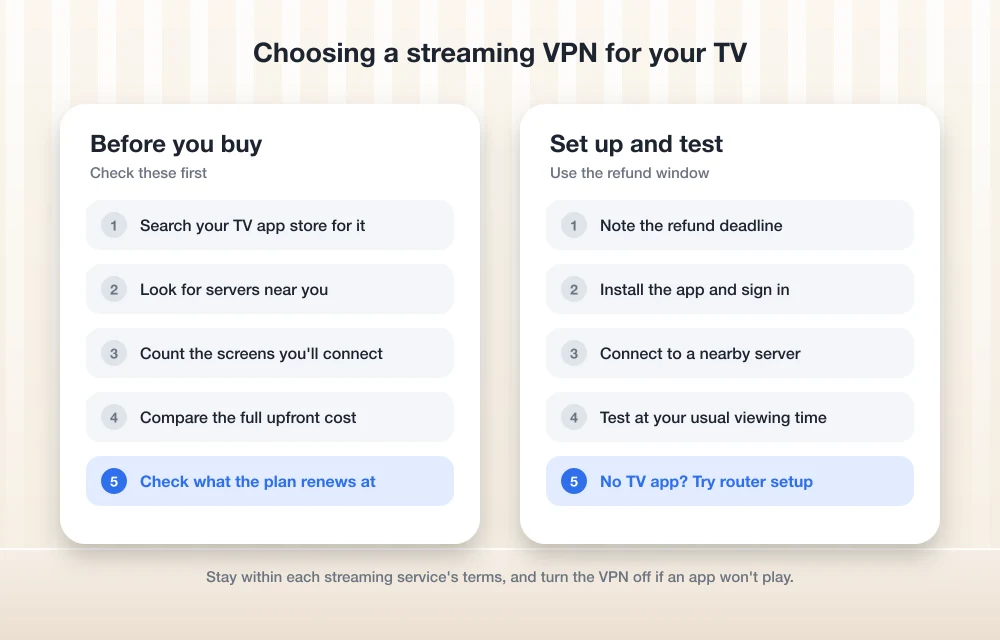
Before you buy, open the app store on your TV, Fire TV stick, Apple TV or Google TV device and search for the provider’s name. App shows up? You’re sorted. If it doesn’t, you’re into workaround territory.
The usual workarounds are putting the VPN on your router (so every device behind it is covered) or using a smart DNS feature, if the provider has one. Smart DNS only changes how your device looks up web addresses, and it doesn’t encrypt anything. Lighter, sure. But you get zero privacy out of it, so I’d treat it as a convenience thing and not a security one.
I couldn’t pin down the current TV app lineup for the five providers below, and those lists change anyway. Check each provider’s download or support pages for your exact device.
Speed claims versus the speed you’ll get
Every VPN says it’s fast. Every single one. Those numbers usually come from ideal conditions, though, and what you’ll actually get mostly comes down to your own internet plan, how far you are from the server you pick, and how packed that server is on a Friday night.
A VPN can’t make your connection faster than it already is. The encryption and the extra hop add a bit of overhead. So if your home internet already struggles with 4K, a VPN won’t rescue it. Not sure how your connection stacks up? My comparison of 5G home internet vs cable vs fiber is a decent place to start.
Server locations near you
Huge server numbers look great on a pricing page. For US streaming, though, the total matters a lot less than whether there are servers in or near your part of the country (and wherever you travel to). A provider with fewer servers in the right spots can feel better than one with a giant number spread thin.
Counts change constantly, so I’m not quoting any. Check each provider’s server list for current figures.
“Works with” logos and streaming claims
Loads of VPN sites say they “work with” certain streaming services. I read that as marketing. Not a promise. Streaming services can change how they treat VPN traffic whenever they like, and a server that worked fine last month might not work tonight.
I couldn’t verify any of the providers’ current streaming claims for this article. Given the choice, I’d trust the refund window way more than the logo wall.
How many devices you can connect
Count the screens in your house. A TV, two phones, a laptop and a tablet, and you’re already at five. Most VPNs cap how many devices can connect at once, and the cap can differ by plan. Put the VPN on your router, though, and everything behind it often counts as one connection, which is handy when you keep bumping into the limit.
Price, term length and the refund window
Headline VPN prices nearly always assume you’re signing up for a long time. Surfshark’s cheapest advertised price is on a 2-year plan, and NordVPN’s own figures show monthly billing costs a lot more than its longer terms.
So look at the total you’ll pay upfront, check what the plan renews at, and make sure the money-back guarantee gives you enough time to try it on your TV. Prices also bounce around with sales, currency and tax. Surfshark’s pricing page says prices may vary depending on the currency you use, VAT and applied coupons, and honestly that warning applies to every provider here.
Respect the streaming services’ terms
Don’t skip this bit. Every streaming service spells out in its terms of use how and where you can use your subscription, and turning on a VPN doesn’t change the agreement you clicked “accept” on when you signed up.
My take? Use a VPN for privacy and security, like protecting your connection on airport or coffee-shop Wi-Fi, and keep your streaming inside what your subscription allows. If a streaming app won’t play with the VPN on, just switch the VPN off for that app. Easy. Some VPNs also have split tunneling, which lets you choose which apps go through the VPN and which don’t.
The 5 VPNs worth a look for streaming in the US
Everything in this table comes from the providers’ own pages, not my own speed runs. A “check” cell just means I couldn’t pin it down, so look at the provider’s site before you buy.
| Feature | ExpressVPN | NordVPN | Surfshark | Proton VPN | CyberGhost |
|---|---|---|---|---|---|
| Plan tiers | Basic, Advanced, Pro | Basic, Complete, Prime | Starter, One, One+ | Check pricing page | Check order page |
| Lowest advertised price | Check order page | From $2.99/mo | $2.49/mo (Starter, 2 years + 3 months) | Check | Check |
| Cheapest month-to-month | Check | $12.99/mo (Basic) | $16.45/mo (Starter) | Check | Check |
| Money-back guarantee | Check | Check | 30 days | Check | Check |
| TV apps and device limit | Check | Check | Check | Check | Check |
1. ExpressVPN
ExpressVPN is the premium name in this bunch. It sells three tiers (Basic, Advanced and Pro), so compare what each one actually includes on its order page before you pick.
I couldn’t confirm current prices, server locations or device limits, so I’m not throwing numbers around. What would I check? Whether there’s a native app for your TV or streaming stick, how many devices your tier covers, and what the refund policy is on the term you choose.
If ExpressVPN’s on your shortlist, my full ExpressVPN review digs into whether it’s still worth paying extra for. It suits people who don’t mind a bigger bill for a well-known brand.
2. NordVPN
NordVPN is the most upfront of the five about its price range. On its own blog it says NordVPN costs between $2.99 and $16.59 per month, depending on the plan and how long you sign up for. Monthly billing runs from $12.99 to $16.59.
In the US you get three 2-year plans: Basic, Complete and Prime. Basic is the cheapest month-to-month option at $12.99. That gap between monthly and long-term pricing is where a lot of people overpay (it’s an easy trap), so do the math on the full term before you hit buy.
Server counts, the device limit and TV apps are still open questions here. Check NordVPN’s server page and app downloads for your devices.
3. Surfshark
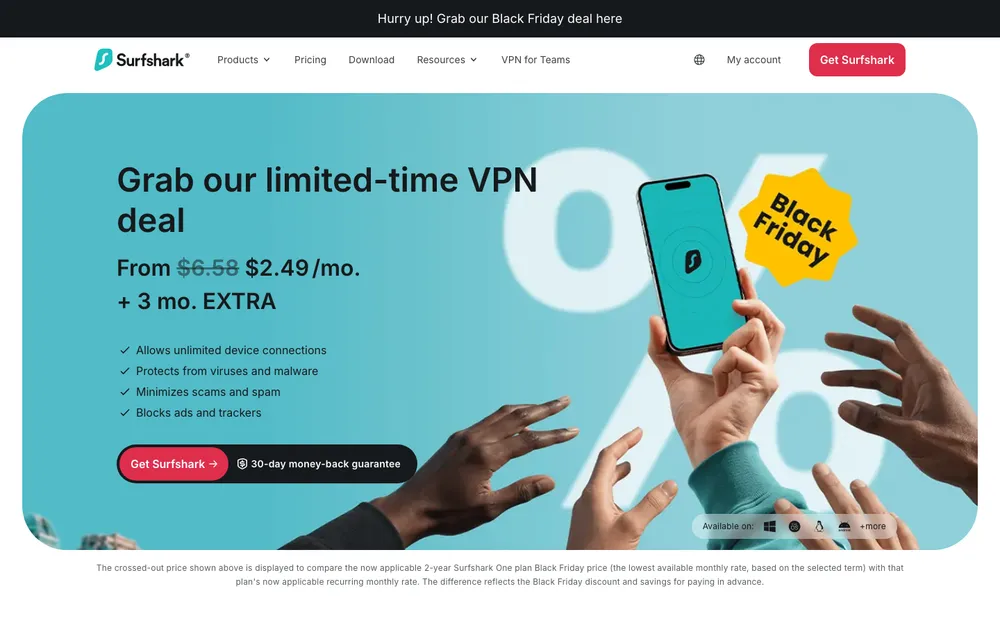
Surfshark has the lowest confirmed starting price in this roundup. Its official pricing page lists three plans: Starter, One and One+. Starter shows at $2.49/mo on the 2-year plan with 3 extra months, and One+ shows at $3.99/mo on the same term. There’s a 30-day money-back guarantee listed too.
The middle plan, One, is the awkward one. Surfshark’s own pages show different figures for it, so I’ve left it out of the cards below until it’s checked against the live pricing page. Rather pay monthly? Surfshark’s blog lists Starter at $16.45/mo. That’s a big jump from the 2-year price.
Starter
2-year plan plus 3 extra months
- 30-day money-back guarantee
- Monthly billing: $16.45/mo
One+
2-year plan plus 3 extra months
- Top tier of Surfshark’s three plans
Prices are from Surfshark’s official pricing page and blog. Surfshark says pricing may vary by currency, VAT and applied coupons, and VPN prices change often, so check the live page before you buy.
Surfshark has also advertised unlimited devices on one account, which is nice if your house is full of screens. I couldn’t verify that for every plan, though, so confirm it on the one you pick. Same goes for TV apps and server counts.
4. Proton VPN
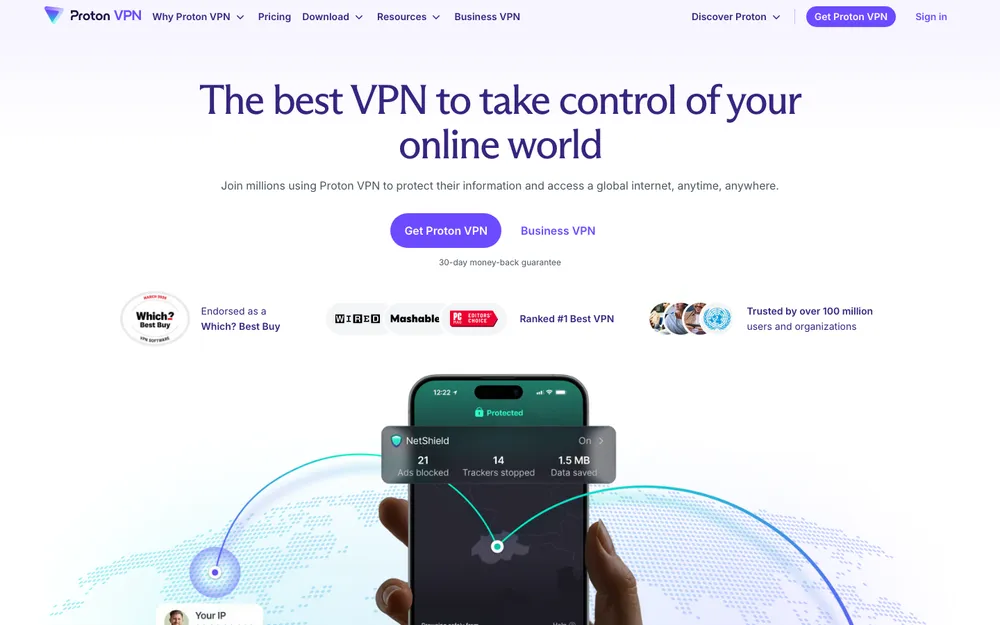
Proton VPN is the fourth one worth comparing. This section stays short. I couldn’t confirm Proton’s current plans, prices, device limits or TV app support for this article, and I’d rather leave a gap than make something up.
Before buying, open Proton’s pricing page and see which plans cover streaming, how many devices each one allows, and whether there’s an app for your TV or streaming stick. Spot a free option? Read what it limits before you count on it for movie night.
5. CyberGhost
CyberGhost rounds out the five. Its plans and prices live on its order page, but I couldn’t confirm those, its refund window or its device limit for this piece.
When you look, check whether it labels any servers for streaming, how long the money-back period is on your chosen term, and which TV platforms get a native app. Longer terms often look cheaper per month. So compare the total upfront cost too.
How to set up a VPN on your TV
Menus differ on every TV and every provider, so I won’t guess at button names. Roughly, it goes like this.
Check your device first
Search your TV or streaming stick’s app store for the VPN before paying for anything.
Pick a plan with a refund window
Choose your term and write down the date the money-back guarantee runs out.
Install and sign in
Grab the app on your TV or stick and log in with your new account.
Connect to a nearby server
Go with a server close to where you live, since shorter distances are usually faster.
Open your streaming app and test
Play something you normally watch, and stay within that service’s terms.
No TV app? Try the router or smart DNS
Look at the provider’s support pages for router setup or smart DNS instructions for your device.
Matching a streaming VPN to your budget and your TV
On a tight budget? Surfshark has the lowest confirmed starting price here, and its 30-day money-back guarantee gives you time to try it on your TV. If you like tiers that are clearly published, NordVPN lists its range right on its own site. And if you want a premium brand and the price doesn’t bother you, ExpressVPN is worth a look.
Proton VPN and CyberGhost are fair options to compare as well. Just read their official pages carefully, because theirs are the details I couldn’t confirm.
Whichever one you go with, check the TV app first, look at the full price of the term, and test inside the refund window. Oh, and keep your streaming within what your subscriptions allow. To me a VPN is a privacy tool first. That’s how I’d use it.
Frequently Asked Questions
Do I need a VPN to stream in the US?
No. US streaming services work fine without one. Where a VPN earns its keep is privacy, like when you’re on public Wi-Fi at an airport, hotel or coffee shop.
Can I put a VPN on my smart TV?
Depends on your TV and the provider. Search your TV or streaming stick’s app store for the VPN before you buy. No app? You can usually install the VPN on your router, or use a smart DNS feature if the provider offers one.
Will a VPN slow down my streaming?
A little. It adds a bit of overhead, so expect a small drop, and picking a server close to you helps. It can’t make your connection any faster than your home internet plan already is, though.
Which of these five VPNs is the cheapest?
Of the prices I could confirm, Surfshark’s Starter plan is the lowest at $2.49/mo on a 2-year plan with 3 extra months, according to its official pricing page. NordVPN says its prices start from $2.99/mo. Prices change a lot, so check the official pages before you buy.
Is it OK to use a VPN with streaming services?
Using a VPN for privacy is fine, but every streaming service sets its own terms of use. Read them and stay within what your subscription allows. And if an app won’t play with the VPN on, just turn the VPN off for that app.
Featured image: Glenn Carstens-Peters on Unsplash.
Disclosure: TheTechHacker has no paid relationship with the companies in this article.
You might also like

Best VPN for Smart TVs to ditch content censorship
The Internet has changed the way of living our life much better. If you are living in a country where the restrictions are implemented on accessing entertainment sites, and content filtering, the use of a VPN is must than other users. We are seeing there is a huge growth in online streaming content where Netflix,…
Top 5 Best VPNs You Should Use
Picking a reliable Virtual Private Network (VPN) can feel impossible with all the marketing hype out there. You and I need to look past the flashy ads to find real value. Whether you want raw speed, strict privacy, or a budget-friendly way to protect your home, here are the top 5 best VPNs you should…

10 Best VPN For Laptops
These days, many people connect their laptops to public hotspots like those at the cafeteria and hotels. We feel great that we have access to this connection. However, it is not as safe as the one in your home. There’s no way you can be certain that this network is safe from hackers and the…
The week in tech, minus the noise.
New reviews, fixes and the stories that matter — once a week, straight to your inbox.
We only use your email to send the newsletter. Unsubscribe any time. See our privacy policy.
Comments