

Is Steam Down? How to Fix Steam Purchase and Checkout Errors
Steam’s checkout broke for a lot of people on Saturday morning, November 21. Downdetector logged more than 1,000 problem reports at the peak, against a normal level of about 14. Players described failed purchases, transaction errors, warnings that Steam was “experiencing high activity,” and a “Something Went Wrong” page with the code E502 L2. Valve…


Image: Valve
Steam’s checkout broke for a lot of people on Saturday morning, November 21. Downdetector logged more than 1,000 problem reports at the peak, against a normal level of about 14. Players described failed purchases, transaction errors, warnings that Steam was “experiencing high activity,” and a “Something Went Wrong” page with the code E502 L2. Valve hasn’t commented on the cause. When a purchase fails, the most important thing is not to keep clicking Buy. This guide shows how to tell whether Steam is down or the problem is on your end, how to avoid paying twice, and how to fix the purchase errors you can fix.
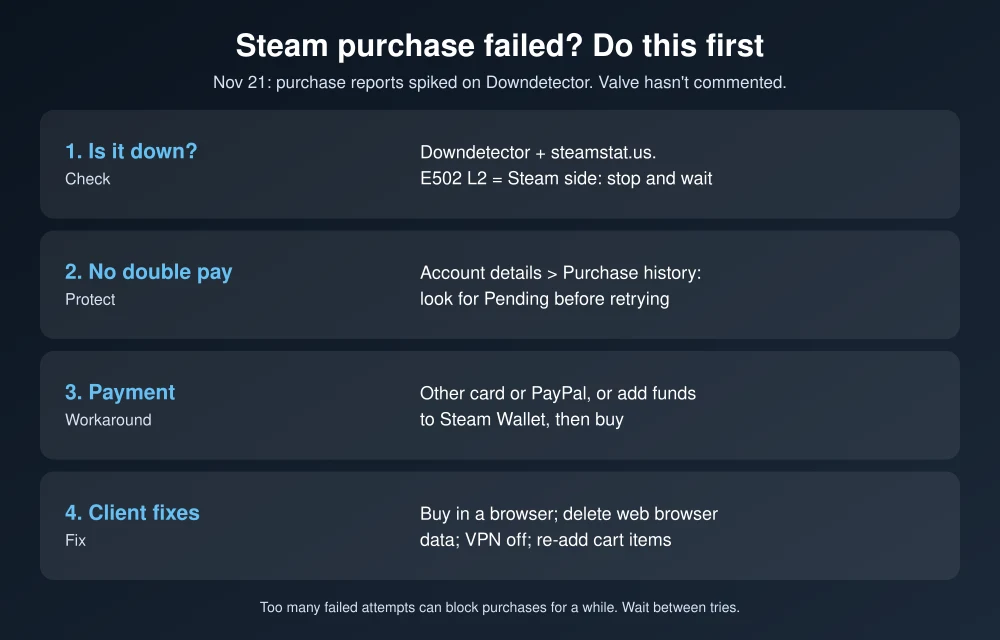
Quick answer: If a Steam purchase fails, first check whether Steam itself is down. Look at Downdetector, SteamDB’s status page and Steam’s official accounts. If it is down, stop retrying and wait. Before trying again, open Account details > Purchase history and check for a pending transaction so you don’t pay twice. If Steam is up but your purchase still fails, try a different payment method, add funds to your Steam Wallet first, use the store in a web browser instead of the client, clear the Steam client’s web browser cache, and turn off any VPN. Too many failed attempts in a short time can temporarily block purchases, so wait a while between tries.
What happened on November 21
- Problem reports: Downdetector showed 1,042 reports at its peak on Saturday morning, compared with a usual level of 14, The Sunday Guardian reported.
- What failed: Mostly purchases and checkout, plus some Store access problems. Library and game launches weren’t widely affected.
- Error users shared: “Something Went Wrong. We were unable to service your request. Please try again later. E502 L2.”
- Valve: No official statement on the cause or a fix as of this writing.
The E502 L2 error is reported by players during Steam-side problems. It isn’t a problem with your card, your PC or your internet connection, so the fix is to wait, not to change settings.
Step 1: Check whether Steam is down
- Downdetector: A sudden spike in reports means a wider problem.
- SteamDB status (steamstat.us): An unofficial but widely used page that shows the Store, Community and Steam Connection Manager status. It’s run by SteamDB, not Valve.
- Steam’s official accounts: Check Steam and its social accounts for notices. Valve doesn’t run a public status dashboard.
If these show a problem, stop here and wait. Steam purchase outages usually clear up within hours. Sale prices are rarely lost if you can’t buy for an hour, since most Steam discounts run for days.
Step 2: Make sure you weren’t charged twice
Before you retry, open the Steam client or store and go to your profile name > Account details > Purchase history. Look for any transaction marked Pending. Also check your bank or card app for a charge or authorization from Valve or Steam. A pending charge on a failed purchase is usually a temporary hold that drops off on its own. If the game didn’t arrive and the charge stays, contact Steam Support from that purchase in your history instead of buying again.
Step 3: Fix purchase errors when Steam is up
Try a different payment method
Card issuers sometimes flag or block online game purchases as suspicious. Try another card or PayPal. If your bank texts you to confirm the charge, approve it, then retry.
Add funds to your Steam Wallet first
Add the amount to your Steam Wallet, then buy the game with your wallet balance. This splits the payment step from the checkout and often gets around a stuck cart. Wallet funds can’t be withdrawn, so only add what you plan to spend.
Buy in a web browser
Sign in at store.steampowered.com in Chrome, Edge or Safari and buy from there. If the client is the problem, the browser often works. The game shows up in your library the same way.
Clear the Steam client’s web browser cache
In the Steam client, go to Steam > Settings > In Game or Web Browser (depending on your version) and select Delete Web Browser Data. Restart Steam and try again. A corrupted cache can make the store and checkout pages misbehave.
Turn off your VPN
A VPN can make your location look like a different country than your Steam account or payment method. Steam may block that purchase. Turn the VPN off and try again. If VPNs are acting up elsewhere too, see our fix for a VPN not connecting on Windows 11.
Remove items from your cart and add them back
A game that went on sale or changed price after you added it can stall checkout. Empty the cart, add the game again and pay.
Wait after too many attempts
After several failed purchases in a short time, Steam may temporarily stop you from buying anything. Retrying just extends the wait. Give it a few hours before trying again.
Protect your account during outages
Outages bring out scammers. Ignore messages from “Steam Support” in chat or Discord offering to fix your purchase or unlock your account, and don’t sign in through links sent to you. Steam staff don’t contact you on Discord. Turn on the Steam Guard Mobile Authenticator in the Steam mobile app for the strongest account protection. If you play on console too, our guide to checking if GTA 6 is down uses the same approach for game servers, and our Black Friday 2026 sale dates list the other big sales this week.
FAQs
Is Steam down right now?
Check Downdetector and SteamDB’s status page at steamstat.us. On November 21, 2026, users reported widespread purchase and checkout failures, with Downdetector reports peaking above 1,000. Valve hasn’t commented.
What does Steam error E502 L2 mean?
Players see E502 L2 with a Something Went Wrong message when Steam’s servers can’t handle a request. It’s a Steam-side problem, so wait and try later instead of changing your settings or payment.
Will I be charged twice if a Steam purchase fails?
Usually not, but check Account details > Purchase history for a pending transaction before retrying. A pending charge on a failed order is typically a temporary hold. If it doesn’t clear, contact Steam Support from that purchase.
Why does Steam say I have too many recent purchase attempts?
Steam temporarily limits purchases after several failed attempts in a short time. Wait a few hours, then try again with one payment method.
Featured image: Valve.
Disclosure: TheTechHacker has no paid relationship with Valve, SteamDB or any company mentioned here.
More in How-to
How To Fix Steam API DLL Missing Error In Windows 10
Steam API DLL missing error is a most commonly occurring error for Steam players. This error will come due to the missing file of Steam API in the DLL files library. This is a quite annoying error for serious Steam gamers online. This error appears when a user launches the Steam app and it will…
How to Fix Claude Not Working: Login Errors, Outages and Sign in With Apple
Claude had a rough couple of days. On November 13, Anthropic logged two separate incidents with elevated errors across claude.ai, the Claude API and Claude Code. The first stopped people from signing in, and the second, a few hours later, hit chats, connectors and agents. Late that night, purchases and plan upgrades failed for about…
How to Use Google Wallet on iPhone: What Works and What Doesn’t (No Tap to Pay)
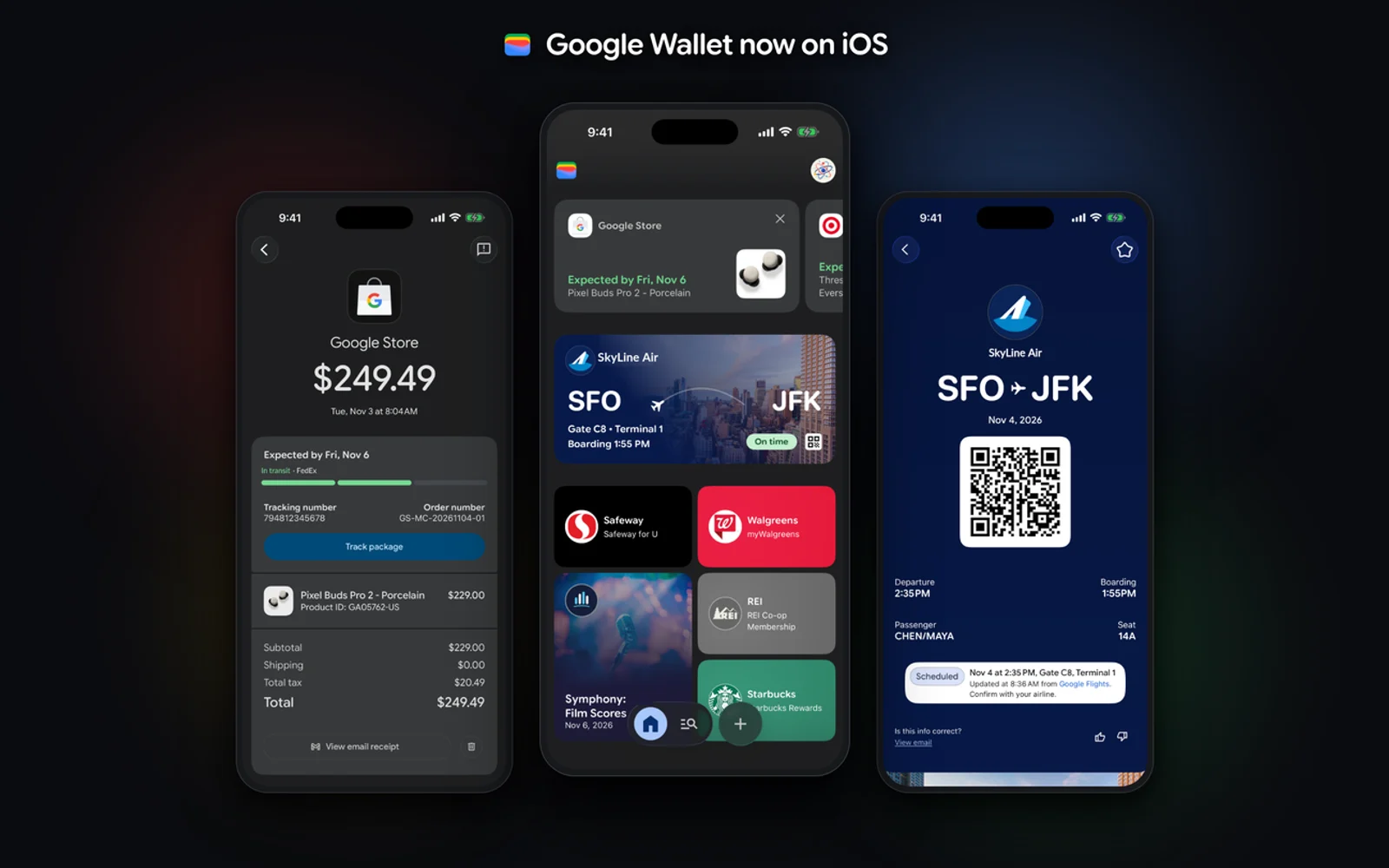
Google Wallet is finally on the iPhone. Google launched the app for iOS users across the US on November 17, 2026, and it climbed into the top 20 of the App Store’s Utilities chart within a day. There is one big catch: you cannot use it to tap and pay at a store register. This…
The week in tech, minus the noise.
New reviews, fixes and the stories that matter — once a week, straight to your inbox.
We only use your email to send the newsletter. Unsubscribe any time. See our privacy policy.
Comments