

How to Use Gemini to Call Businesses for You: Requirements, Steps and Limits
Gemini can now phone a business for you, wait on hold, ask your question or book the appointment, and send you a summary when it’s done. Google calls the feature Call for Me. It’s part of the Tasks update Google announced on November 17, 2026, but the calling part has a much shorter list of…

Image: Google
Gemini can now phone a business for you, wait on hold, ask your question or book the appointment, and send you a summary when it’s done. Google calls the feature Call for Me. It’s part of the Tasks update Google announced on November 17, 2026, but the calling part has a much shorter list of supported phones and states than the rest of Tasks. This guide covers who can use it, how to set it up, how to take over a call, and what Gemini won’t do on the phone.
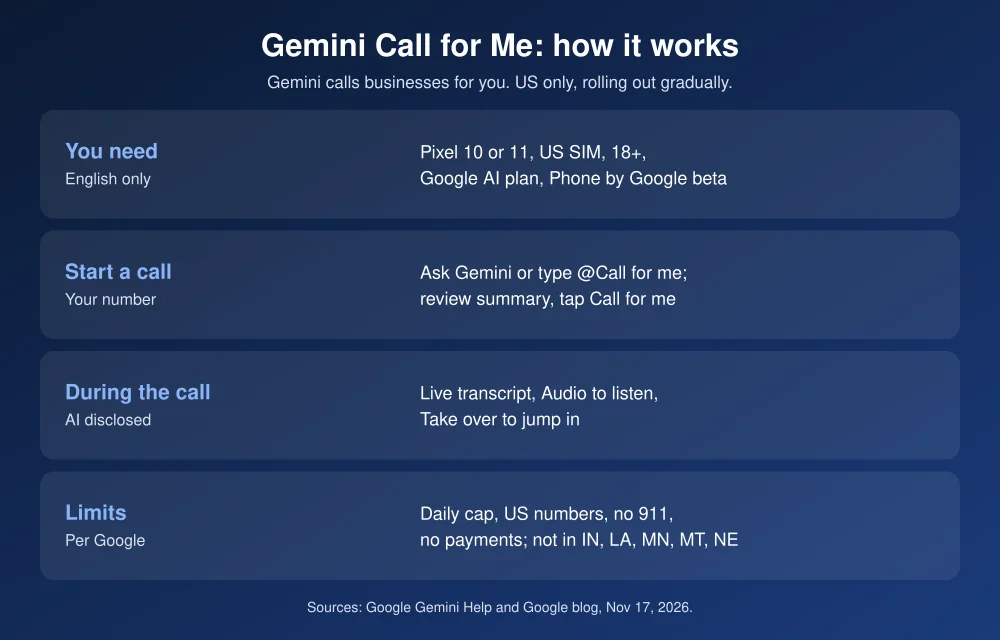
Quick answer: To have Gemini call a business, you need to be 18 or older in the US, with a Pixel 10 or Pixel 11 on a US SIM, a Google AI subscription, the Public Beta of the Phone by Google app, and your phone set to English. Open the Gemini app and ask it to call a business, or type @Call for me. Check the summary, then tap Call for me. Gemini says it’s an AI calling for you on a recorded line, and you can follow the live transcript or tap Take over. Google says calling isn’t available yet in Indiana, Louisiana, Minnesota, Montana and Nebraska.
What Gemini Call for Me can do
According to Google’s Gemini help page, Gemini can call businesses to:
- Get business hours, product availability, service quotes and other information.
- Book, confirm and manage appointments and reservations.
- Work through phone menus and wait on hold.
In Google’s announcement, Gemini app lead Josh Woodward described asking Gemini to call two nearby car dealerships for an early Friday service slot. Gemini called both at the same time, found a time he was free in Google Calendar, and added the appointment in under five minutes.
Who can use it
Tasks is free in the US, Japan, Korea, Canada, Australia and India. Calling is much narrower. Per Google’s help page, you need all of these:
| Requirement | Details |
|---|---|
| Age and location | 18 or older, in the US |
| Phone | Pixel 10 or Pixel 11 with a US SIM card |
| Subscription | A Google AI subscription |
| Phone app | Public Beta version of the Phone by Google app |
| Gemini app | Latest version, signed in |
| Language | Device language set to English |
| State | Not available yet in Indiana, Louisiana, Minnesota, Montana and Nebraska |
Google says it’s rolling out gradually, so you may not see it yet even if you meet every requirement. iPhone users can use Gemini Tasks, but calling for you is a Pixel feature for now.
How to use Gemini to call a business
- Join the Phone by Google beta. Open the Phone by Google listing in the Play Store, scroll to Join the beta, and update the app when the beta version arrives.
- Update the Gemini app and make sure you’re signed in to the account with your Google AI plan.
- Open Gemini and ask for the call. Be specific, and include dates, times and backup options. For example: “Call Luigi’s on Main Street and book a table for two at 7 p.m. tomorrow. 7:30 is fine if 7 is taken.” You can also type @Call for me to start the request.
- Review the summary. Gemini shows the number it will call and what it will share, such as your name and contact info. Ask it to change anything that’s wrong.
- Tap Call for me. Gemini places the call from your phone number on your mobile network, so your usual carrier rates apply.
- Check the result. When the call ends, tap View results in the notification for Gemini’s summary. The full transcript and the recording are in your call history in the Phone app.
How to monitor or take over a call
- Follow along: watch the live transcript in the Gemini app, or tap Audio to listen in. Your microphone stays muted.
- Take over: tap Take over. Your mic turns on, Gemini tells the other person you’re joining, and then it drops off the call.
- Cancel: tap Cancel before the call connects.
Every call starts with Gemini saying it’s an AI assistant from Google, calling on a recorded line on your behalf, and giving your name. Businesses, and anyone else who doesn’t want these calls, can opt out on Google’s opt-out page.
What Gemini won’t do on a call
- Call 911 or other emergency services.
- Pay for anything or share card numbers over the phone. If a business needs a deposit, you’ll have to take over or pay another way.
- Share sensitive information such as Social Security numbers, passwords or health information.
- Call numbers outside the US.
- Make sales or telemarketing calls.
There’s also a daily limit on calls. Google doesn’t publish the number. Once you hit it, you have to wait until the next day.
Tips to get better results
- Give it a fallback. Google’s help page asks you to include alternative options. A request like “7 p.m., or anything before 8” lets Gemini finish the booking if your first choice is taken.
- Use it for hold-heavy calls. Waiting on hold and getting through phone menus is where it saves the most time.
- Check the recording for anything important. Google says Tasks can still make mistakes, so confirm prices and times before you rely on them.
- Keep payments for yourself. Gemini can buy things online through Google Pay in Tasks, but not over the phone. Before you let any AI agent near your bank login, see our guide to what banks say about AI agents.
For what else Gemini can do now, see how to use Gemini computer use on Mac and our Gemini 4 Neon explainer. Apple’s answer is still in the works. Read about the AI agent Apple is reportedly building.
FAQs
Can Gemini make phone calls for me?
Yes, in the US on a Pixel 10 or Pixel 11 with a Google AI subscription and the Phone by Google public beta. Gemini can call businesses to ask questions, book appointments and wait on hold.
Does Gemini tell the business it’s an AI?
Yes. Google says Gemini starts every call by saying it’s an AI assistant from Google, calling on a recorded line on your behalf, and stating your name.
Does Gemini Call for Me work on iPhone?
No. Google’s requirements list only Pixel 10 and Pixel 11 phones. iPhone users can use other Gemini Tasks features, but not phone calls.
Why isn’t Gemini calling available for me?
It’s rolling out gradually, and it isn’t available yet in Indiana, Louisiana, Minnesota, Montana and Nebraska. You also need a US SIM, a Google AI plan, the Phone by Google public beta, and English as your device language.
Featured image: Google.
Disclosure: TheTechHacker has no paid relationship with Google or any company mentioned here.
More in How-to

How to Form an LLC in 2026: Step-by-Step Guide for US Small Businesses
Forming an LLC is one of the first real decisions most US small business owners make, and it’s easier than it sounds. You can usually do it online in an afternoon, often for less than $200 in state fees. Where people get into trouble is the part after filing: missing the annual report, paying a…
How to Use Gemini Computer Use on Mac to Automate Tasks
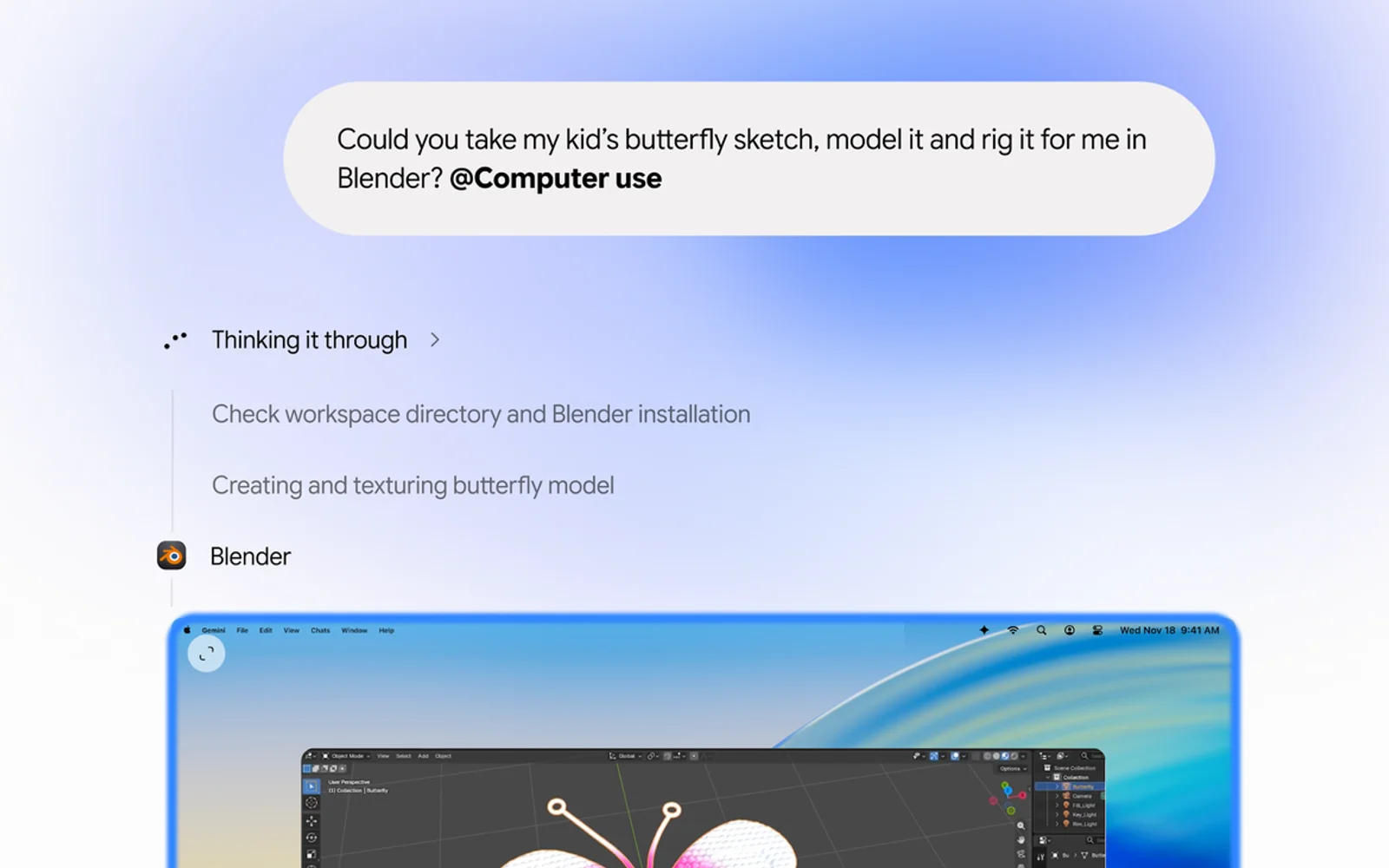
Google’s Gemini app for Mac can now do the clicking for you. With a new feature called computer use, announced on November 19, Gemini can open Mac apps and websites, fill in forms, work through menus and finish multi-step jobs in the background while you keep using your Mac. It’s the kind of agent feature…

How to Check If a Video Is AI-Generated: 7 Ways to Spot a Fake
A year ago, you could usually spot an AI video in a few seconds. The hands were wrong, the faces melted, and the physics felt off. That’s no longer reliable. Tools like Google’s Veo and OpenAI’s Sora now make clips with realistic lighting, natural voices and believable motion, and they’re all over YouTube Shorts, TikTok,…
The week in tech, minus the noise.
New reviews, fixes and the stories that matter — once a week, straight to your inbox.
We only use your email to send the newsletter. Unsubscribe any time. See our privacy policy.
Comments