

New Google Messages Features in November 2026 and How to Use Them
Google Messages gets new features almost every month, but many roll out slowly through tests, so it’s hard to know what you actually have. This month brings a new homepage design, stronger scam protection, a new swipe gesture and a way to text with Gemini. Now in this article, I will show what’s new in…

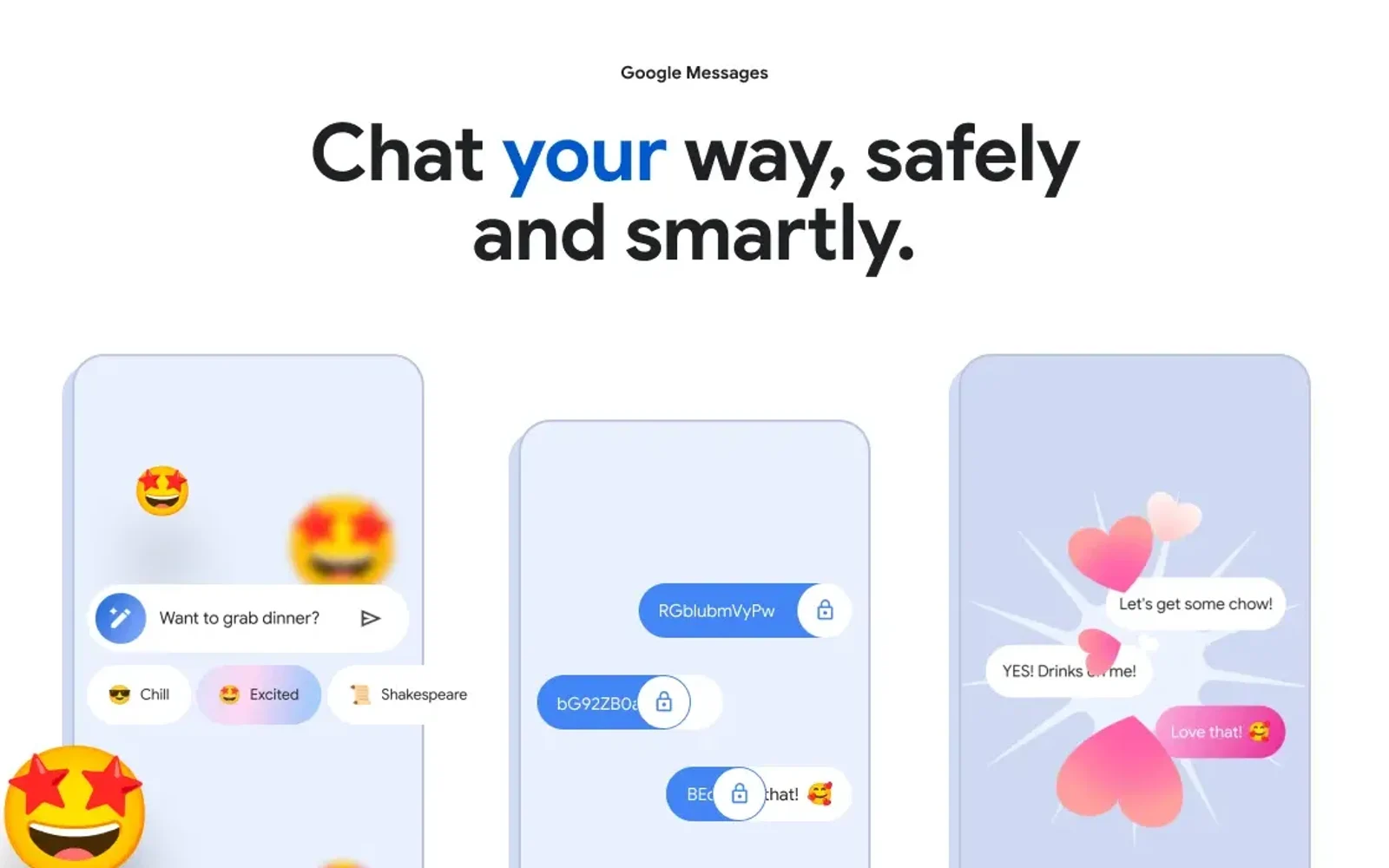
Google Messages New Features
Google Messages gets new features almost every month, but many roll out slowly through tests, so it’s hard to know what you actually have. This month brings a new homepage design, stronger scam protection, a new swipe gesture and a way to text with Gemini.
Now in this article, I will show what’s new in Google Messages in November 2026 and how to use each feature.
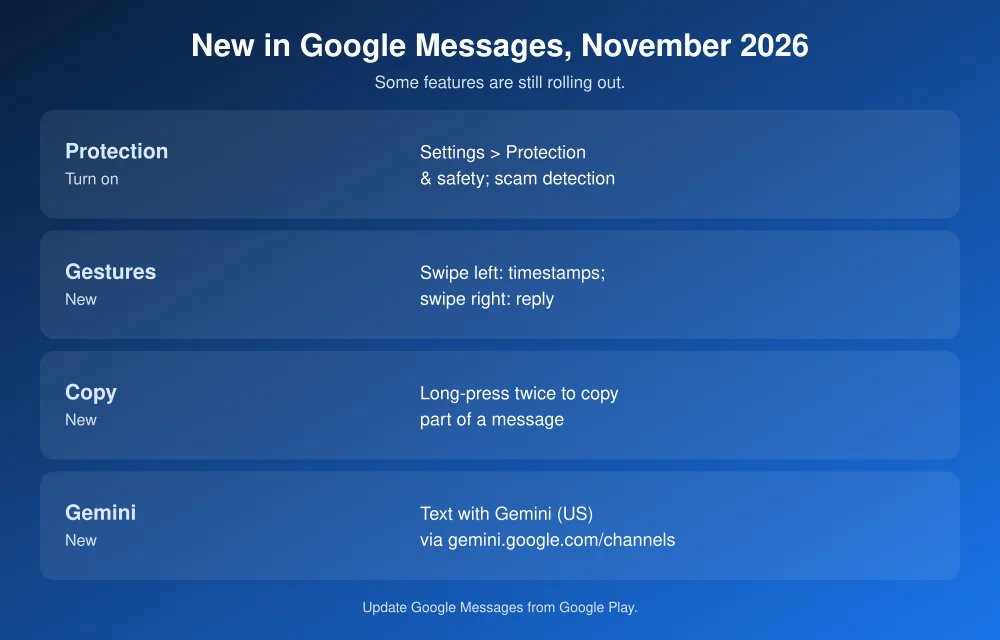
Quick answer: New in Google Messages this month: Enhanced Protection for spam and scams (Settings > Protection & safety), a homepage redesign with pinned chats as circles at the top, swipe left for timestamps and swipe right to reply, a long-press menu that lets you copy part of a message, and Text with Gemini in the US through gemini.google.com/channels, 9to5Google reports. Some features are still rolling out, so update the app from Google Play.
Getting Started
Update Google Messages from Google Play. Google tests many features with some users first, so you may not see everything at once.
1. Turn On Enhanced Protection
- Open Google Messages and tap your profile picture.
- Go to Messages settings > Protection & safety.
- Turn on the scam and spam protection options.
It adds three things, according to 9to5Google:
- Scam Detection uses cloud Gemini models to spot scam patterns in chats with unknown senders.
- Enhanced link protection uses on-device Gemini Nano to check unfamiliar links before you tap. It works on the Pixel 10 and later, Galaxy S26 series, Z Flip 8, Z Fold 8 and other select phones.
- Redesigned warnings give you more context before you tap links from numbers not in your contacts.
2. Use the New Swipe Gestures
- Swipe left anywhere in a chat to see timestamps and the RCS encryption lock.
- Swipe right on a message to reply to it.
- Tap a message to see read receipts, which now appear as a small circle at the bottom right of bubbles.
3. Copy Part of a Message
Long-press a message to open the new floating menu. Long-press again to select and copy only part of the text, instead of the whole message.
4. The New Homepage
- Pinned chats now appear as circular contact photos above your conversations.
- Search and Start chat sit in a floating button at the bottom center.
- The Gemini button moved to the top right, next to your profile picture.
5. Text With Gemini (US)
In the US, you can chat with Gemini as a contact using Google’s Channels feature. Set it up at gemini.google.com/channels, then look for the chat with the four-color Gemini logo.
Better Chats With iPhone Users
Since iOS 27, RCS chats between Android and iPhone support inline replies with quotes and photo reactions.
Learn more on Google’s Messages page. Also see how to spot scam delivery texts, the new Gemini camera on Android and how to AirDrop between Galaxy and iPhone.
That’s all for now. Please do share your views and feedback in the comment box below.
FAQs
How do I turn on scam protection in Google Messages?
Go to Messages settings > Protection & safety and turn on the protection options.
How do I see message timestamps in Google Messages?
Swipe left anywhere in the conversation.
How do I reply to a specific message?
Swipe right on the message bubble.
Why don’t I have the new features?
Google rolls them out gradually. Update the app and check again later.
Featured image: Google.
Disclosure: TheTechHacker has no paid relationship with Google.
More in How-to
How to Use Gemini Tasks for Free: Calls, Texts, Shopping and More
Until this week, Gemini’s agent mode, the version that actually does things for you instead of only answering questions, needed a paid Google AI Pro or Ultra plan. On November 17, 2026, Google made it free. Gemini Tasks can now book appointments, shop for groceries, sort your inbox into calendar events, and, in the US,…
How to Fix Claude Not Working: Login Errors, Outages and Sign in With Apple
Claude had a rough couple of days. On November 13, Anthropic logged two separate incidents with elevated errors across claude.ai, the Claude API and Claude Code. The first stopped people from signing in, and the second, a few hours later, hit chats, connectors and agents. Late that night, purchases and plan upgrades failed for about…
How to Back Up Android Photos to a Windows PC Automatically with Quick Share
Google’s November 2026 system update adds automatic photo and video backup from Android to Windows through Quick Share. Here’s what’s confirmed, what you need, how setup reportedly works, and what to use until it reaches you.
The week in tech, minus the noise.
New reviews, fixes and the stories that matter — once a week, straight to your inbox.
We only use your email to send the newsletter. Unsubscribe any time. See our privacy policy.
Comments