

How-to
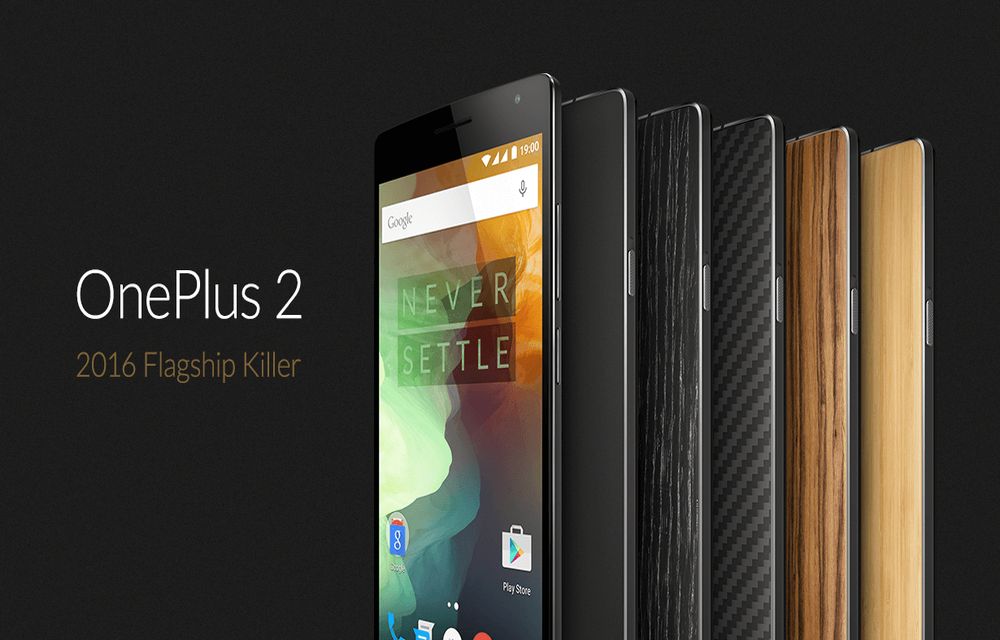
How To Enter Into Bootloader Mode In OnePlus 2
OnePlus has recently and officially launched its successor OnePlus 2. Technically OnePlus 2 is a fantastic device with almost all high-end specifications.

How To Check Antivirus Working or Not?
A good antivirus is meant to protect your machine against all types of attacks. No matter you use a Mac or Windows-based machine, an Antivirus is a must for PC. There are some antivirus solutions available in the market which aims to protect from all kinds of malicious infections and attacks.

How To Delete Facebook Account
Facebook had a special long term relationship with our lives. With people addicting to social networking sites, Facebook is their first choice to join. Facebook became part of our life, features like photo, location, music, links including our emotional feelings as the latest update. We already discussed Facebook addiction and the best ways to avoid…
How To Disable Login Screen In Windows 10
Microsoft builds every Windows version bind to Windows Live Account. Starting from Windows 8 to Windows 10, Microsoft made logging with live account must for their users when you do a fresh install. The user needs to log in every time when they reboot or switch between accounts. It is useful to secure your PC…

Why Facebook is addictive? Best Ways To Avoid Facebook From Your Life
Facebook is a most popular social networking site in the world. Millions of people are using Facebook to share their photos, videos and even feelings to loved one’s, friends and public.

How To Quickly Fix A Device When Dropped In Water
Sometimes we accidentally drop precious gadgets in water. Reasons are so many, sudden rain, swimming pool fun may ruin your devices. Water is a serious hazardous element to electronic gadgets. It may stop their functionality and in some cases leads total device dead. This guide helpful for those who want to prevent damage when anything…

Easy Way To Uninstall Internet Explorer
Internet Explorer is the default browser comes with Microsoft Windows operating system. IE is packed with some fantastic features like Tab pinning, minimalistic user interface, lightning fast, built-in download manager, notifications bar, domain highlighting and most importantly standards compliance.Unfortunately, Internet Explorer is the most hated browser in the world. People are usually using IE to…

How To Remove Search History From Your Facebook Account
Facebook has been regarded as the most popular means of communication among social media networks, with millions of users all over the world. Individuals and businesses connect with others and interact either gathering information or promoting goods and services. The innumerable special features of Facebook have made it a gigantic presence in social media. However,…
Comprehensive Guide To Create Complete Archive Of All Your Google Data
Are you started using Google yesterday or 5 years back you can download entire data from your Google account activity and its services using Google Takeout. Gone are the days when we use manual downloading each Google product activity in spreadsheets and excel sheets. Google launched Takeout in the year 2011, at present they have…

How To Save My Documents In Cloud Directly
What would you do when situations like hard drive failure and corrupt OS problems occur. No doubt we completely loose our saved important files on Desktop and My Documents. Whether it is a work file and marriage or vacation picture losing data gives a lot of pain. Recently I faced this kind of situation when…
How to Change Default Program Files Folder Location in Windows
If you’ve ever installed a Windows program or even if you have used Windows for any part of time, then you will probably know that whenever you install a program on your Windows system, all those installed programs are stored in C:\Program Files or C:\Program Files (x86) folder. In fact, most Windows programs are stored…

3 Steps to Recover Data from Seagate External Hard Drive
Seagate external hard drives are one of the finest solutions that most people prefer for a reliable storage solution. These portable devices offer high performance and a huge space to store a maximum of data in a normal sized storage device, which is compatible with both PCs or Macs. Seagate external hard drives are mostly…