

Apple Pulls Talkie AI Chatbot From the App Store: What Parents Should Check
Apple removed MiniMax's Talkie AI companion app after reports of harmful chats with kids. What happened and the iPhone settings to check now.


Apple has removed Talkie, a popular AI companion app from Chinese AI company MiniMax, from the App Store worldwide. The South China Morning Post reports that Apple pulled the app for sexual content after an investigation found its AI characters had inappropriate conversations with children. If your child uses AI chat apps, this is a good time to check their phone.
Quick answer: Talkie is no longer on the App Store, Apple confirmed to the South China Morning Post, which reports the app was removed for sexual content. The removal followed a joint investigation by the Bureau of Investigative Journalism and ABC News in Australia. Removing an app from the store stops new downloads, so check whether Talkie is already installed on your child’s iPhone. Then use Screen Time to block unwanted apps, set app age limits and turn on Ask to Buy.
What Happened
- The Bureau of Investigative Journalism and ABC News reported that Talkie’s AI characters engaged in “romantic role-play,” degrading language and controlling behavior with minors.
- The investigation describes a mother finding more than 40 conversations of this kind between Talkie characters and her daughters, aged 10 and 13.
- It also raised concerns about how Talkie handles users’ personal data, including their chats.
- Apple told the South China Morning Post it removed Talkie for sexual content. It didn’t say whether that meant content shown to minors.
- Talkie had almost 11 million monthly users as of October, according to Chinese research firm Unique Research, as cited by the South China Morning Post.
Part of a Bigger Crackdown on AI Chatbots
The same week, 42 US attorneys general challenged Character.AI’s plan to auction its platform, including private chats from more than 21 million US accounts, as part of its bankruptcy case, TechCrunch reported. New York also passed a law, reported by NBC News, banning toys with built-in AI chatbots for five years starting February 2027.
What Parents Should Do Now
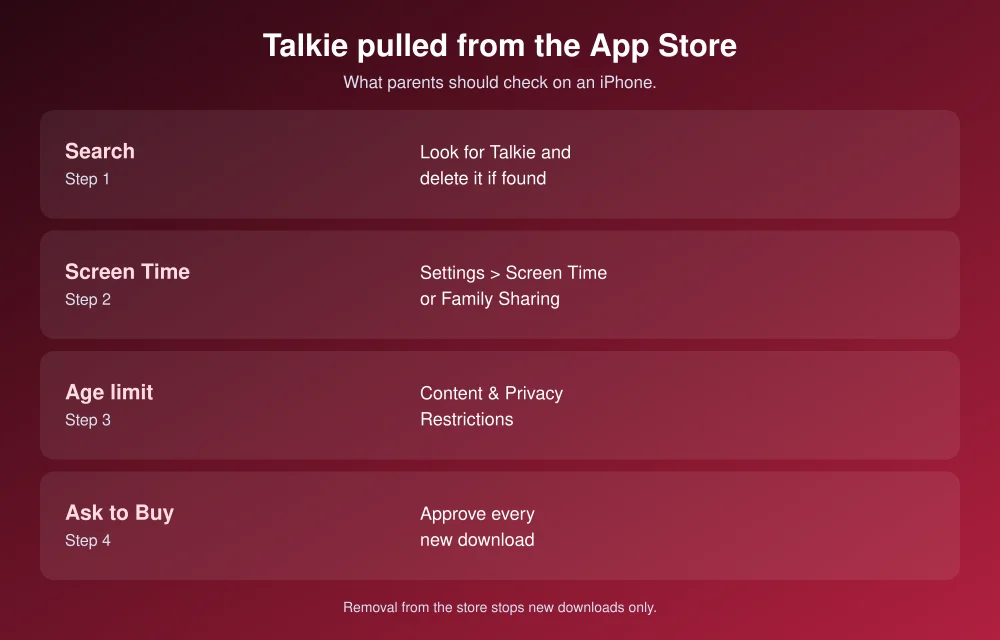
- Look for the app. Swipe down on the Home Screen and search for Talkie. Delete it if you find it.
- Check for other AI companion apps. Look through the App Library for chatbot or “AI friend” apps you don’t know.
- Turn on Screen Time. Go to Settings > Screen Time on your child’s iPhone, or set it up from your own phone through Family Sharing.
- Set an app age limit. In Content & Privacy Restrictions, choose the allowed App Store age rating.
- Turn on Ask to Buy so your child needs your approval for any new download, including free apps.
- Talk to your child. Ask which apps they chat with, and tell them to show you any message that makes them uncomfortable.
Apple explains each control in its parental controls guide and on its child safety page.
What About Android?
This report covers Apple’s App Store. On Android, use Google Family Link to approve downloads and set content ratings. Our guide to the best parental control apps for iPhone and Android compares other options.
More on AI and kids’ safety: Virginia and Oregon sue over Grok images, what Meta’s Muse AI can see on Instagram, and how Uber Kids works.
FAQs
Why was Talkie removed from the App Store?
Apple told the South China Morning Post it removed the app for sexual content. It followed an investigation into chats with minors.
Does the removal delete Talkie from my child’s iPhone?
Removing an app from the store stops new downloads. Check the phone and delete the app yourself.
How do I stop my child downloading apps without asking?
Turn on Ask to Buy in Family Sharing and set an App Store age limit in Screen Time.
Who makes Talkie?
Shanghai-based AI company MiniMax, through a Singapore subsidiary, according to 9to5Mac.
Featured image: Apple.
Disclosure: TheTechHacker has no paid relationship with Apple or MiniMax.
More in News

Do You Still Need Antivirus on Windows 11 and Mac in 2026?
Windows 11 and macOS both ship with built-in malware protection that’s on by default. Here’s what it covers, what paid suites add, and who should still pay for one.

Thanksgiving Tech Checklist: Set Up Your Parents’ Phones in One Visit
Thanksgiving is often the one weekend a year you’re sitting next to your parents with their phone in your hand. Use it well. In about 30 minutes you can make their iPhone or Android phone safer, easier to read, easier to recover if it’s lost, and much harder for scammers to exploit. This checklist puts…
How to Use Google Wallet on iPhone: What Works and What Doesn’t (No Tap to Pay)
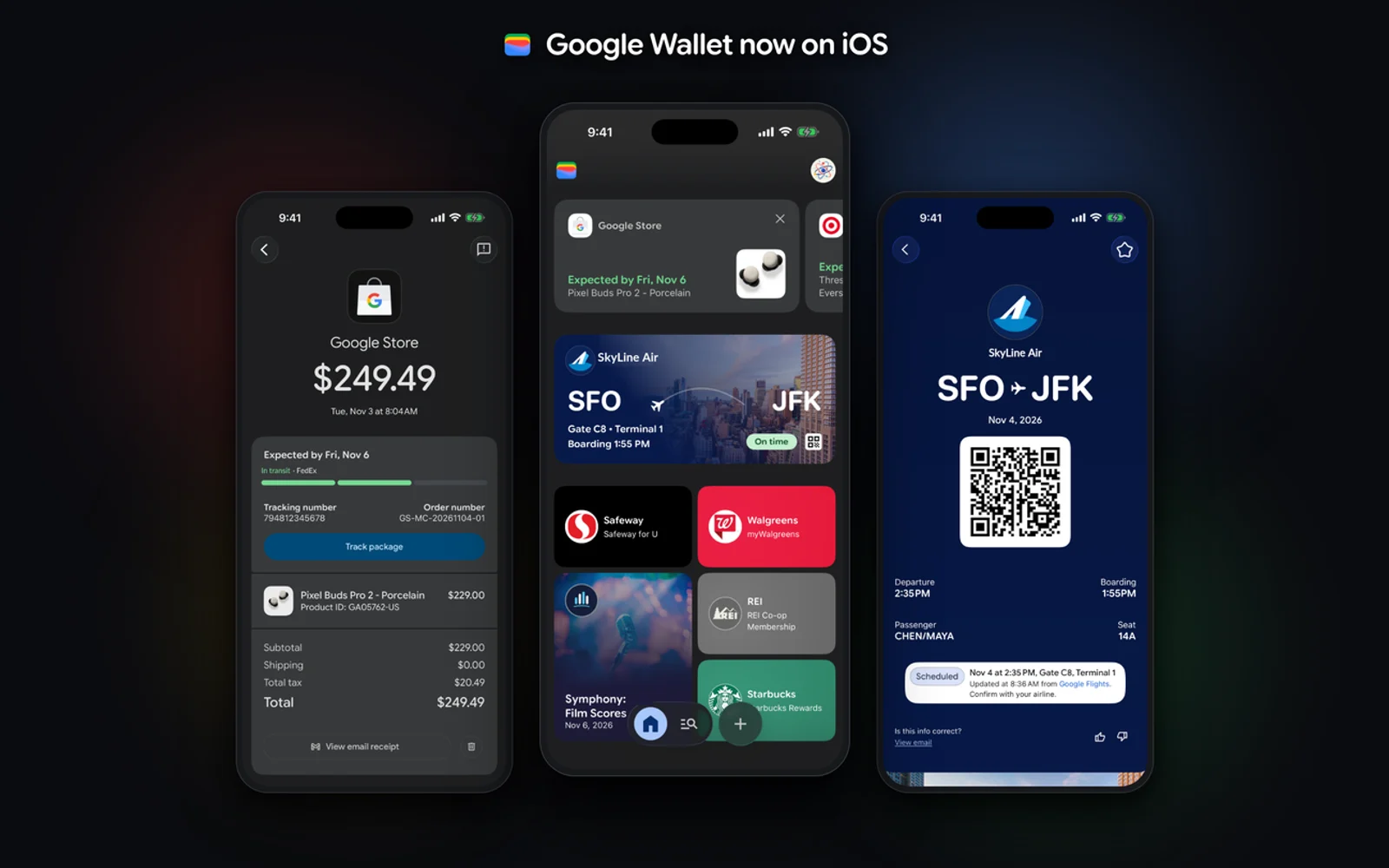
Google Wallet is finally on the iPhone. Google launched the app for iOS users across the US on November 17, 2026, and it climbed into the top 20 of the App Store’s Utilities chart within a day. There is one big catch: you cannot use it to tap and pay at a store register. This…
The week in tech, minus the noise.
New reviews, fixes and the stories that matter — once a week, straight to your inbox.
We only use your email to send the newsletter. Unsubscribe any time. See our privacy policy.
Comments