

Google Is Retiring the Nest App and Assistant on Speakers and Displays: What Owners Should Do
The Nest app ends Jan 25, 2027 and Google Assistant on speakers moves to Gemini for Home Aug 2, 2027, per reports. What changes and what Nest owners should do.
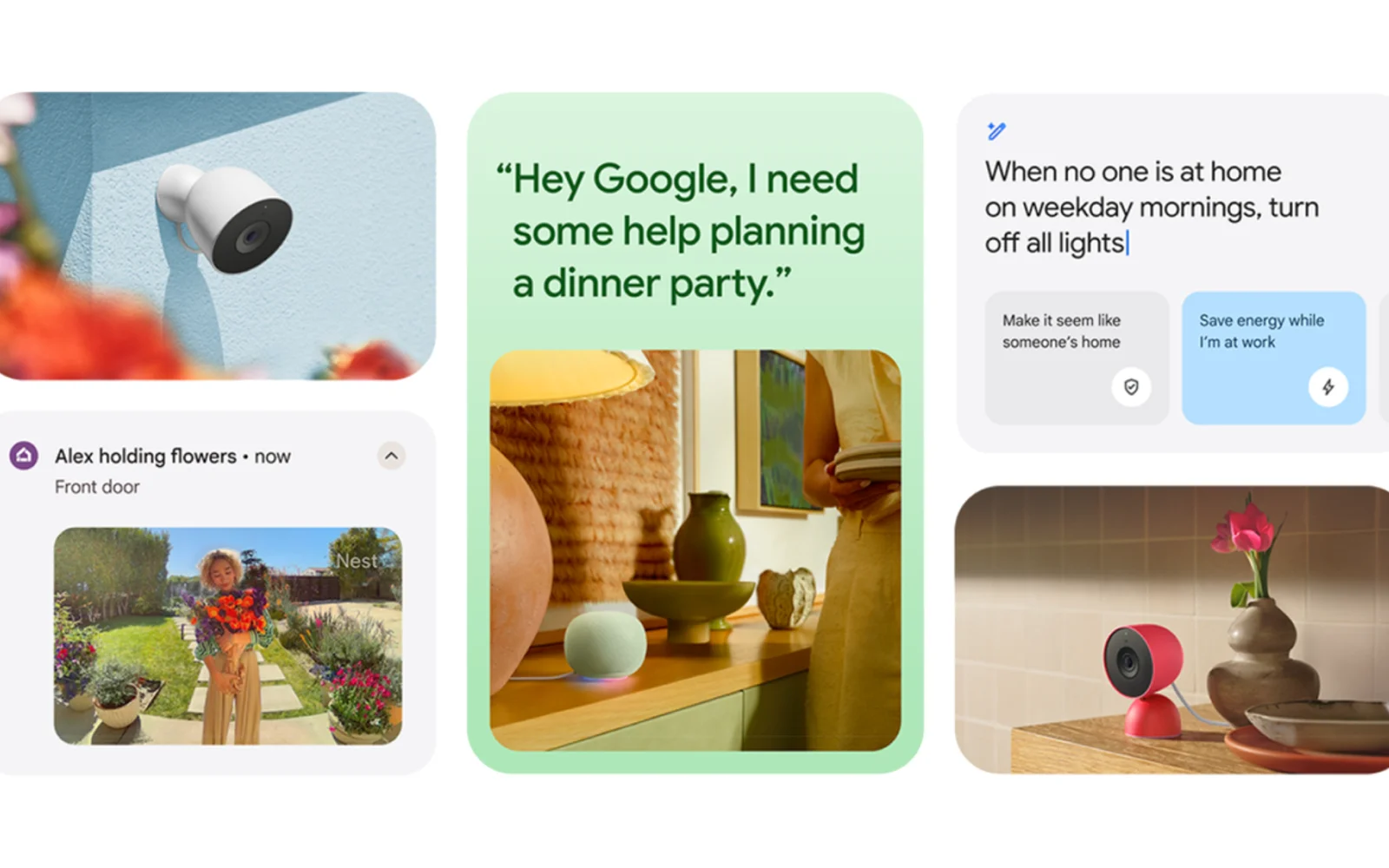
Google is winding down two parts of its older smart home setup. In a Nest Community post titled “A Modern Foundation for Your Smart Home”, Google announced changes to Google Assistant and the Nest app. According to 9to5Google’s report on that post, the Nest app stops working on January 25, 2027, and Google Assistant on speakers and smart displays retires on August 2, 2027, replaced by Gemini for Home. No Nest thermostat, camera, doorbell, smoke alarm or lock is losing support. Owners just need to move to the Google Home app and save any video clips they want to keep. This article covers what’s changing, what’s free, and what to do now.
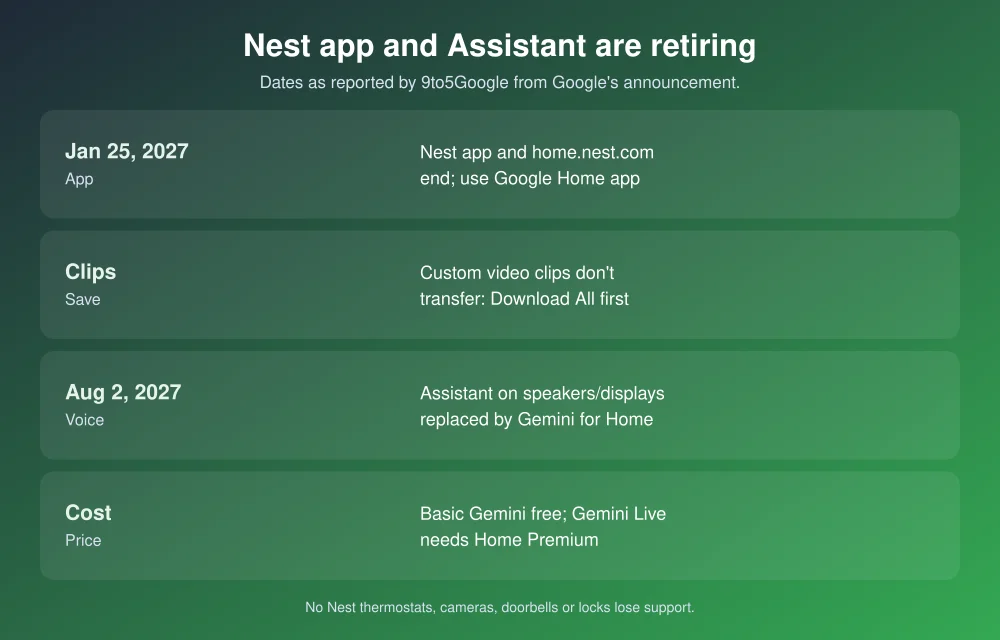
Quick answer: According to 9to5Google, the Nest app and home.nest.com shut down on January 25, 2027. Control moves to the Google Home app, and schedules and settings transfer automatically. Custom video clips don’t transfer, so download them first. Google Assistant on Nest speakers and displays is replaced by Gemini for Home on August 2, 2027. Basic Gemini features are free, while Gemini Live needs a Google Home Premium subscription. Nest Aware (1st gen) subscribers move to Home Premium at no extra cost.
What’s changing and when
These dates come from 9to5Google’s report on Google’s announcement:
| Date | What happens |
|---|---|
| Now | Gemini for Home is already rolling out to supported speakers and displays |
| January 25, 2027 | Nest app (Android, iPhone, web) and home.nest.com stop working; use the Google Home app |
| August 2, 2027 | Google Assistant retires on speakers and smart displays; Gemini for Home replaces it |
What carries over and what doesn’t
- Carries over: thermostat schedules and device settings move to the Google Home app automatically.
- Doesn’t carry over: custom video clips you saved in the Nest app. Google added a Download All button so you can save them first.
- Subscriptions: Nest Aware (1st gen) plans switch to Google Home Premium at no extra cost.
- Accounts: the Google Home app needs a Google Account. If you still sign in with an old Nest account, you’ll need to migrate it.
What Gemini for Home means for your speakers and displays
From Google’s Gemini for Home help page:
- Full support: Google Home Speaker, Nest Hub (1st and 2nd gen), Nest Hub Max, Nest Audio, Nest Mini (2nd gen) and Google Home Mini (1st gen).
- Most features, but no Gemini Live: the original Google Home, Google Home Max, Nest Wifi points and third-party speakers.
- Free: smart home controls, music and media, timers, lists, reminders and general questions.
- Paid: Gemini Live, the back-and-forth conversation mode, needs Google Home Premium. Home Brief and searching camera history need the Advanced plan.
- Account: Gemini for Home needs a personal Google Account, not a work or school one.
- One-way switch: once your home switches to Gemini, you can’t go back to Google Assistant.
What Nest owners should do now
- Install or update the Google Home app and sign in with your Google Account.
- Open the Nest app and use Download All to save any custom video clips before January 25, 2027.
- Check that your thermostats, cameras and doorbells appear in the Google Home app and work there.
- To try Gemini now, open the Google Home app, tap your profile > Home settings, and look for the Set up Gemini for Home banner, or go to home.google.com/gemini.
- Decide whether you need Home Premium. If you only use voice for timers, lights and music, the free features cover it.
If your internet or smart home goes down, our tech outage prep checklist covers backups. More on Google’s assistant: Gemini Personal Intelligence on Android Auto and how to use Gemini Tasks for free.
FAQs
Is the Nest app going away?
Yes. According to 9to5Google’s report on Google’s announcement, the Nest app and home.nest.com stop working on January 25, 2027, and devices move to the Google Home app.
Will my Nest thermostat or camera stop working?
No. 9to5Google reports that no Nest thermostats, cameras, doorbells, smoke alarms or locks lose support. You’ll control them in the Google Home app.
When is Google Assistant going away on Nest speakers?
9to5Google reports August 2, 2027, when Gemini for Home replaces Google Assistant on speakers and smart displays.
Is Gemini for Home free?
Basic features like smart home control, timers, music and questions are free. Gemini Live and some camera features need a Google Home Premium subscription.
Featured image: Google.
Disclosure: TheTechHacker has no paid relationship with Google or any company mentioned here.
More in News
How to Fix Gemini Not Showing on Apple CarPlay: 8 Fixes That Work
Google started rolling out the Gemini app to Apple CarPlay on November 11, and plenty of iPhone owners got into their cars this week expecting a new icon that simply wasn’t there. If that’s you, the fix is usually quick. Google’s setup has a couple of steps that are easy to miss, and CarPlay itself…
How to Fix Pixel Always-On Display and Lock Screen Problems After the November Update
Google’s November update has been rough on some Pixel owners. Camera failures and wireless charging grabbed the headlines, but a third group of complaints is about the screen you look at most: the always-on display and lock screen. Owners report the notification shade staying on screen after locking instead of the always-on display, a notification…
Microsoft To Do Is Shutting Down: How to Export Your Tasks and Pick a Replacement
Microsoft is retiring the To Do apps. In a November 18 post on its Planner blog, Microsoft said the To Do apps for web, Windows, Mac, iPhone and Android will be retired on June 30, 2027. Work and school users are being moved to Microsoft Planner. People using To Do with a personal Microsoft account…
The week in tech, minus the noise.
New reviews, fixes and the stories that matter — once a week, straight to your inbox.
We only use your email to send the newsletter. Unsubscribe any time. See our privacy policy.
Comments