

How to Play GTA 6 When PSN Is Down: Turn On Console Sharing and Offline Play
PlayStation Network went down for thousands of players hours before Grand Theft Auto VI unlocked, and that matters because a digital copy of GTA 6 checks your license with PSN when you launch it. If PSN is unreachable and your PS5 isn’t set up for offline play, the game may refuse to start. One PS5…

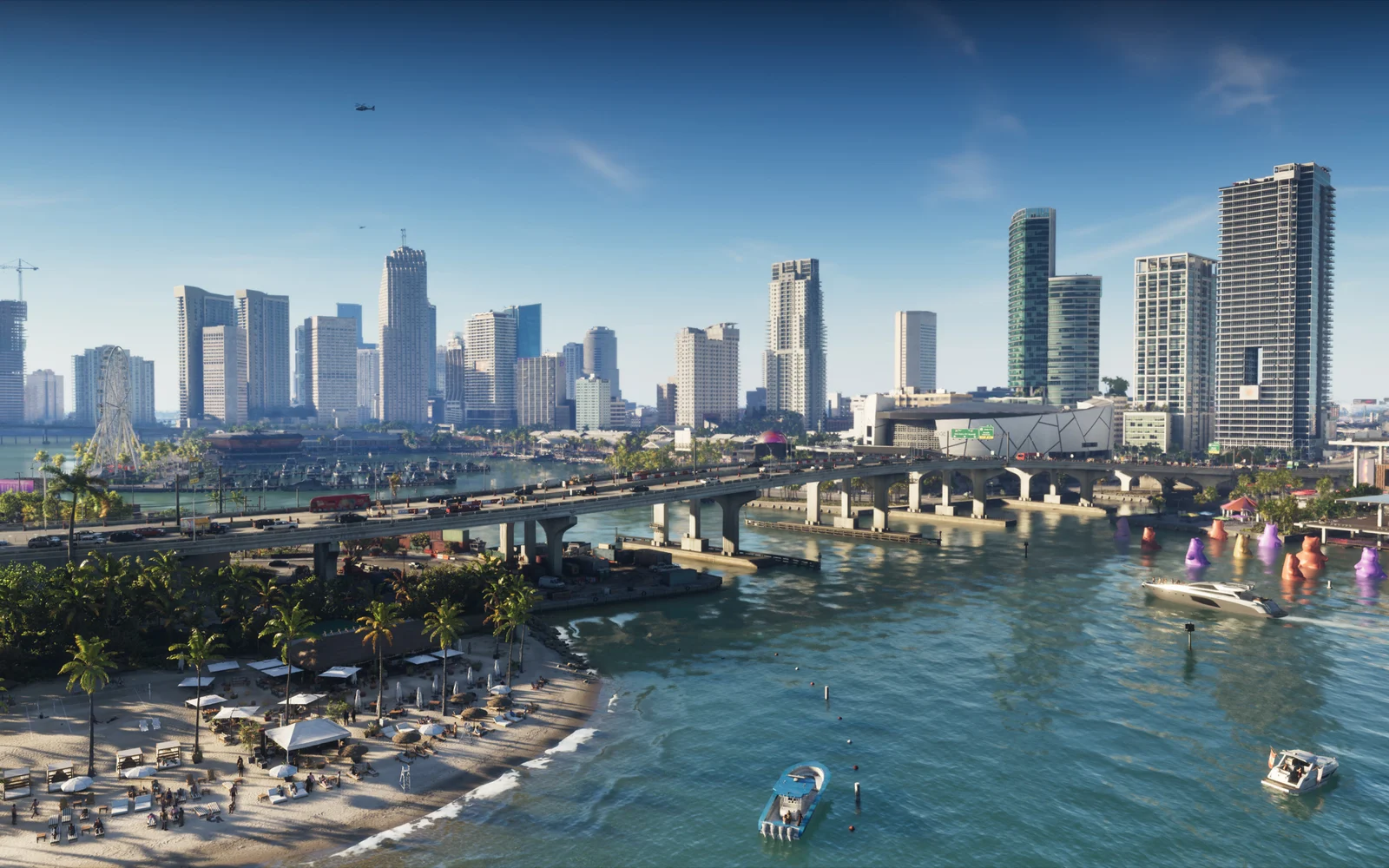
Image: Rockstar Games
PlayStation Network went down for thousands of players hours before Grand Theft Auto VI unlocked, and that matters because a digital copy of GTA 6 checks your license with PSN when you launch it. If PSN is unreachable and your PS5 isn’t set up for offline play, the game may refuse to start. One PS5 setting fixes this ahead of time: Console Sharing and Offline Play.
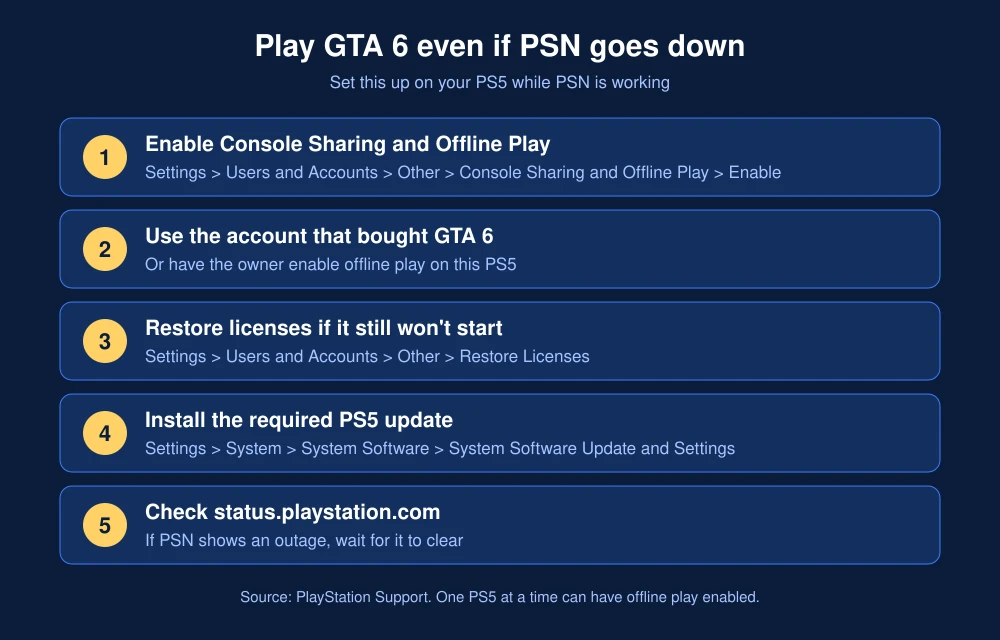
Quick answer: On the PS5 you play on, go to Settings, then Users and Accounts, then Other, then Console Sharing and Offline Play, and select Enable. Sign in with the account that bought GTA 6. With it on, PlayStation says you can play your purchased, downloaded games even when the console is offline. If GTA 6 still won’t open, go to Settings, Users and Accounts, Other, Restore Licenses, or check the PlayStation status page and wait for PSN to come back.
Why GTA 6 might not start when PSN is down
Digital PS5 games are tied to your PlayStation account. When the console can reach PSN, it confirms you own the game. When it can’t, it relies on the console being your “Console Sharing and Offline Play” console. PlayStation’s support page says that with the setting on, anyone using that PS5 can “play your games and media even when the console is offline.”
The setting turns on automatically on the first PS5 you signed in on. If you bought a new console, use more than one PS5, or set up a family member’s account, it may be off on the console you are using tonight.
PSN had a sign-in outage on November 18, with Sony’s status page listing PS5, PS4 and web services as affected before showing all services operational again by mid-afternoon ET. Read our coverage of the PSN outage before the GTA 6 launch.
How to turn on Console Sharing and Offline Play
- Sign in to your PS5 with the account that bought GTA 6.
- Go to Settings, then Users and Accounts.
- Select Other, then Console Sharing and Offline Play.
- Select Enable.
Do this while PSN is working. You can only enable it on one PS5 at a time, so if it’s on for an old console, turn it off there first, or use the remote “deactivate all devices” option in Account Management, which PlayStation limits to once every six months.
If GTA 6 won’t launch after you enable it
Sony’s own GTA VI troubleshooting page lists these fixes:
- Use the right account. If you are signed in with an account that doesn’t own GTA 6, the account that owns it must have Console Sharing and Offline Play turned on for this PS5.
- Restore your licenses. Go to Settings, Users and Accounts, Other, Restore Licenses, and select the licenses to restore. You can also highlight GTA 6 on the home screen, press Options and choose Restore License.
- Install the system update. A PS5 update is required before GTA 6 runs. See how to update your PS5 for GTA 6.
- Finish the download. In Downloads/Uploads, pause and resume a stuck download, or cancel and download again from your Game Library.
- Check PSN status. If status.playstation.com shows an alert, wait until services are back.
Still locked out? Our guide to fixing GTA 6 locked or not starting on PS5 covers region and unlock-time problems, and our GTA 6 server errors guide covers online error codes.
FAQs
Can you play GTA 6 offline on PS5?
Yes, if Console Sharing and Offline Play is enabled on that PS5 for the account that owns the game. PlayStation says this lets you play purchased, downloaded games when the console is offline.
Why does GTA 6 say I can’t play it when PSN is down?
Your PS5 can’t confirm your digital license. Turn on Console Sharing and Offline Play while PSN is working, or wait until PSN is back and try Restore Licenses.
Where is Console Sharing and Offline Play on PS5?
Go to Settings, Users and Accounts, Other, Console Sharing and Offline Play, and select Enable.
Can I enable offline play on two PS5 consoles?
No. PlayStation lets you turn on Console Sharing and Offline Play on one PS5 at a time. Turn it off on the old console first.
Featured image: Rockstar Games.
Disclosure: TheTechHacker has no paid relationship with Sony, Rockstar Games or any company mentioned here.
More in How-to
How to Fix GTA 6 Locked or Not Starting on PS5 on Launch Day
GTA 6 is four days away, and if you pre-loaded it on PS5 you’ve probably already noticed the little padlock on the game tile. That’s normal before launch. What isn’t normal is still seeing that padlock after midnight on November 19, or getting an error when you hit Play. With millions of people trying to…

How to Fix GTA 6 Server Errors: Check If GTA 6 Is Down on Launch Night
It is midnight, the countdown hits zero, and GTA 6 just sits there on a loading screen, or worse, says it can’t start. On a launch this big, with millions of people hitting the same servers at once, that is going to happen to someone. Before you start deleting and reinstalling 200 GB, take two…

How to Fix GTA 6 Crashing or Your PS5 Turning Off
Some players say Grand Theft Auto VI crashes or their PS5 shuts off seconds after launching it, while other games run fine. Sony hasn’t announced a known issue, but its official troubleshooting steps cover both problems. Here is what to try, in order, from quickest to most drastic. Quick answer: If GTA 6 crashes, install…
The week in tech, minus the noise.
New reviews, fixes and the stories that matter — once a week, straight to your inbox.
We only use your email to send the newsletter. Unsubscribe any time. See our privacy policy.
Comments