

How to Check If Your WordPress Site Is Infected With Gootloader (FBI Checklist)
On November 16, 2026, the FBI warned that Gootloader, a malware operation active since 2020, has taken over more than 1,000 WordPress sites. It uses them to push fake legal documents to the top of Google, and the FBI links it to over $28 million in ransomware payments. If you run a WordPress site, your…

Image: WordPress.org
On November 16, 2026, the FBI warned that Gootloader, a malware operation active since 2020, has taken over more than 1,000 WordPress sites. It uses them to push fake legal documents to the top of Google, and the FBI links it to over $28 million in ransomware payments. If you run a WordPress site, your site could be one of them without any visible sign on the homepage. This guide turns the FBI’s alert into checks you can run yourself, mostly with WP-CLI, and then shows how to lock the site down.
Quick answer: To check a WordPress site for Gootloader, look in Google Search Console for search queries and indexed pages that have nothing to do with your site, especially legal terms. Then run wp core verify-checksums and wp plugin verify-checksums --all, look for PHP files in wp-content/uploads and anything in wp-content/mu-plugins, and audit admin users and application passwords. If you find signs of a compromise, take the site offline, save a copy, reset every password from a clean computer, and report it at ic3.gov. To harden it, block PHP in uploads, block xmlrpc.php if you don’t use it, and turn on MFA.
What Gootloader does to WordPress sites
From the FBI FLASH alert CC-111626-MW:
- How it gets in: the operator scans for
xmlrpc.php, then logs in with stolen credentials and goes after vulnerable plugins and themes. - What it changes: it injects posts, adds REST API routes, abuses XML-RPC and comment paths, and modifies JavaScript.
- How it hides: hidden keyword links and planted backlinks push the fake pages up in search results. A traffic filter shows the malicious version only to certain countries, referrers, cookies or IP addresses, so you may never see it yourself.
- Who it’s after: searchers looking for niche legal phrases, such as a contract clause for a specific state. The FBI says recent targets are mainly US lawyers, in-house counsel and legal teams. A visitor downloads a “document” that is really a JavaScript file, and running it can lead to ransomware.
The FBI’s examples of injected keywords read like “Zoning Government Definition”, “When did Sports Betting Become Legal in Virginia” and “Which Parent Will Get the Child Tax Credit”. Your site doesn’t need to be about law to be used.
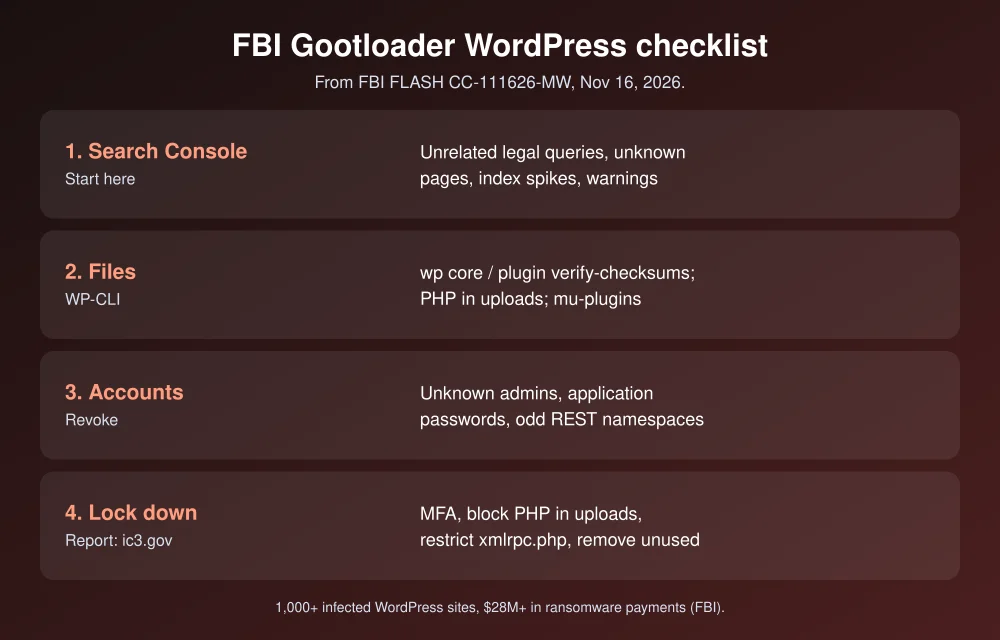
Step 1: Check Google Search Console for strange queries
The FBI tells site owners to review Search Console for unrelated legal or business queries, sudden spikes in indexed pages, manual actions and security warnings.
- Open Google Search Console and choose your site.
- Go to Performance > Search results, set the date range to the last 3 months, and sort Queries by impressions. Look for legal phrases, “definition”, “law” or “template” searches your site never targeted.
- Click the Pages tab and look for URLs you didn’t create, often with dated paths like
/2022/12/13/.... - Check Indexing > Pages for a sudden jump in indexed pages, and Security & Manual Actions for warnings.
A quick Google search helps too: site:yourdomain.com law or site:yourdomain.com definition. Results you don’t recognize are a red flag.
Step 2: Check WordPress files
Run these from your site’s root folder over SSH. They need WP-CLI, which most hosts include.
# Compare core files with WordPress.org's official checksums
wp core verify-checksums

# Same for plugins from WordPress.org (premium plugins are skipped)
wp plugin verify-checksums --all

# PHP files should never be in uploads
find wp-content/uploads -name "*.php"

# Must-use plugins load automatically and don't show in the normal plugin list
ls -la wp-content/mu-plugins

# PHP and JS files changed in the last 30 days
find . -type f \( -name "*.php" -o -name "*.js" \) -mtime -30 -not -path "./wp-content/cache/*"
What to look for:
- Any “File doesn’t verify against checksum” or “File should not exist” result for core.
- Any PHP file inside
uploads. The FBI specifically recommends blocking PHP there. - An
mu-pluginsfolder you didn’t create, or files in it you can’t explain. The FBI lists hidden must-use plugins as a technique used by related groups. - Recently changed
.htaccess,index.phpor theme JavaScript files when you haven’t updated anything.
Step 3: Check users, posts and API routes
# Every administrator account
wp user list --role=administrator --fields=ID,user_login,user_email,user_registered

# Application passwords on an account (repeat for each admin)
wp user application-password list 1

# Most recent posts, including ones you didn't write
wp post list --post_type=any --orderby=date --order=DESC --posts_per_page=20 --fields=ID,post_date,post_title,post_status- Delete admin accounts you don’t recognize, after saving a copy for evidence. Related campaigns in the FBI alert use admin names made of random letters and numbers.
- Revoke application passwords you didn’t create. They work even after you change the main password.
- Open
https://yourdomain.com/wp-json/in a browser and look at the namespaces list. A namespace that doesn’t match a plugin you installed is worth checking.
Step 4: If you find signs of a compromise
The FBI’s WordPress response steps:
- Restrict access. Put the site in maintenance mode or limit public access, but first save a copy of the files, database, logs and hosting settings.
- Reset every credential from a clean computer. That means the hosting panel, SSH and SFTP, WordPress admins, the database, API keys and your CDN. Sign out all sessions and revoke application passwords.
- Find how they got in before you restore anything. Restoring a clean backup while the weak plugin or stolen password is still there just gets you hacked again. Our backup software guide covers keeping clean copies.
- Report it to the FBI at ic3.gov, through your local field office, or at 1-800-CALL-FBI.
If a visitor or employee downloaded a file from a suspicious page and opened it, the FBI says to disconnect that computer from the network, change passwords from a different device, and reimage the computer if malware is confirmed. Deleting the download alone isn’t enough.
Step 5: Lock the site down
The FBI’s protection list, in order of what’s quickest to do:
- Turn on MFA for every admin and for your hosting account.
- Remove unused plugins, themes, users and old staging sites. Turn on automatic updates for core and plugins you trust.
- Block PHP in uploads. On Nginx, add this inside your server block:
location ~* ^/wp-content/uploads/.*\.php$ { deny all; }On Apache, put a
.htaccessfile inwp-content/uploadswith:<FilesMatch "\.php$"> Require all denied </FilesMatch> - Block
xmlrpc.phpif you don’t use it. On Nginx:location = /xmlrpc.php { deny all; }. Check first: Jetpack and some mobile apps rely on XML-RPC. If you need it, rate-limit it instead. - Use a web application firewall with login throttling and alerts for new REST endpoints.
- Keep logs off the server. Store web, login, SSH and database logs somewhere an attacker can’t wipe.
If your host can’t do most of this, it may be time to move. See our best managed WordPress hosting picks, which include malware scanning and firewalls. For other server problems, see how to fix 502 Bad Gateway on Nginx WordPress.
FAQs
What is Gootloader?
Gootloader is a malware loader that uses hacked websites and SEO tricks to rank fake document pages in search results. Visitors download a JavaScript file disguised as a document, which the FBI says has been used as a first step toward ransomware attacks.
How do I know if my WordPress site has Gootloader?
Look for unrelated legal or business queries and unknown pages in Google Search Console, failed WP-CLI checksum checks, PHP files in wp-content/uploads, unknown files in mu-plugins, and admin accounts or application passwords you didn’t create.
Should I disable xmlrpc.php in WordPress?
The FBI recommends disabling xmlrpc.php if you don’t use it, or rate-limiting it if you do. Check first whether Jetpack, a mobile app or another service on your site needs it.
Where do I report a Gootloader infection?
The FBI asks victims to report to their local FBI field office, call 1-800-CALL-FBI (225-5324), or file a report with the Internet Crime Complaint Center at ic3.gov.
Featured image: WordPress.org.
Disclosure: TheTechHacker has no paid relationship with WordPress, Google or any company mentioned here.
More in How-to
How to Fix 502 Bad Gateway Error on Nginx and WordPress
A 502 on an Nginx WordPress site almost always means PHP-FPM or another backend didn’t answer properly. Here’s the order I check things in, from restarting services and reading logs to timeouts, buffers, Cloudflare and plugin conflicts.
How To Test a WordPress Plugin Security and Performance
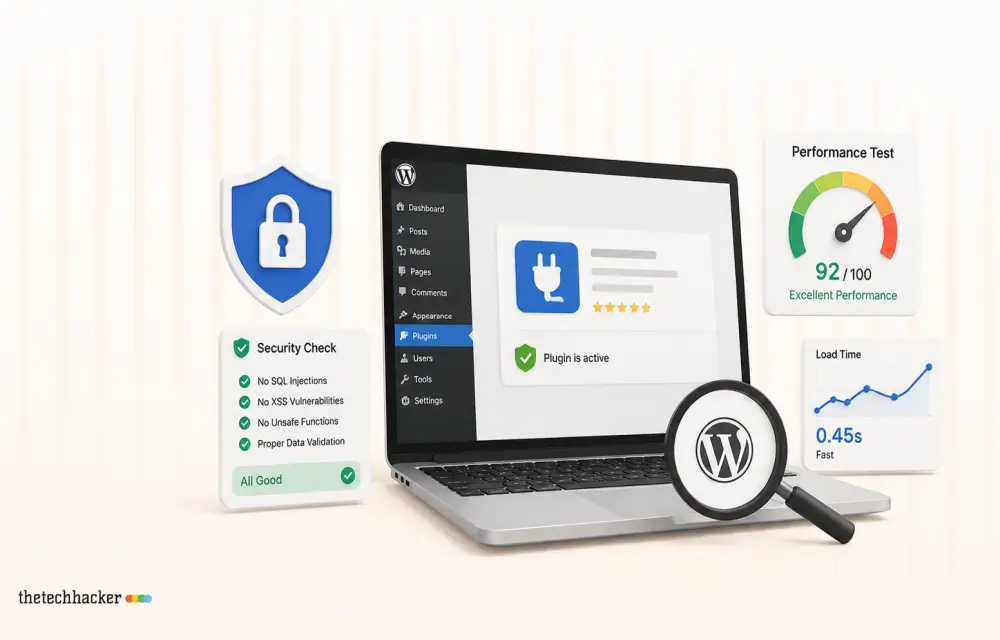
Ensure your WordPress plugins are secure and don’t slow down your site with this guide.
How to Check If You Installed the Hijacked Microsoft agent-framework Package (1.26.1 and 1.26.2)
On November 17, two malicious versions of Microsoft’s agent-framework Python package, 1.26.1 and 1.26.2, were published to PyPI and stayed up for less than an hour before being pulled. That was long enough to matter: any machine or CI pipeline that installed or upgraded agent-framework in that window may have run a credential stealer that…
The week in tech, minus the noise.
New reviews, fixes and the stories that matter — once a week, straight to your inbox.
We only use your email to send the newsletter. Unsubscribe any time. See our privacy policy.
Comments