

FaceTime in iOS 27: New Features and How to Use Them
FaceTime got more than a new look in iOS 27. You can now show both cameras at once, bring an interpreter into a call, and, on the iPhone Duo, share the call with the person next to you. The catch is that some features need a newer iPhone, some came later in iOS 27.2, and…

Image: Apple
FaceTime got more than a new look in iOS 27. You can now show both cameras at once, bring an interpreter into a call, and, on the iPhone Duo, share the call with the person next to you. The catch is that some features need a newer iPhone, some came later in iOS 27.2, and a few are only on the Duo. With family calls coming up this Thanksgiving, this guide covers what’s new, which iPhones get it, and how to use each one. We’ve marked what Apple confirms and what’s only reported.
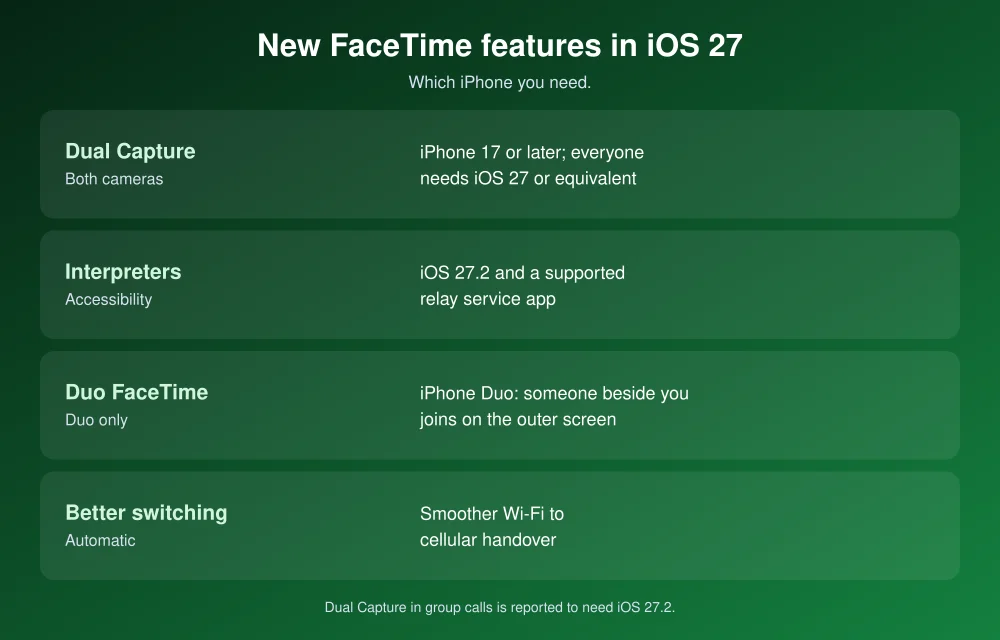
Quick answer: The main FaceTime additions in iOS 27 are Dual Capture (both cameras at once, on iPhone 17 or later), sign language interpreters and live captioners joining calls (iOS 27.2), Duo FaceTime and Edge Light on the iPhone Duo, and smoother switching between Wi-Fi and cellular. For Dual Capture, tap your tile during a call, then Flip to Back Camera. Everyone on the call needs iOS 27, iPadOS 27 or macOS 27 or later. Group calls with Dual Capture are reported to need iOS 27.2.
Which iPhones get what
| Feature | Needs | Confirmed by |
|---|---|---|
| Dual Capture | iPhone 17 or later, iOS 27 | Apple |
| Dual Capture in group calls | iOS 27.2 | Reported |
| Sign language interpreter or captioner | iOS 27.2 and a supported service | Apple |
| Duo FaceTime | iPhone Duo | Apple |
| Edge Light | iPhone Duo; reported new in iOS 27.2 | Apple (feature) |
| Smoother Wi-Fi to cellular switching | iOS 27 | Apple |
To check your version, go to Settings > General > About. Update in Settings > General > Software Update.
1. Show both cameras with Dual Capture
Dual Capture shares your front and rear cameras together, so family can see your face and the parade at the same time. From Apple’s iPhone guide:
- During a FaceTime call, tap your own tile.
- Tap Flip to Back Camera. Both cameras show by default.
- To show only the rear camera, tap Hide Front Camera. Tap Show Front Camera to bring it back.
Your choice stays for future calls, so check it before you dial. Apple says you need an iPhone 17 or later, and that everyone on the call needs iOS 27, iPadOS 27, macOS 27 or later. 9to5Mac and MacRumors report that older iPhones can see it but can’t send it.
At launch it worked in one-on-one calls only. 9to5Mac reports that iOS 27.2 added group calls.
2. Add a sign language interpreter
New in iOS 27.2, per Apple’s release notes. You need a supported video relay service (VRS) app installed first.
- During a FaceTime video call, tap More.
- Tap Sign Language and choose your VRS app.
- Wait while the Waiting for Interpreter tile shows.
It isn’t available in every country or region. The interpreter counts toward the limit of 32 other participants. See Apple’s interpreter guide.
3. Bring in a live captioner
- During the call, tap the participant’s name at the top.
- Tap Invite with FaceTime Link and send it to the captioner.
- Accept their request to join.
- Tap More > Live Captions.
The captioning service may need its own account or subscription. This is different from FaceTime’s built-in Live Captions, which existed before iOS 27.
4. Use Duo FaceTime on iPhone Duo
Someone sitting beside you can join from the outer display while you use the inner one.
- Open the iPhone Duo and start a FaceTime call.
- Tap the screen, then More > Duo FaceTime.
- If Dual Capture is on, tap Outer Display Options instead.
5. Turn on Edge Light on iPhone Duo
- During a FaceTime call on the inner display, open Control Center.
- Tap FaceTime Controls > Edge Light.
- Adjust Intensity and Color.
It’s on Automatic by default and lights up only in dim rooms. Turn Automatic off to use it in any light.
6. Fewer drops when you leave Wi-Fi
Apple says iOS 27 switches between Wi-Fi and cellular more smoothly, and gives the example of a FaceTime call as you step off a plane. It’s automatic. MacRumors also reports better call quality on weak connections.
What isn’t new
Live Captions, Portrait mode and Live Translation were in FaceTime before iOS 27. Live Translation works in one-on-one calls on iPhones with Apple Intelligence, once the languages are downloaded.
Setting up a relative’s phone this week? Use our Thanksgiving tech checklist. More iOS 27 guides: change the Messages audio button, set a separate alarm volume and what’s coming in iOS 27.3. On a Duo, check the inner screen replacement program.
FAQs
Which iPhones support Dual Capture in FaceTime?
Apple says iPhone 17 or later with iOS 27.
Does the other person need iOS 27 for Dual Capture?
Yes. Apple says everyone on the call needs iOS 27, iPadOS 27, macOS 27 or later.
Does Dual Capture work in group FaceTime calls?
9to5Mac and MacRumors report that group calls were added in iOS 27.2.
Why isn’t Edge Light turning on?
On Automatic it lights only in dim light. Turn Automatic off in FaceTime Controls. On iPhone, Apple lists it for the iPhone Duo.
Featured image: Apple.
Disclosure: TheTechHacker has no paid relationship with Apple or any company mentioned here.
More in Guides
How to use FaceTime on an Android device
It is highly improbable that customers will ever be able to initiate a FaceTime call on a non-Apple device or without owning at least one device because FaceTime is an Apple service. Users had been able to start a FaceTime call using workarounds, but Apple has since prohibited them. To counter this, Apple has made…

How to Get FaceTime for Android?
Does FaceTime work on Android? Let me answer this question for you. As we all know, FaceTime is developed by Apple exclusively for iOS devices. FaceTime is used for video calling between iOS devices. FaceTime is used for video calling between iOS devices. It is nothing just an exclusive video calling service between iOS devices.…
How to Fix iPhone Proximity Sensor Not Working Properly After iOS 26
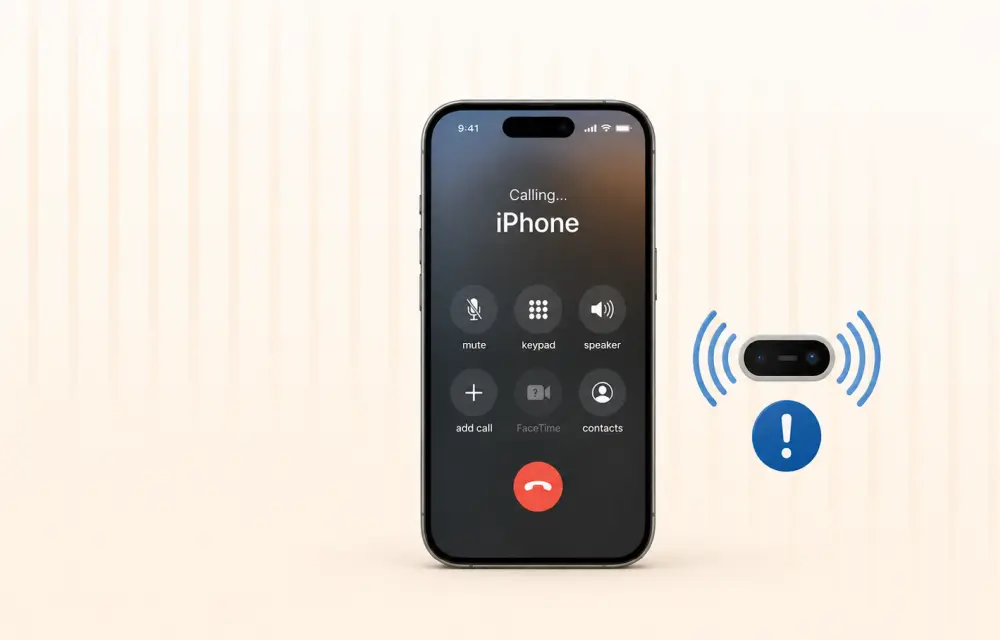
After the iOS 26 update, a growing number of iPhone users are reporting issues with the proximity sensor. In some cases, the screen does not turn off during voice calls. In others, features like Always On Display behave oddly in low-light conditions. If your iPhone’s proximity sensor feels “broken” or inconsistent after updating, you are…
The week in tech, minus the noise.
New reviews, fixes and the stories that matter — once a week, straight to your inbox.
We only use your email to send the newsletter. Unsubscribe any time. See our privacy policy.
Comments