

How to Fix Pixel Wireless Charging Not Working After the November Update
You put your Pixel on the charger, the charging icon lights up, and an hour later the battery is lower than when you started. Since Google’s November update arrived, some Pixel owners have been reporting exactly that: the phone says it’s charging wirelessly, but the percentage drops. Others see “Connected, not charging” on a pad…

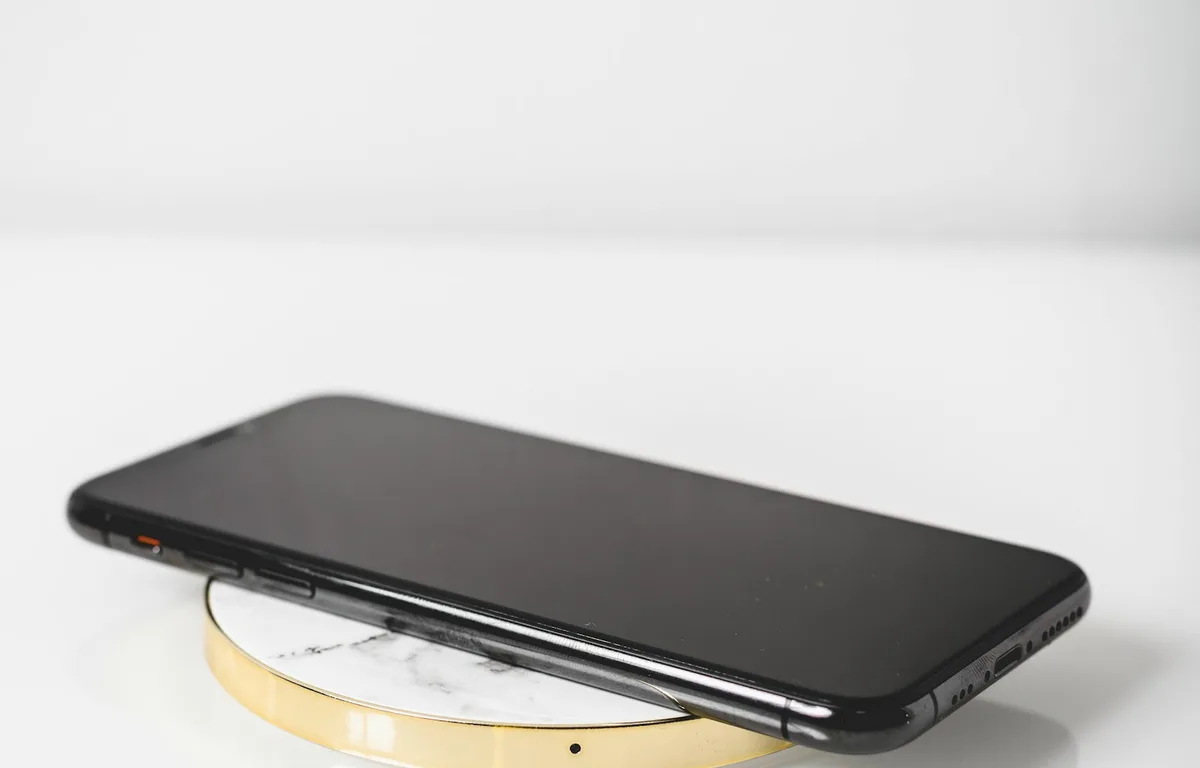
Photo by Oscar Helgstrand on Unsplash
You put your Pixel on the charger, the charging icon lights up, and an hour later the battery is lower than when you started. Since Google’s November update arrived, some Pixel owners have been reporting exactly that: the phone says it’s charging wirelessly, but the percentage drops. Others see “Connected, not charging” on a pad that worked fine last week.
Google hasn’t commented on these reports or confirmed a bug yet. The good news is that wireless charging has a lot of moving parts, like coil alignment, cases, heat and charger compatibility, and several of them are easy to rule out. I’ll go through the checks in the order I’d do them.
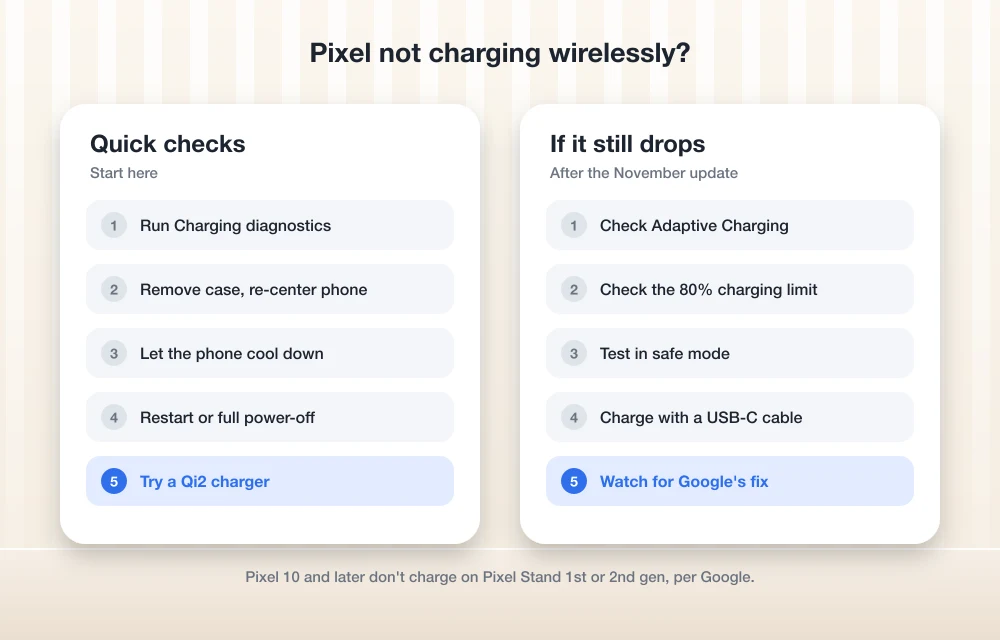
Quick answer: Run Charging diagnostics in Settings > Battery & charging (Pixel 6 and later). Then take off the case, center the phone on the pad, and let it cool down. Restart the phone, check that the charger is compatible (Pixel 10 and later don’t charge on the original Pixel Stand or Pixel Stand 2nd gen), and look at your charging optimization setting. If the battery still drops on the charger, use a wired charger until Google ships a fix.
What owners are reporting
The reports started after Google’s November Pixel update, the same release that brought the November Pixel Drop. The most common symptom is a phone that shows the wireless charging indicator while its battery level keeps falling. Some owners also say battery diagnostics look normal, which points away from a worn-out battery. A smaller group sees the phone connect and disconnect, or show “not charging” on a charger that used to work.
It’s the second widespread complaint about this update. Pixel 10 and Pixel 11 owners have also reported camera failures, which we covered in our guide to fixing the Pixel camera after the November update.
1. Run Charging diagnostics
Start with Google’s built-in check. Go to Settings > Battery & charging > Charging diagnostics while the phone is on the charger. According to Google’s Pixel charging help page, this tool is available on Pixel 6 and later, including Pixel Fold. It can flag problems like high temperature or an unsupported charger. If it reports a specific issue, fix that first.
2. Remove the case and re-center the phone
Wireless charging only works well when the coil in your phone lines up with the coil in the pad. Google says to remove any case, PopSocket, ring holder or magnetic attachment, and to take off metal or magnetic objects like MagSafe accessories. Then place the phone back in the center of the pad and watch whether the percentage starts climbing.
Car chargers are the worst offenders. Google notes that vertical in-car chargers often don’t line up perfectly with the phone’s coil, so try moving the phone up or down a little.
3. Let the phone cool down
Pixels slow down or pause charging when they get warm, and wireless charging creates more heat than a cable. If the phone feels hot, take it off the pad for a few minutes, close any games or navigation apps, and try again somewhere cooler. Google’s guide to slow wireless charging also suggests closing apps running in the background and turning on airplane mode if you’re charging somewhere with a weak signal, since searching for a signal drains power.
4. Restart, then try a full power-off
A restart clears out a stuck charging state more often than you’d expect. Press and hold Power and Volume up, then tap Restart. If that doesn’t help, try the trick some owners use for the November camera bug: power the phone off completely, leave it off for about five minutes, then turn it back on and put it on the charger.
5. Check that your charger is compatible
This one catches a lot of people who just upgraded. Google says the Pixel 10 and later won’t charge wirelessly on the original Pixel Stand or the Pixel Stand 2nd gen. For a reliable connection, Google recommends a Qi2 charger, and its Made for Google program lists certified options. If you’re using an older or no-name pad, borrow a different charger to see whether the problem follows the phone or stays with the pad.
6. Review your charging settings
Pixel charging settings can make it look like the phone has stopped charging when it’s working as designed:
- Adaptive Charging: Google says slow charging above 80% is expected while Adaptive Charging is active, because the phone times the last stretch to finish around when you usually unplug.
- Charging optimization: if your phone is set to limit charging to 80% to protect the battery, it will stop at 80% on purpose. Check Settings > Battery for this option.
Neither explains a battery that drops while it’s charging, but both are worth ruling out before you blame the update.
7. Test in safe mode
Safe mode turns off downloaded apps, which tells you whether one of them is draining power faster than the charger can refill it. Turn the phone off, press and hold Power to turn it on, and when the G logo appears, hold Volume down until “Safe mode” shows at the bottom of the screen. Put it on the charger for 15 minutes. If it charges normally, restart to leave safe mode and remove recently installed apps one at a time.
8. Charge with a cable for now
If none of this works, Google’s advice for stubborn wireless charging problems is to use a wired connection. Plug in with a USB-C cable and a good power adapter until a fix arrives. Keep an eye on Settings > System > Software updates for Google’s next update. If wired charging also fails, contact Google support, because that points to a hardware problem rather than the update.
If your battery has also been draining faster than usual away from the charger, our guide to fixing Pixel 10 battery drain after an update covers the settings worth checking. For everything else in this release, see our November Pixel Drop report.
FAQs
Why is my Pixel losing battery while wirelessly charging?
Some Pixel owners have reported this since the November 2026 update, and Google hasn’t confirmed a cause yet. Heat, poor coil alignment, a case or an incompatible charger can also cause it, so check those first.
Does the Pixel 10 work with the Pixel Stand?
No. Google says the Pixel 10 and later won’t charge wirelessly with the original Pixel Stand or Pixel Stand 2nd gen. Google recommends a Qi2 charger instead.
Why does my Pixel charge slowly above 80%?
Google says slow charging over 80% is expected when Adaptive Charging is active. If charging stops at exactly 80%, check whether your battery settings limit charging to 80%.
Is there a fix for Pixel wireless charging after the November update?
Not yet. Google hasn’t announced a fix. Until it does, the steps above and charging with a cable are the best workarounds.
Featured image: Oscar Helgstrand on Unsplash.
Disclosure: TheTechHacker has no paid relationship with Google or any company mentioned here.
You might also like
How to Fix Pixel Camera Not Working After the November Update
If your Pixel’s camera opens to a black screen or a “Camera error” message since the November update, it’s not just you. Since November 13, Pixel 10 and Pixel 11 owners have reported the same thing, and for some of them it affects third-party camera apps too, not only Pixel Camera. Google hadn’t issued a…
How to Fix Android Auto Not Connecting After the One UI 9 Update
Android Auto stopped working after your Galaxy phone got One UI 9? Here’s what Google said about its fix, how to make sure you get it, and the wired and wireless workarounds worth trying while you wait.
How to Stop Android Auto Overheating Your Phone: 5 Fixes That Actually Work
If you’ve ever reached for your phone after a long drive and felt like you were picking up a hot baked potato, you aren’t alone. A quick search for “Android auto makes phone hot reddit” shows thousands of drivers dealing with the exact same issue every single day. Whether you are experiencing a Samsung S22…
The week in tech, minus the noise.
New reviews, fixes and the stories that matter — once a week, straight to your inbox.
We only use your email to send the newsletter. Unsubscribe any time. See our privacy policy.
Comments