

How to Fix iOS 27 Battery Drain on iPhone (Turn Off Connectivity Assist)
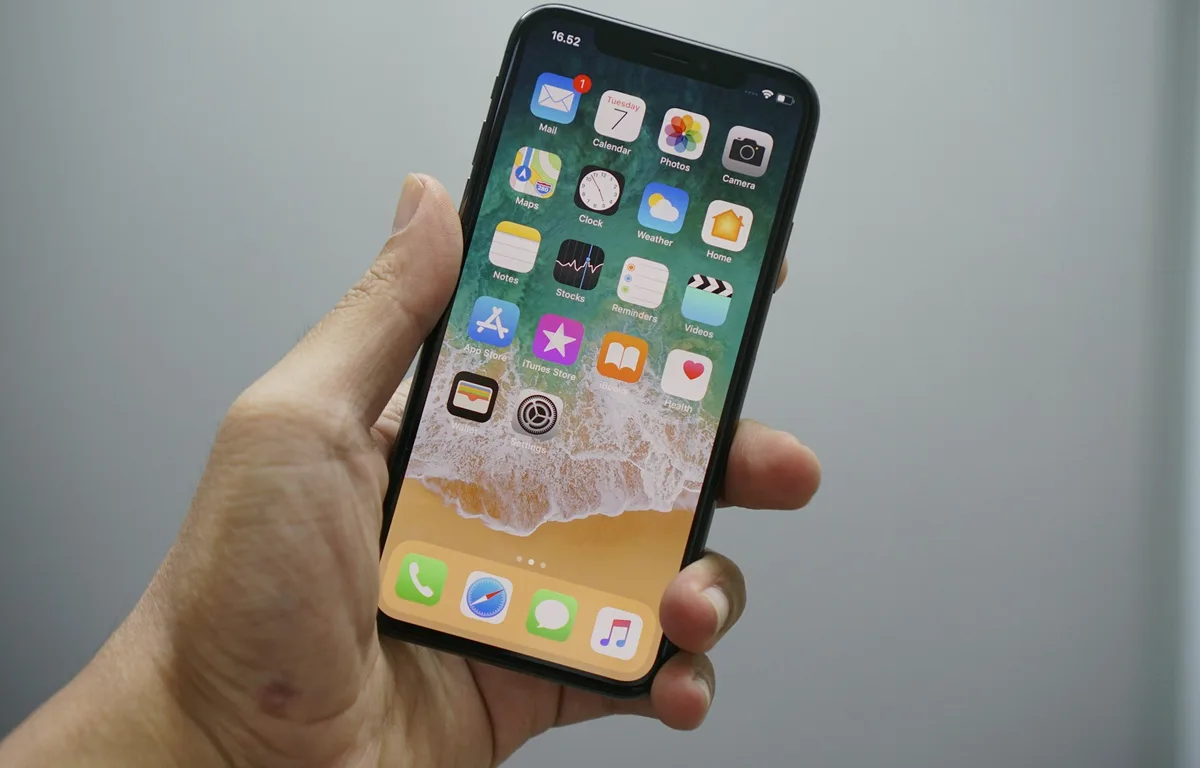
If your iPhone battery has been draining faster since iOS 27, one new setting is worth checking first: Connectivity Assist. It replaced Wi-Fi Assist in iOS 27, and Apple’s Connectivity Assist page says it “uses cellular data alongside Wi-Fi” when your Wi-Fi is slow. If you had Wi-Fi Assist on, it’s turned on automatically. iDrop…

Image: Apple
If your iPhone battery has been draining faster since iOS 27, one new setting is worth checking first: Connectivity Assist. It replaced Wi-Fi Assist in iOS 27, and Apple’s Connectivity Assist page says it “uses cellular data alongside Wi-Fi” when your Wi-Fi is slow. If you had Wi-Fi Assist on, it’s turned on automatically. iDrop News reports that keeping the cellular radio active alongside Wi-Fi is a likely cause of the extra drain, especially where the cell signal is weak. Apple hasn’t acknowledged a battery problem, and iOS 27.2.1 (released November 9) lists only bug and security fixes. This guide shows how to turn the feature off, plus the other fixes that actually help on iOS 27.
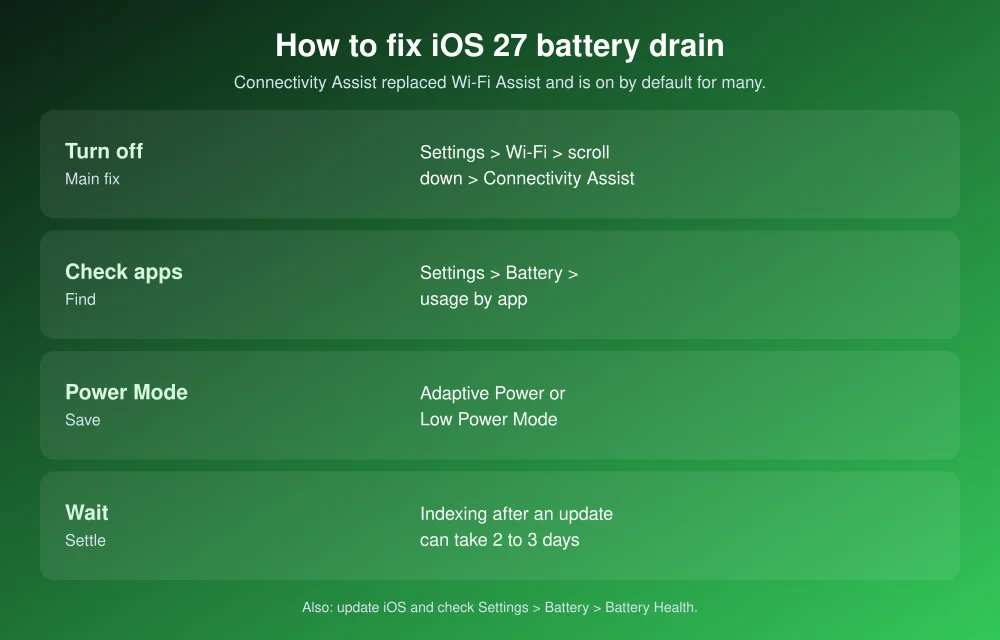
Quick answer: To fix iOS 27 battery drain, go to Settings > Wi-Fi, scroll down and turn off Connectivity Assist. Then check Settings > Battery to see which apps use the most power. Turn on Adaptive Power or Low Power Mode under Settings > Battery > Power Mode, and update to the latest iOS 27 version. If you just updated, give it 2 to 3 days: Apple says iPhones index data and download assets after a major update, which uses extra battery for a while.
Why iOS 27 drains your battery
- Connectivity Assist: new in iOS 27, it can use cellular data together with Wi-Fi. Apple says it can increase cellular data use. iDrop News reports one user saw more than 800MB of cellular data used in two days, mostly while on Wi-Fi. Keeping both radios active costs battery.
- Post-update work: Apple’s software update guide says that after an update, “particularly a major release,” your iPhone indexes data for search, downloads assets and updates apps, which can temporarily affect battery and heat. 9to5Mac reports that this includes re-indexing for Siri AI.
- Background uploads: iCloud Photos and backups catching up after an update can keep your iPhone busy, as one developer reported on Apple’s forums.
How to turn off Connectivity Assist
- Open Settings > Wi-Fi and make sure Wi-Fi is on.
- Scroll to the bottom.
- Turn off Connectivity Assist.
Apple also lets you turn it off for a single network. Tap the (i) next to your Wi-Fi network and look for the Connectivity Assist option. iDrop News reports that some users needed to turn it off both ways. Connectivity Assist doesn’t work while you’re roaming internationally or in cellular Low Data Mode.
There’s a second reason to turn it off. iDrop News reports that Connectivity Assist can send traffic around a home ad blocker or VPN, since some requests go over cellular. If your VPN keeps dropping, see how to fix a VPN not connecting on iPhone.
More ways to fix iOS 27 battery drain
Find the apps using the most battery
Go to Settings > Battery and scroll to the usage chart. If one app uses far more power than you’d expect, update it, limit its background activity, or delete and reinstall it.
Turn on Adaptive Power
Apple’s Adaptive Power learns your usage over 7 days, makes small performance adjustments to stretch battery life, and can turn on Low Power Mode at 20%. Go to Settings > Battery > Power Mode > Adaptive Power. It’s on by default on newer models like the iPhone 17 and 18 Pro, but off by default on the iPhone 16 series, iPhone 16e and iPhone 15 Pro.
Use Low Power Mode when you need it
On iPhone 15 and later, go to Settings > Battery > Power Mode > Low Power Mode. On iPhone 14 and earlier, it’s Settings > Battery > Low Power Mode. It pauses Background App Refresh, mail fetch, automatic downloads and iCloud Photos.
Update iOS
Go to Settings > General > Software Update. iOS 27.2.1 is the current release, and iOS 27.3 is in beta. See iOS 27.3 features and release date. If the update isn’t showing, use our fix for iOS updates not appearing.
Check your battery health
Go to Settings > Battery > Battery Health. If maximum capacity is low or you see a service message, an older battery may be the real cause. Apple can replace it.
Give it a few days
TechSpot reports that extra drain usually settles within 24 to 48 hours, sometimes up to three days. If battery life is still poor after a week, it’s probably not the update. If your iPhone is also getting hot, see our iPhone 18 Pro overheating fixes.
FAQs
Why is my iPhone battery draining so fast on iOS 27?
Common causes are indexing after the update, apps updating in the background, and the new Connectivity Assist feature using cellular data alongside Wi-Fi. Turn off Connectivity Assist in Settings > Wi-Fi and give your iPhone a few days to settle.
What is Connectivity Assist on iPhone?
It’s an iOS 27 feature that replaced Wi-Fi Assist. It uses cellular data alongside Wi-Fi when your Wi-Fi connection is slow or unusable. You can turn it off in Settings > Wi-Fi.
Does turning off Connectivity Assist save battery?
Apple hasn’t said so. Users and iDrop News report that turning it off helped with battery drain and extra cellular data use, especially in places with a weak cell signal.
Did iOS 27.2.1 fix battery drain?
Apple’s release notes for iOS 27.2.1 mention only bug fixes and security patches, with nothing specific about battery life.
Featured image: Apple.
Disclosure: TheTechHacker has no paid relationship with Apple or any company mentioned here.
More in How-to
How to Fix Siri Not Responding on Apple Watch
Is Siri not responding when you try to use it on your Apple Watch? You may raise your wrist, say “Hey Siri,” or press the Digital Crown, but nothing happens. This can be frustrating, especially when you depend on Siri for quick messages, reminders, calls, directions, or other hands-free tasks. The problem may be caused…
How to Fix iPhone 18 Pro Restarting When Face ID Fails or During Apple Pay
If your iPhone 18 Pro restarts when Face ID fails, Apple has fixed that bug in iOS 27.0.1. This guide covers how to update, what to try next, and what is still unknown about the Apple Pay shutdowns.
How to Fix VPN Not Connecting on iPhone: 11 Fixes to Try
Is your VPN spinning forever or showing connected with no internet? Here are the fixes I’d try, in order, from a quick restart to resetting network settings and reinstalling the VPN profile.
The week in tech, minus the noise.
New reviews, fixes and the stories that matter — once a week, straight to your inbox.
We only use your email to send the newsletter. Unsubscribe any time. See our privacy policy.
Comments