

Best Laptops for Small Business in 2026 (Windows and Mac)
My picks for the best small business laptops in 2026, grouped by role, from the MacBook Air M5 to ThinkPad, Dell, HP EliteBook and Surface. You’ll also find what specs to check, Black Friday tips and fleet management basics.


Image by Burst on Unsplash
Disclosure: This article contains affiliate links. If you buy through them, TheTechHacker may earn a small commission at no extra cost to you.
Buying a laptop for your business isn’t like buying one for yourself. Nobody cares about a gorgeous screen at 9am on a busy Monday when the thing won’t boot. This is the machine someone on your team stares at all day, the one holding client files and invoices, and (yep) the one you’ll be stuck fixing when it acts up.
You won’t find prices here. They change constantly. And with Black Friday only a few weeks out, any number I gave you today could be wrong by the weekend.
Quick answer: For most small businesses on Mac, the MacBook Air with M5 is the easy pick, with 16GB of memory and a 512GB SSD as standard and long battery life. If someone does heavy video, design or development work, step up to a 14-inch MacBook Pro. On Windows, stick to business lines like Lenovo ThinkPad, Dell’s business laptops, HP EliteBook or Surface Laptop for Business, and don’t go below 16GB of RAM, an SSD, Windows 11 Pro and a warranty with business support.
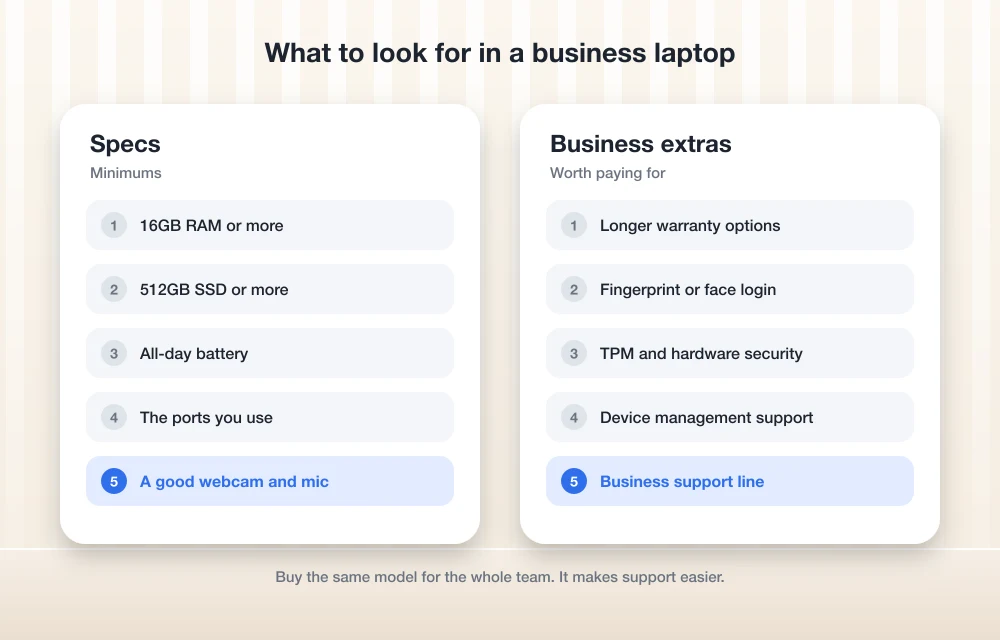
What to Look for in a Small Business Laptop
Before you start comparing brands, think about what your people actually do all day. Someone who lives in email and a CRM needs a very different laptop from someone cutting client videos, and buying the same machine for both is how you end up overpaying for one and frustrating the other.
Processor. Any current Apple M-series chip is more than enough for office work. On Windows, go for a current-generation Intel, AMD or Qualcomm chip. One catch, though. Qualcomm’s Snapdragon chips use Arm, a different chip design from Intel and AMD, so if you rely on an older accounting package or some niche industry tool, ask the software maker whether it supports Windows on Arm before you buy anything. This is the one I’d check first.
Memory (RAM). 16GB is my minimum in 2026. Think of RAM as the short-term working space for your open apps and browser tabs. 8GB fills up fast once a video call’s running next to a pile of tabs. Not ideal. On a Mac you pick memory at checkout and that’s it, forever, so buy for the next few years. Designers and developers should be looking at 24GB or more.
Storage (SSD). Your apps and files live on the SSD (solid-state drive). I’d aim for 512GB. You can get by with 256GB if everything’s in the cloud, but it gets tight quicker than you’d think. And either way, the laptop shouldn’t be the only place your files exist. My guide on how to back up your business data compares the cloud backup options.
Battery life. Manufacturer figures come from specific tests like video playback or web browsing. So treat them as the best case. Video calls and a bright screen will eat into them, sometimes a lot, but they’re still handy for comparing one model against another.
Ports. Count what your people actually plug in. Most business laptops lean on USB-C or Thunderbolt for charging, displays and fast drives. Does your team present in meeting rooms a lot? Then a built-in HDMI port saves a ridiculous amount of adapter hunting. And if a backup drive ever stops showing up, I’ve written up how to fix an external drive not showing up on Windows or Mac.
Weight. For anyone who commutes or travels, this matters more than you’d expect. Apple lists the 13-inch MacBook Air at 2.7 lb. That’s a nice yardstick for a laptop you’ll lug around every single day.
Warranty and business support. This is where the business lines really earn their money. They usually come with longer warranties and onsite service options than consumer models. The exact terms vary by vendor, though, so read the warranty page for the specific model you’re eyeing.
Security. Look for TPM 2.0 (Trusted Platform Module, a little security chip that protects encryption keys). Microsoft lists it as a Windows 11 requirement. Windows Hello lets people sign in with their face or fingerprint, and on Macs Touch ID covers the fingerprint side. In a small office? Fewer passwords on sticky notes. That alone is worth it.
Copilot+ PC features. Copilot+ PC is Microsoft’s label for Windows laptops with an NPU (neural processing unit, a chip built for AI tasks) that meet its minimum specs, which Microsoft publishes on its Windows site. Nice bonus. Not a reason to buy. RAM, warranty and support come first.
Quick Comparison by Role
Every spec in this table comes from the makers’ own product pages. Where it says “not confirmed,” I mean it: I couldn’t pin it down for the current model.
| Pick | Best for | Official details | Check before buying |
|---|---|---|---|
| MacBook Air (M5) | Most office, admin and sales staff on Mac | 16GB memory and 512GB SSD standard; up to 18 hours video streaming (Apple); 13-inch is 2.7 lb | Whether to upgrade to 24GB or 32GB |
| MacBook Pro (14-inch) | Design, video, development | M6, M5 Pro and M5 Max options; up to 24 hours on the newest models (Apple) | Which models are on sale; M6 base specs |
| Lenovo ThinkPad T series or X1 Carbon | Windows fleets, frequent travelers | Not confirmed for this update | Current generation on Lenovo’s PSREF site |
| Dell business laptops | Standardizing a Windows fleet | Not confirmed for this update | Current model names at dell.com/business |
| HP EliteBook | Managed, security-conscious teams | Not confirmed for this update | Current series on hp.com |
| Surface Laptop for Business | Microsoft 365 shops | Not confirmed for this update | Chip options and screen sizes |
| Budget pick | Light office work | Depends on model | 16GB RAM, Windows 11 Pro, warranty |
The Best Laptops for Small Business, by Role
I’ve grouped these by the kind of person who’ll actually use them. Business lineups get renamed and refreshed all the time (2026 has been especially busy on the Mac side), so anything I couldn’t confirm gets flagged.
1. Apple MacBook Air (M5)
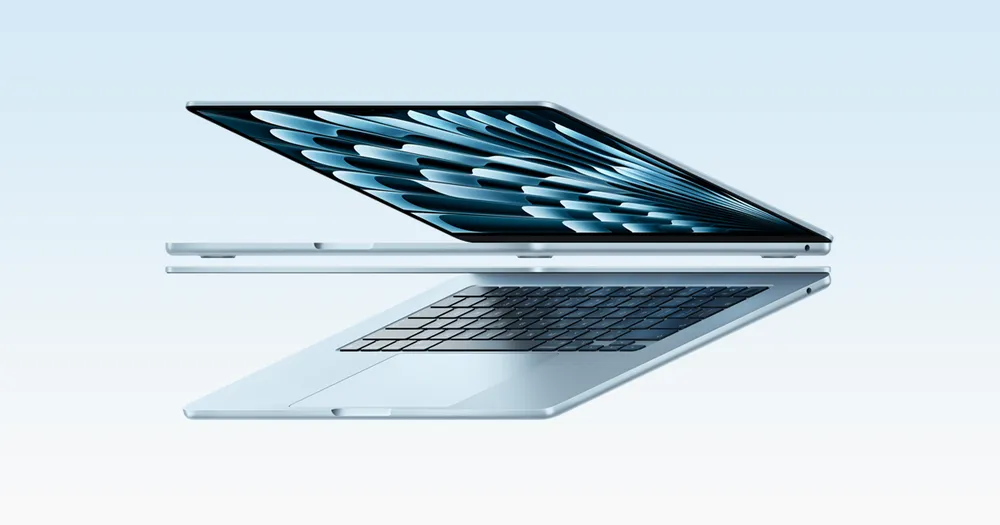
If your team spends most of the day in email, documents, spreadsheets and web apps, this is where I’d start. Apple announced the MacBook Air with M5 in 13-inch and 15-inch sizes on March 3, 2026.
The base model ships with 16GB of unified memory and a 512GB SSD. Apple says it doubled the starting storage, which is welcome. You can configure memory up to 24GB or 32GB and storage up to 4TB, and inside, the M5 has a 10-core CPU plus a 16-core Neural Engine for on-device AI tasks.
Apple rates the battery at up to 18 hours of video streaming and 15 hours of wireless web. Ports? MagSafe 3, two Thunderbolt 4 (USB-C) ports and a headphone jack. The 13-inch gets a 13.6-inch display, a 12MP Center Stage camera that keeps you in frame on video calls, and Apple’s N1 wireless chip.
So who should skip it? People who edit a lot of video, or who need built-in HDMI every single day. Everyone else, check the details on Apple’s MacBook Air page and think hard about memory. You only get one shot at that, at checkout.
2. Apple MacBook Pro (14-inch)
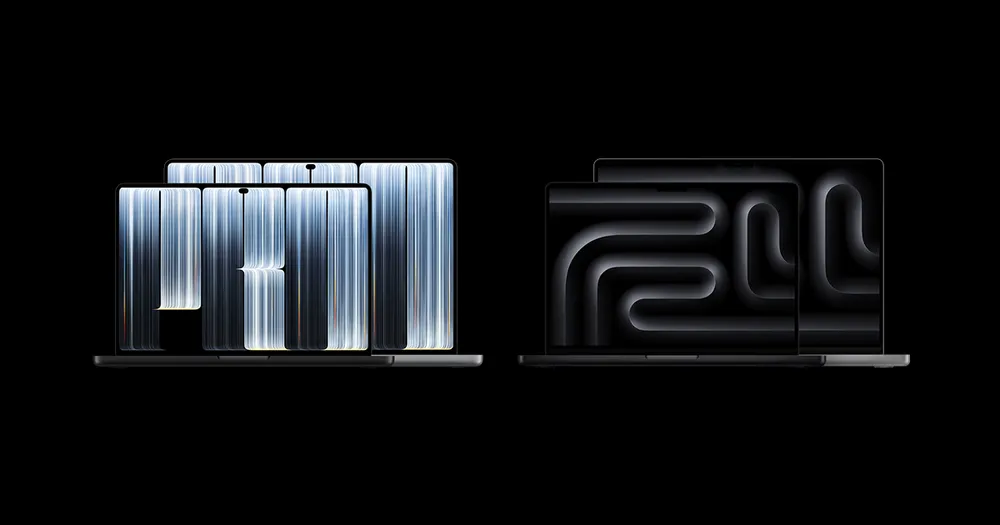
This one’s for your designer, your video editor or your developer. Basically anyone whose laptop is their main production tool. It’s also the most confusing part of this whole list right now, because Apple put out several MacBook Pro models in 2026.
- March 3, 2026: 14-inch and 16-inch models with M5 Pro and M5 Max. Apple rates the 14-inch M5 Pro at up to 22 hours of video streaming, and the 14-inch has an SDXC card slot, HDMI and Thunderbolt ports.
- October 27, 2026: a 14-inch MacBook Pro with M6 in space black and silver. Apple markets it to business users (among others) and rates it at up to 24 hours of battery life. It’s available from November 6.
- October 28, 2026: the MacBook Pro with PROLED XDR Display. You get a tandem OLED touchscreen (the first touchscreen on a Mac), M5 Pro or M5 Max, Thunderbolt 5 and up to 24 hours of battery, all in a thinner, lighter design. It’s also available from November 6.
I couldn’t confirm whether the March models are still on sale. I couldn’t confirm the M6 model’s base memory, storage, ports or weight either. So check Apple’s store before you order. My suggestion? If you need Pro-level power but don’t care about a touchscreen, look at the 14-inch M6 first, and save the PROLED model for creative work where touch and Thunderbolt 5 actually pull their weight. And if someone’s importing camera SD cards every day, double-check the card slot on whatever you end up with.
3. Lenovo ThinkPad T Series or X1 Carbon

For a Windows fleet, ThinkPad is the first line I’d look at. The X1 Carbon is Lenovo’s premium thin model for people who are always on the road. The T series (T14 and T14s) is what I’d hand to most office staff.
The catch? I couldn’t verify the current generations or specs for this update, and that includes the exact name of the newest X1 Carbon. Lenovo’s own spec reference, PSREF (psref.lenovo.com), is where you’ll want to check ports, weight, battery and Copilot+ status for the exact configuration you’ve been quoted.
4. Dell Business Laptops (Latitude and Dell Pro)
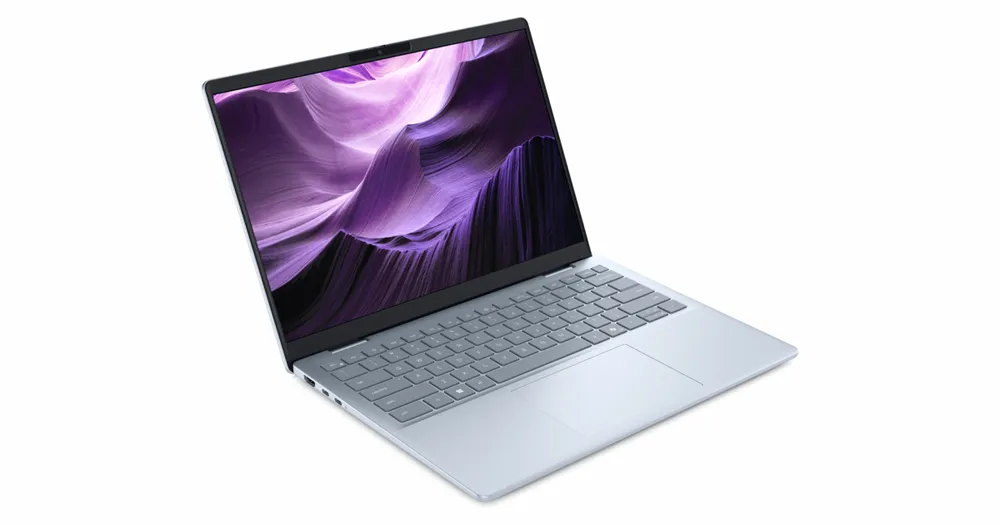
Dell makes sense if you’d like one brand and one business account to buy everything through. It reportedly reshuffled its business laptops in 2025, moving away from the Latitude name to Dell Pro, Dell Pro Premium and Dell Pro Max. I couldn’t confirm the current lineup, though, so check dell.com/business to see what’s actually on sale.
I’d think about it in tiers. Mainstream models for most of your staff. Premium ones for the people who travel. And the top performance tier only for heavy engineering or creative work, so you’re not paying for power nobody touches.
5. HP EliteBook

EliteBook is HP’s business range. I’d put it on the shortlist for teams handling sensitive client data who want central management (think accounting or insurance offices). HP reportedly reworked the EliteBook naming in 2025 into EliteBook X, EliteBook 8 and EliteBook 6, but I couldn’t verify the current models, so compare the series on hp.com yourself and ask HP which security and management features actually come with the configuration you’re buying. Don’t assume.
6. Microsoft Surface Laptop for Business
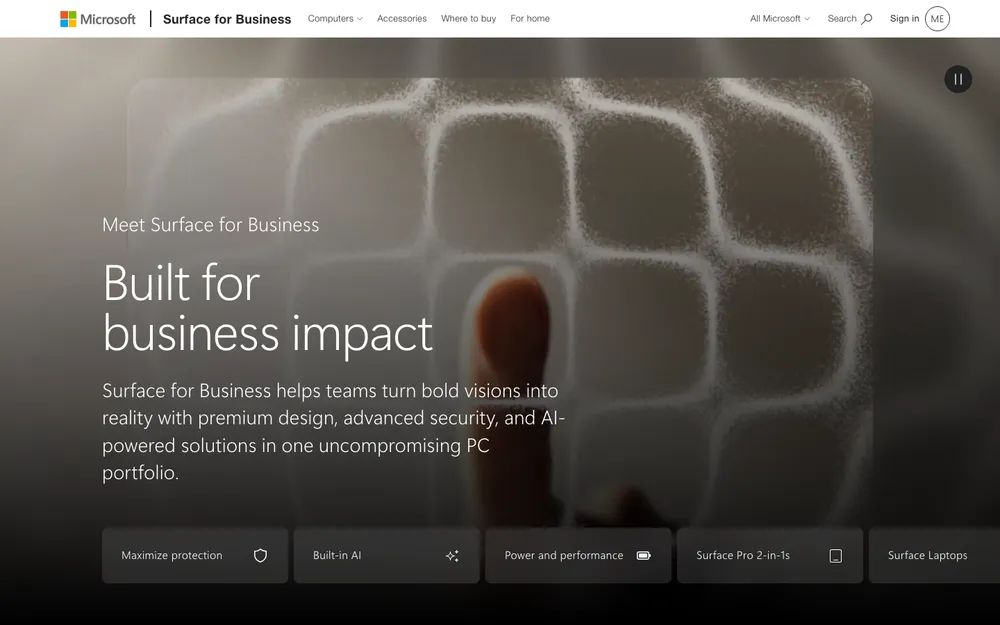
If your business runs on Microsoft 365, Teams and Outlook, there’s something tidy about using a laptop from the same company. Surface Laptop for Business is the business edition of Microsoft’s own laptop.
Recent editions have reportedly offered a choice of Qualcomm Snapdragon X or Intel Core Ultra chips, but I couldn’t confirm the current options. And that choice really matters. Go Snapdragon and you’re on Arm, so test your must-have apps first. Intel’s the safer bet if you run older Windows software. You can check current models and sizes on Microsoft’s Surface for Business page.
7. Budget Pick: An Entry-Level Business Windows Laptop
Straight answer? I couldn’t research a specific budget model for this update, and I don’t want to name one I can’t stand behind. So here’s what I’d do instead: start with the entry tier of a business line rather than some cheap consumer laptop, then hold it to this checklist.
- 16GB of RAM. The one corner I’d never cut.
- A 256GB SSD at the very least, 512GB if you can swing it.
- Windows 11 Pro, not Home.
- A fingerprint reader or a Windows Hello camera.
- A warranty you can extend.
A cheap laptop your employee hates ends up costing more in lost time than it ever saved you. That’s the annoying part. If money’s tight, I’d buy fewer, better laptops and stagger the rest.
Business vs Consumer Laptops: When to Pay More
If it’s just you running the business, a good consumer laptop plus a proper backup plan can be totally fine. Once you’ve got a few employees, though? Business models start to earn their keep. You typically get Windows 11 Pro, manageability features like Intel vPro on some models, longer warranties with onsite service options, and the same model sticking around for longer (terms vary by vendor, of course).
That last one is wildly underrated. Everyone on the same model means one charger type, one setup routine, and a new hire who just gets the same laptop as everybody else. Simple.
Fleet Management Basics (MDM)
MDM is short for mobile device management. It’s software that lets you set up, secure, update and, if it comes to it, wipe company laptops remotely. Say a laptop gets stolen out of a car. With MDM, you can wipe it before anyone gets a look at your client files.
On Windows, Microsoft’s tool is Intune, and Windows Autopilot is the service that gets new laptops set up with your company settings. Both are commonly tied to Microsoft 365 Business Premium, but check Microsoft’s current plan details before you upgrade.
On Macs, Apple Business Manager (business.apple.com) handles automatic enrollment into a separate MDM tool that you pick. Apple Business Manager has been free. The MDM tool might cost extra, so check the current terms.
Sort out MDM before the laptops show up, not after. Enrolling ten machines you’ve already set up by hand is a real pain. Oh, and keep a sheet listing who has which laptop, its serial number and when its warranty runs out. Boring, but you’ll thank yourself later.
Black Friday Tips for Business Laptops
Thanksgiving falls on Thursday, November 26, 2026, so Black Friday is November 27 and Cyber Monday is November 30. It’s a good time to buy. As long as you stay disciplined.
Before you even start browsing, write down the exact configuration you want: chip, RAM, storage and warranty. Then watch out for deals on lookalike configurations with less memory or storage, because an 8GB laptop isn’t a bargain if your team outgrows it in a year.
Compare model numbers, not just names. That ThinkPad or EliteBook in a doorbuster might be an older generation, so look it up on the vendor’s spec page. Think about the warranty too, since a discounted consumer laptop with no onsite support can cost you more over time. And if you’re buying several, check the return window and test one before you roll out the rest.
Want a wider look at what’s worth buying this season? I put together a Black Friday 2026 tech buying guide.
Business laptops worth a look on Amazon
If one of these fits your team, you can check current pricing below. Just make sure the listing matches the exact model and configuration before you hit buy.
- Apple MacBook Air 15-inch with M5 chip (32GB, 512GB)
- Lenovo ThinkPad T14 Gen 6 (Intel Core Ultra 7, 32GB, 1TB)
- Microsoft Surface Laptop for Business 13.8-inch (Intel Core Ultra 7, 32GB, 512GB)
As an Amazon Associate, thetechhacker earns from qualifying purchases.
Frequently Asked Questions
How much RAM does a small business laptop need in 2026?
I’d call 16GB the minimum. It comfortably handles email, browsers, video calls and office apps. Designers, developers and video editors should be looking at 24GB or more. The MacBook Air with M5 comes with 16GB as standard and you can configure it to 24GB or 32GB.
Is a Copilot+ PC worth it for a small business?
It’s a nice extra, not a must-have. Copilot+ PCs have an NPU for AI tasks and meet Microsoft’s minimum specs, which Microsoft lists on its Windows site. If a particular feature would actually save your team time, go for it. If not, put RAM, warranty and support first.
Is the MacBook Air M5 good enough for small business work?
For most office, admin and sales work, yep. Apple’s base model has 16GB of memory and a 512GB SSD, and it’s rated for up to 18 hours of video streaming. If someone does heavy video editing or needs built-in HDMI, a 14-inch MacBook Pro is the better fit.
Do I need MDM software if I only have a few laptops?
I’d say it’s worth it even for a small team. MDM lets you set up, update and remotely wipe company laptops, which really matters if one gets lost or stolen. On Windows the tool is Microsoft Intune, and on Macs Apple Business Manager works with a separate MDM tool. Check each vendor’s current plans and terms.
Who Gets Which Laptop
If your team’s on Mac, give most people the MacBook Air with M5 and keep the MacBook Pro for the folks who genuinely need it. The base model already has 16GB of memory and 512GB of storage. Most office staff won’t need a single upgrade.
On Windows, pick a business line you can live with for the long haul, confirm the current model on the vendor’s own spec page, and don’t drop below 16GB of RAM. Then get MDM and backups sorted before anyone even opens the box. That part matters way more than the logo on the lid.
Featured image: Burst on Unsplash.
You might also like

Best Endpoint Security (EDR) Software for US Small Businesses in 2026
Five endpoint security picks for US small businesses in 2026, from Microsoft Defender for Business to CrowdStrike, SentinelOne, Sophos and Bitdefender. This guide covers how EDR differs from antivirus, when a managed service makes sense, and how each vendor prices.

Best MDM Software for Small Businesses (2026): Intune vs Jamf vs Iru vs Hexnode vs ManageEngine
Someone in your company is going to leave a laptop in a rideshare this year. When that happens, the question isn’t whether the hardware is gone. The question is whether you can lock it, wipe it and prove to a client or an insurer that their data didn’t walk off with it. Mobile device management…

Top 5 Backup & Data Recovery Software for Businesses in USA (2026 Guide)
In 2026, US businesses will face challenges related to data loss due to numerous causes — including ransomware attacks and hardware failures — as well as the potential for accidental deletions or outages related to their cloud computing environments. When trying to scale your business, selecting the best backup and recovery solutions should be a…
The week in tech, minus the noise.
New reviews, fixes and the stories that matter — once a week, straight to your inbox.
We only use your email to send the newsletter. Unsubscribe any time. See our privacy policy.
Comments